



ACECORP
Participant
August 28, 2020
Answered

How do I change the size of the PDF Document to A4 or US Legal?

  • August 28, 2020
  • 2 replies
  • 136654 views

How do I change the size of the PDF Document to A4 or US Legal?


I have a pre-existing Adobe Acrobat document that I need to simply edit by changing the Page Size to US Legal or A4 and re-arranging the content. 


When the end user opens the .pdf document for viewing, it needs to display in A4 or US Legal. 


I can do this very easily in Microsoft Word by simply selecting the Page Size as shown below and saving the document.
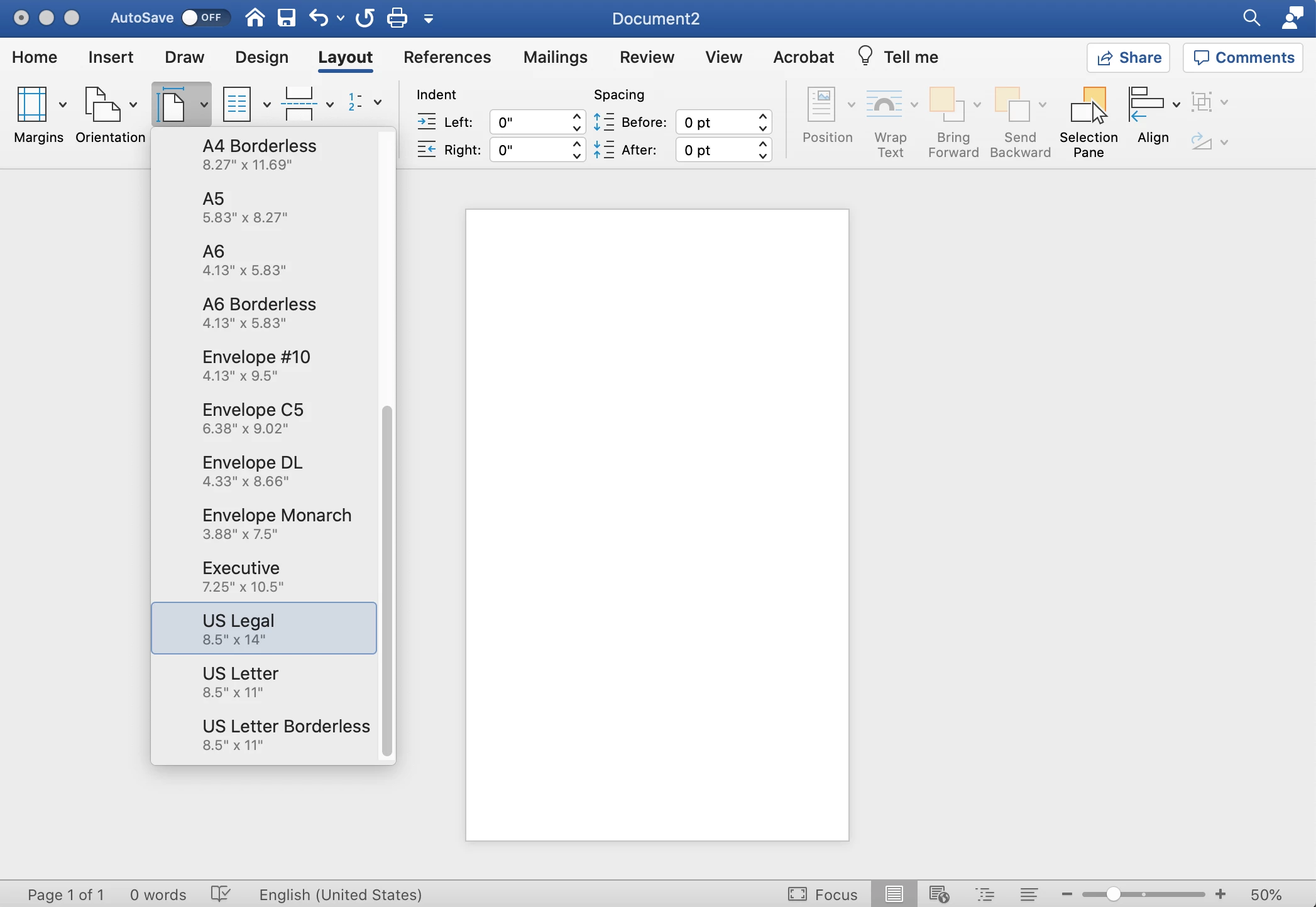


However I have a pre-existing Adobe Acrobat document that I need to simply edit by changing the Page Size to US Legal or A4 and re-arranging the content. 

Correct answer Test Screen Name

Yes, but PDF files are not Word documents. They are much more like a finished piece of paper. Acrobat has some minimal editing best kept for typos. There's nothing in the world that will reflow your document to a new page size. If that's what you want to do I suggest you export to Word then remake the PDF.

2 replies

Lachlan McIntosh
Participant
February 22, 2023

A much easier way to go about this (if you have a mac, might work on PC, I'm just not familiar with them) is by doing the following:
1) Select "File" then "Print"
2) Select "Paper Size" and change to your desired paper size (you should be able to see the thumbnail on the left change) 
3) Select the PDF drop down menu on the bottom under "copies per page"
4) Select "Save as PDF" and your newly sized PDF will be saved in your desired size

Participating Frequently
March 11, 2023

I could not find what you suggested ( PDF drop-down menu, copies per page, save as PDf...). Is it because you have a different version of Acrobat?

Abambo
Community Expert
Community Expert
March 11, 2023

What computer do you have?

ABAMBO | Hard- and Software Engineer | Photographer
Test Screen NameCorrect answer
Legend
August 28, 2020

Yes, but PDF files are not Word documents. They are much more like a finished piece of paper. Acrobat has some minimal editing best kept for typos. There's nothing in the world that will reflow your document to a new page size. If that's what you want to do I suggest you export to Word then remake the PDF.

ACECORP
ACECORPAuthor
Participant
August 28, 2020

Thanks. That's what I ended up doing. I exported to Word, then changed the page size in word, then re-saved as a PDF.

I was hoping I could simply make the adjustment inside Acrobat Professional instead of going through the procedure you recommended, but apparently that's the only way to do it. Thanks again!