

New Participant
December 21, 2023
Question

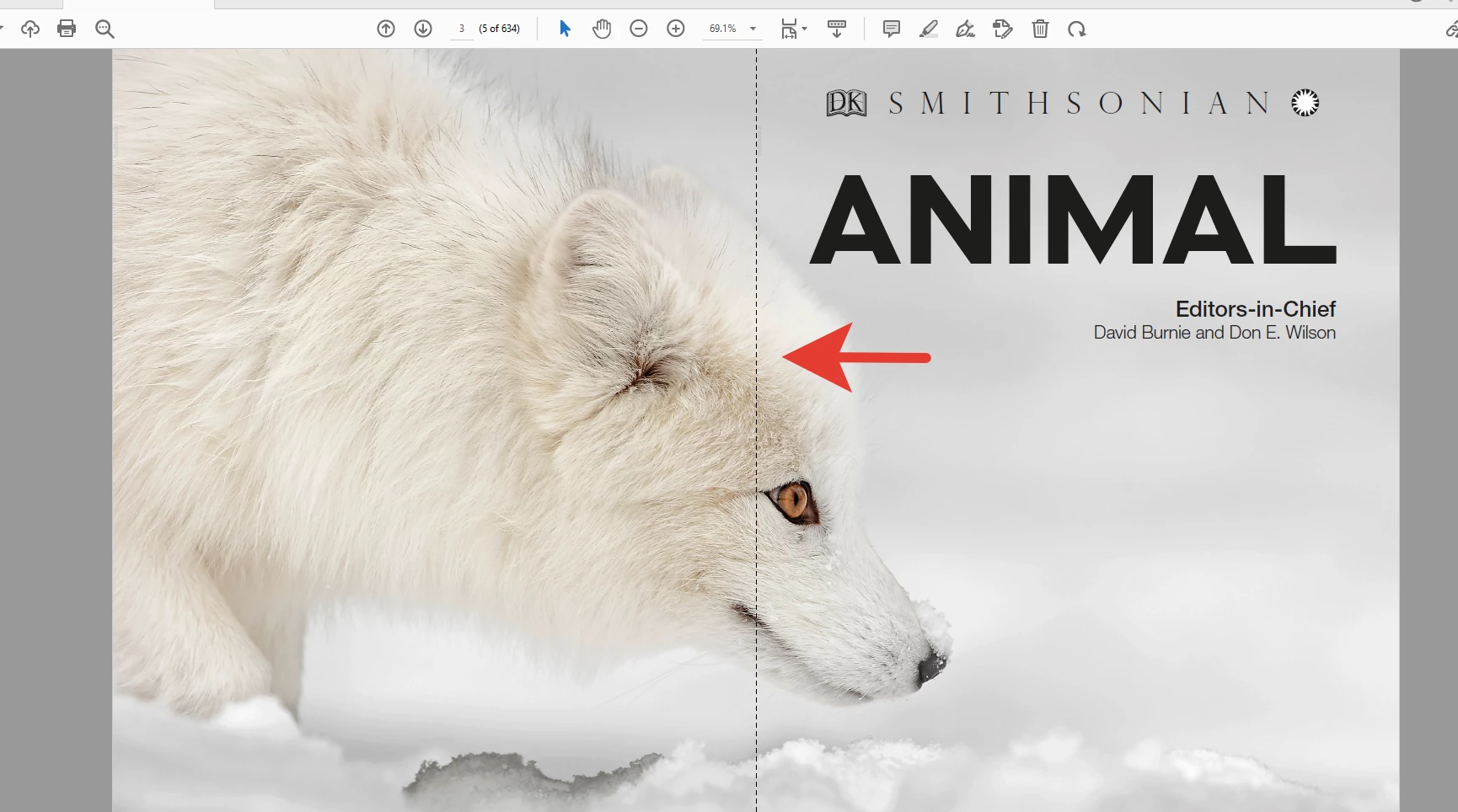
How do i disable the gapped line on double page view?

  • December 21, 2023
  • 3 replies
  • 2013 views

There is a dotted line that divides pages in double page view mode, however I don't always need it, can I disable it somehow? I only found the option to put a gap between pages

 

3 replies

New Participant
November 6, 2024

Come on adobe - this is ridiculous - if you have 2 pages next to each other so they display as a spread- we don't need a line down the middle - or a dotted line  - - at least give us the option not to display the gap and not have a dotted line  its absurd -

Just put yourself in the users position - I want to see a spread as its set up in indesign !! - there isn't a page gap on a spread so why are you imposing it on us !!!

Community Manager
January 27, 2025


Hi @Hoperose


Sorry for the delayed response, and thank you for sharing the feedback. 


As this view setting isn't currently available with the product, please file a feature request here:

https://adobe.ly/40BmcVo


~Tariq

New Participant
November 3, 2024

I also want to get rid of this!!!  It seems crazy that you either get a gap or a dotted line.  Cant we just remove it entirely?

try67
Community Expert
November 3, 2024

Not unless you combine all the pages in your file to a single long page, which is not a good idea.

New Participant
November 4, 2024

This would be a very simple usability setting for Adobe to include. 

try67
Community Expert
December 21, 2023

Go to View - Page Display and tick off "Show Gaps Between Pages".

New Participant
December 21, 2023

As you may have noticed this is not a "gap between pages", this is a dotted line, but thank you anyway.

try67
Community Expert
December 21, 2023

It is a gap between pages, as you're displaying two pages at once.