Known Participant
February 18, 2018
Answered

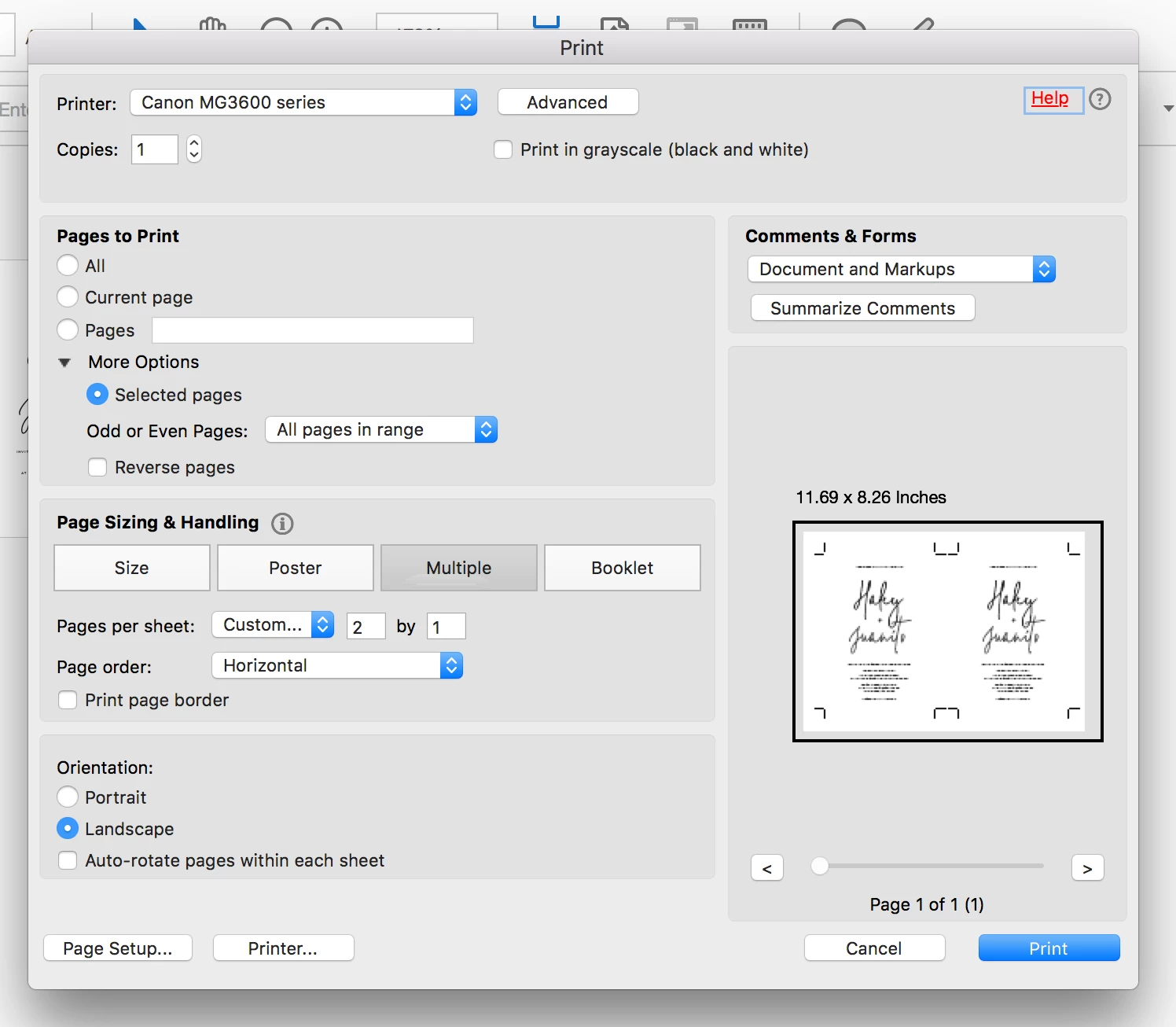
How do I SAVE a pdf document as 2-up? (screenshot)

  • February 18, 2018
  • 2 replies
  • 9936 views

Ok... I've got this far (it took long enough) but I need to SAVE the file in this set-up, so that it is ready to print when the person receives it. I know it can be done because I've seen documents that are ready to print in this exact set up. Hoping this is a simple trick I'm missing... hope someone can help me! Thanks in advance

This topic has been closed for replies.
Correct answer Dov Isaacs

Acrobat currently provides no built-in method for doing this. The general name for this type of functionality is imposition.

There are some third party applications and third party Acrobat plug-ins (such as Quite Imposing from Quite Software) that do a very admirable job in providing various types of n-up, step and repeat, booklet making, and other imposition functions.

Others place PDF pages into InDesign pages and export PDF/X-4 to achieve similar effects.

What you should not do is “refry” the PDF (print to the Adobe PDF printer in Windows to get a new PDF file), despite what other alleged experts might tell you. That process very often results in a degraded PDF file with transparency, color management, searchability, links, bookmarks, etc. lost or damaged.

          - Dov

2 replies

Dov Isaacs
Dov IsaacsCorrect answer
Brainiac
February 18, 2018

Acrobat currently provides no built-in method for doing this. The general name for this type of functionality is imposition.

There are some third party applications and third party Acrobat plug-ins (such as Quite Imposing from Quite Software) that do a very admirable job in providing various types of n-up, step and repeat, booklet making, and other imposition functions.

Others place PDF pages into InDesign pages and export PDF/X-4 to achieve similar effects.

What you should not do is “refry” the PDF (print to the Adobe PDF printer in Windows to get a new PDF file), despite what other alleged experts might tell you. That process very often results in a degraded PDF file with transparency, color management, searchability, links, bookmarks, etc. lost or damaged.

          - Dov

- Dov Isaacs, former Adobe Principal Scientist (April 30, 1990 - May 30, 2021)
amywillsAuthor
Known Participant
February 18, 2018

Thanks Dov, that's really helpful. I'm not familiar with inDesign, are there more detailed instructions on how to do this?

try67
Community Expert
February 18, 2018

On Windows you can print the file to the virtual Adobe PDF printer using the Multiple option and it will produce a new version of it, but that's not possible on a Mac. You can use a script, though, like this one I've developed: Custom-made Adobe Scripts: Acrobat -- Print Multiple Pages Per Sheet