


New Participant
May 27, 2022
Answered

How do I uninstall McAfee Security Scan Plus?

  • May 27, 2022
  • 12 replies
  • 60621 views

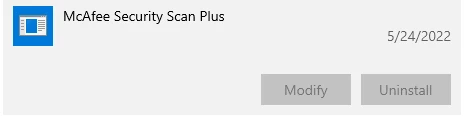
How do I uninstall the McAfee Security Scan Plus software Adobe Acrobat DC installed without my permission on Windows 10?


The Uninstall option is grayed out in Windows Settings -> Apps & Features. McAfee keeps popping up telling me I have a "potential" security threat and won't tell me what it is and directs me to the McAfee website to purchase it. Seems like a marketing scam to me. I don't appreciate Adobe doing this. 
Correct answer Schmedly

I too had this problem and after reading several complex solutions that included multiple reoboots and manually editing the Windows registry, I stumbled across this simple solution:


1) In the search bar next to the Windows icon, type in 'mcafee' (yes, lower case).

2) A list of your apps should come up, but under a file tree different than the standard uninstall control panel.

3) Click on Mcafee Security Scan Plus, and the uninstall button should magically appear.

4) Click uninstall, and the program should now be removed.

5) Finally, go back to the search bar and again type 'mcafee' - a shortcut remains which can now be removed as well.


Hope this works for you too!

12 replies

New Participant
July 3, 2022

Try run->appwiz.cpl
Find McAfee Security Scan Plus on the list of programs and right-click, select remove/uninstall

New Participant
September 13, 2022

McAfee is pure GARBAGE!


try67
Braniac
May 28, 2022
New Participant
May 25, 2023

I tried this tool as well.  It took over 5 hours to run, made my computer so slow that it was almost unusable, and did no good.  What finally worked for me was using appwiz.cpl as described by Dede22797772ohb3 later in this thread.

New Participant
August 20, 2024

It did not work for me.