

Inspiring
December 20, 2017
Answered

How to add an email link to a PDF

  • December 20, 2017
  • 5 replies
  • 308988 views

When I try to add an email link to a PDF, it sends the PDF. I don't want to send the PDF, I just want to open an email, ideally with a specific subject line.


Thanks,

Laura

Correct answer Bernd Alheit

Thanks very much for confirming my syntax!

Under "Link Properties" my only choices for link type are "Visible Rectangle" and "Invisible Rectangle." Under Highlight style, the choices are only for borders. Please see the attached screen shots.
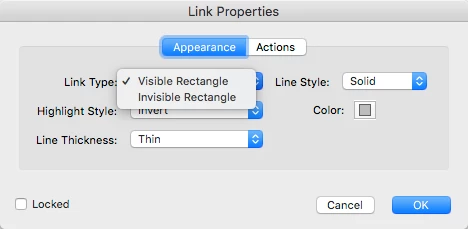
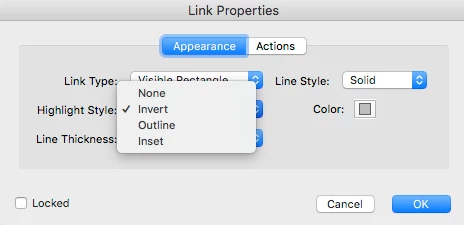
Look at "Line Style".

5 replies

Participant
July 27, 2020

Hello - this thread is very helpful. I'm creating a fillable form that I would like customers to submit from my website. I was able to get the email hyperlink to work. But is this the best method to use for me to receive the fillable PDF from customers in an email? 

Participant
January 15, 2021

Hello, Along these threads, I am finding that a mailto:name@company.com when added per the PDF link instructions, works fine on viewing the PDF from a deskptop platform also when simply sending the PDF to myself to preview functions, but when sent via an app like Constant Contact, doesn't weork on ios mobile devices. Could someone please help me? I need to resolve this quickly.

damianb_
Known Participant
April 17, 2020

How is 'Look at "Line Style" an answer? Is there any reason you couldn't expand on this?

Participant
December 8, 2018

it kept referencing a totally different email address.  We realized that the & symbol was not compatible with our email branding.  Thank you!!

Participant
December 6, 2018

I am in need of help, I am trying to insert an email address with custom subject, however, it seems the link continues breaking

I am using

mailto:e&m_amr@domain.com?subject=customsubject.

It seems that it is not accepting the & and _ symbols.  I appreciate your guidance!

try67
Community Expert
Community Expert
December 6, 2018

Works fine for me... What happens when you try to use it?

try67
Community Expert
Community Expert
December 20, 2017

How are you adding this email link? What action are you using in it?

LauraFigAuthor
Inspiring
December 20, 2017

edit PDF, add/edit web or document link; under link properties, choosing submit a form, for the ink URL mailto:email@ddress, export format; just kept default options but tried others, but all included an attachment.

Again, I want to create an email without the PDF or other attachment, and with a particular subject line.

Thanks,

Laura

LauraFigAuthor
Inspiring
December 20, 2017

Look at "Line Style".


Of course, only looked at that about 17 times!!

Many thanks for all your help with this. I really appreciate your generosity and expertise.

Laura