


rakeshk21205956
Inspiring
November 13, 2018
Answered

How to change font size of currency symbol made with AFNumber_format

  • November 13, 2018
  • 1 reply
  • 2288 views

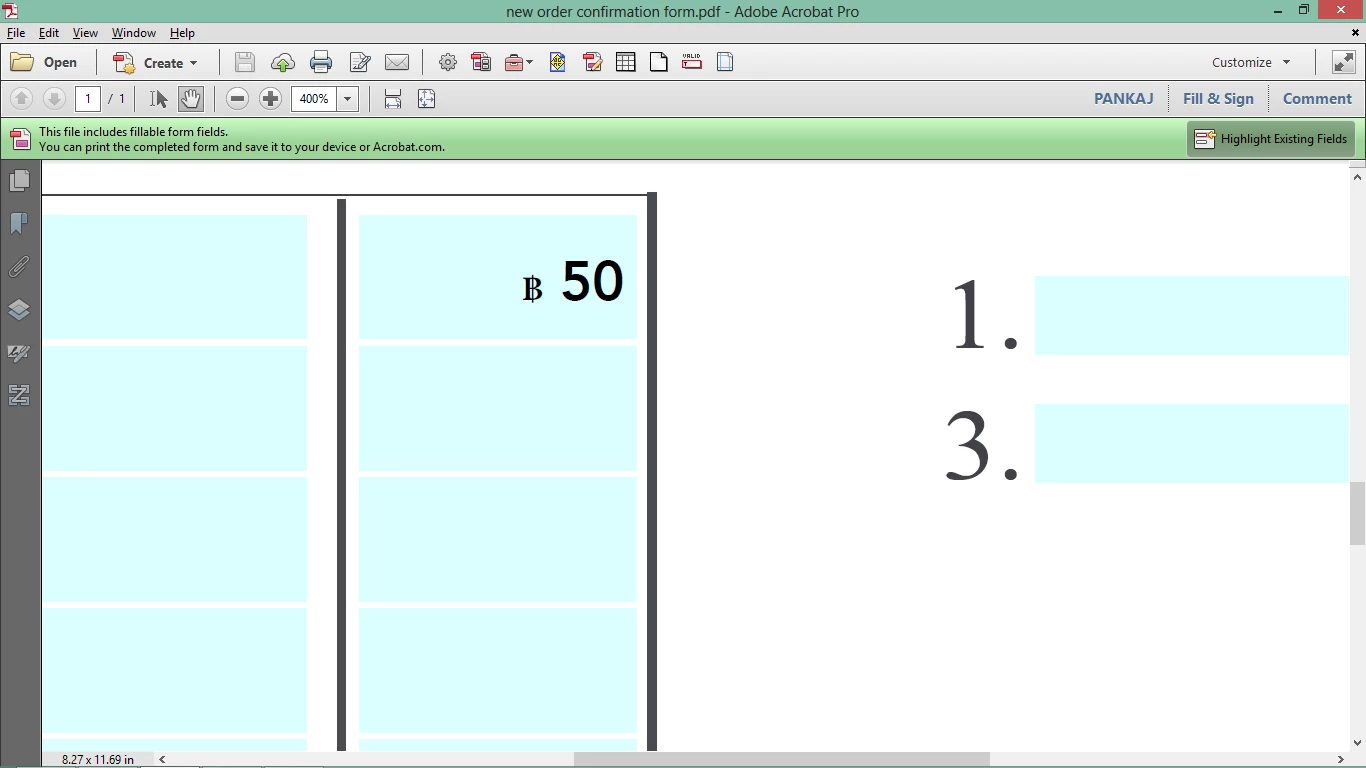
using the AFNumber_format, currency symbol of BHAT (thailand currency) was created but the problem is it's font size is small compared to the number... it looks like subscript. 

Is there any way to make the font size of currency symbol and number both same.

Attached is image  how it looks like now:
Thanks in advance

This topic has been closed for replies.
Correct answer try67

Any other way to put 'BHAT" symbol which will be of the same size as of the text.


Try using this code as your custom Format script, instead of what you currently have:

AFNumber_Format(0, 1, 0, 0, "", true);

if (event.value!="") {

    var spans = [];

    var span0 = {};

    span0.text = "\u0e3f ";

    span0.textSize = 18;

    spans.push(span0);

    var span1 = {};

    span1.text = event.value;

    span1.textSize = 12;

    spans.push(span1);  

    event.richValue = spans;

}

Line #6 is the font size of the currency symbol and line #10 is of the rest of the text in the field.

1 reply

Bernd Alheit
Community Expert
Community Expert
November 13, 2018

What code do you use?

rakeshk21205956
Inspiring
November 13, 2018

I got this script from this forum only:

function THAIFORMAT() {


    AFNumber_Format(0, 1, 0, 0, "\u0e3f ", true); }

function THAIKEYSTROKE() {


    AFNumber_Keystroke(0, 1, 0, 0, "\u0e3f ", true); }

try67
Community Expert
Community Expert
November 13, 2018

It does look small, but I'm afraid there's no easy way of changing that...