

How to confirm all checkboxes are checked?
Hi, I'm new to creating forms in Acrobat, and to JavaScript, so please excuse my lack of knowledge for what I hope is a simple question. I am using Adobe Acrobat X Pro.
A bit of background - I am trying to replace paper forms created in Excel with digital forms in Adobe. In order to get the users to change their behaviour I want to add some extra incentive by making the forms user friendly, and a little smart. By smart I mean that the form would:
1. automatically indicate when certain actions on the form are complete, (e.g. when the "doer" has done all their tasks, and when the "checker" has done all their tasks),
2. indicate the time these actions were completed
3. indicate whether this time was before a deadline
But I will deal with 2 & 3 later as they are more nice to haves.
So to the question....I have 8 checkboxes ("doer1"...to "doer8") which the "doer" will check when they have completed those tasks. Once all these checkboxes are checked I would like to show on the form that all the boxes are checked so that both the doer and checker know the form is ready to be reviewed (in real life the form may have many tasks so this will make their life easier...i.e. they can eyeball one checkbox rather than potentially many pages of checkboxes). The same goes for the "checker"...they should have a single visual indication that they have done all they should without having to look at all their individual checkboxes.
I thought the way to do this would be to count all the doer's checkboxes, then compare this to the number of their checkboxes that are checked, and if the counts are the same, then put a tick in a "Complete" checkbox. If not the same count, then one or more of the checkboxes has been missed indicating the process is not complete.
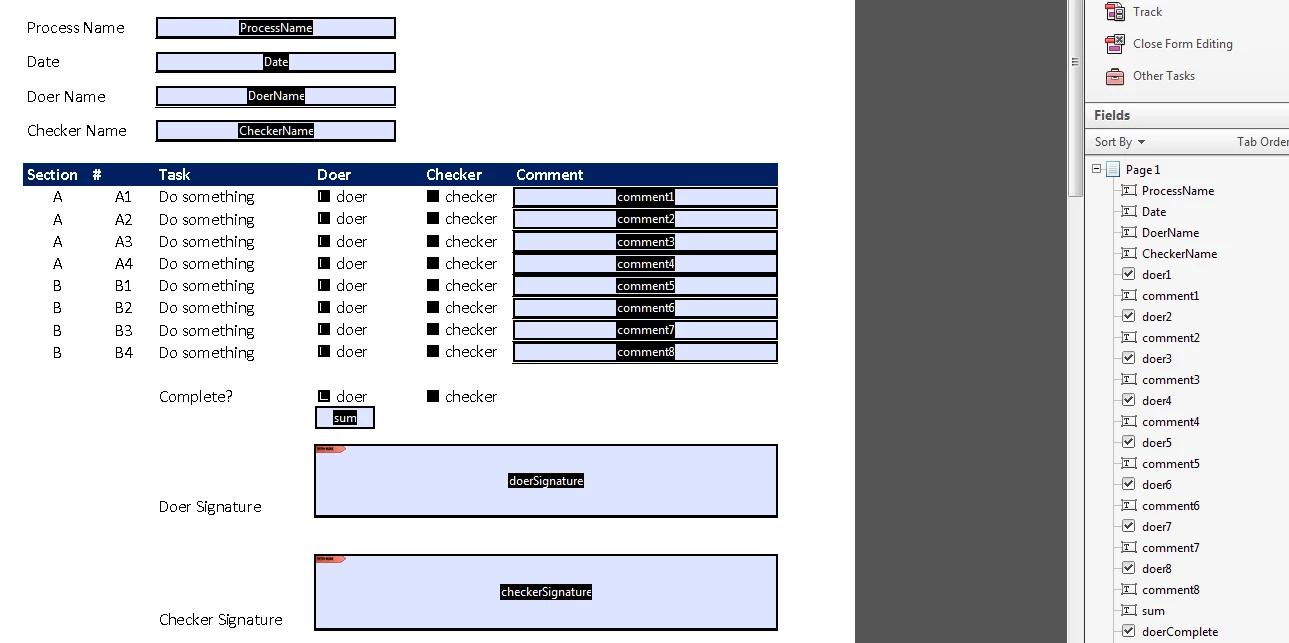
I have added the following code to the "sum" text field in the Text Field Properties dialog, Custom Calculation Script section of the Calculate tab:
var sum = 0;
for (i=1; i<=10; i++) {
if (this.getField("doer"+i).value!="Off") sum++;
}
event.value = sum;
When I preview the form, the javascript debugger returns the following error:
this.getField("doer" + i) is null
3:AcroForm:sum:Calculate
TypeError: this.getField("doer" + i) is null
3:AcroForm:sum:Calculate
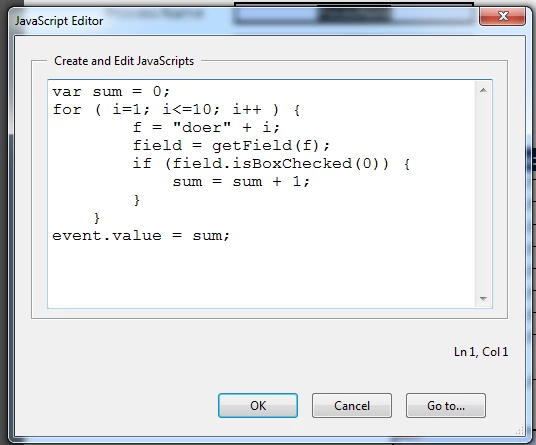
I also tried this code:
var sum = 0;
for ( i=1; i<=10; i++ ) {
f = "doer" + i;
field = getField(f);
if (field.isBoxChecked(0)) {
sum = sum + 1;
}
}
event.value = sum;
and got a similar error message:
field is null
5:AcroForm:sum:Calculate
TypeError: field is null
5:AcroForm:sum:Calculate
Please can you tell me what am I missing?


 AdChoices