


Participant
March 1, 2023
Question

How to create a button that adds form field and also delde if it needs to?

  • March 1, 2023
  • 2 replies
  • 1732 views

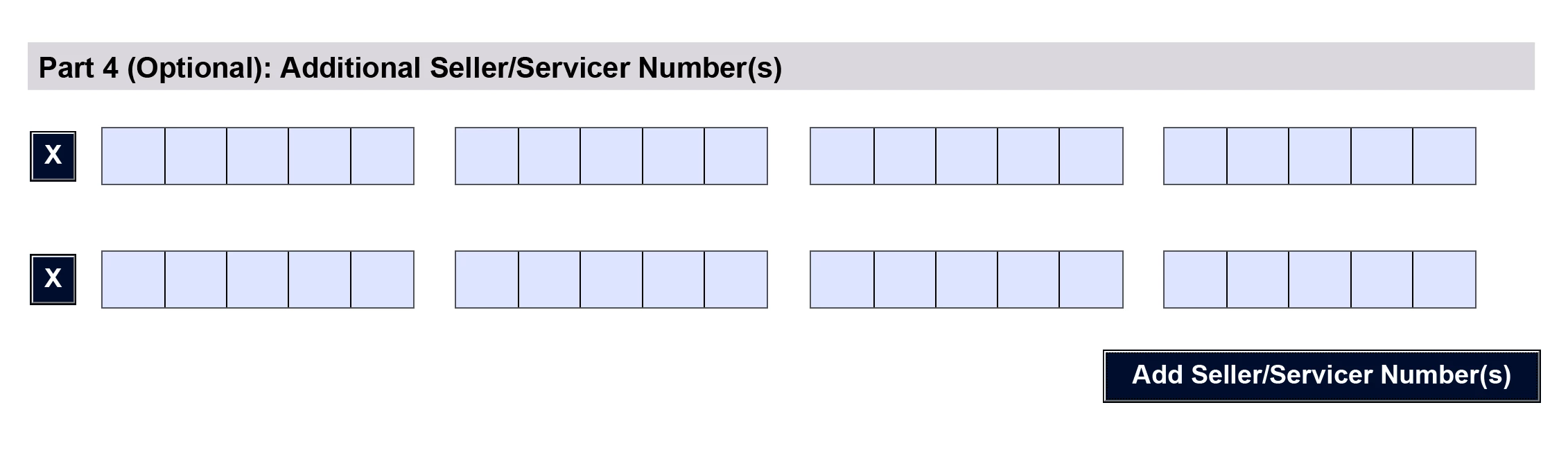
Hi I am recreating this PDF form that was created from LifeCycle Designer. 

I need to create a page that had a button, "Add...numbers" and when you click on it,

another set of 3 number field will be added to last line and so on. If you hit "X" button it will be removed.

Do you have any thoughts on how to do this? Thank you so much!
This topic has been closed for replies.

2 replies

try67
Community Expert
Community Expert
March 1, 2023

Be aware that unlike in an LCD form, you can't "re-flow" the page's contents when adding (or deleting) fields in an Acrobat form.

Participant
March 1, 2023

THANK YOU try67 Oh I see, that's good to know! I wonder why LCD discontinued...it was a reat app!

Bernd Alheit
Community Expert
Community Expert
March 1, 2023

It has a new name:

AEM Forms Designer

Nesa Nurani
Community Expert
Community Expert
March 1, 2023

It would be best to already place fields and then hide them and use a button with script to show them in sets of 3 on each click. You would need another button to hide them again.

Participant
March 1, 2023

thank you so much Nasa, looks like this is what I need to do... I was hoping there is a Java script for this, but it is more complicated than I thought!