


Participating Frequently
January 25, 2019
Answered

How to enlarge the text in Acrobat's Comments List?

  • January 25, 2019
  • 1 reply
  • 15125 views

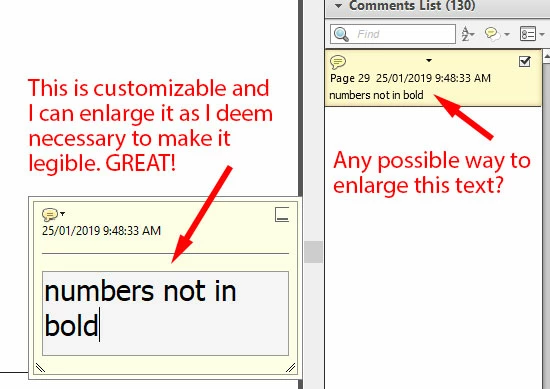
I have a mild visual impairment and my job requires that I work with annotated PDFs quite a bit. Below is an illustration of my question.

Is there a way to make the text in the Comments List bigger? I haven't yet found one, and the teeny, tiny text is incredibly problematic for me!
Correct answer Barb Binder

Hi Charis_Dancer:

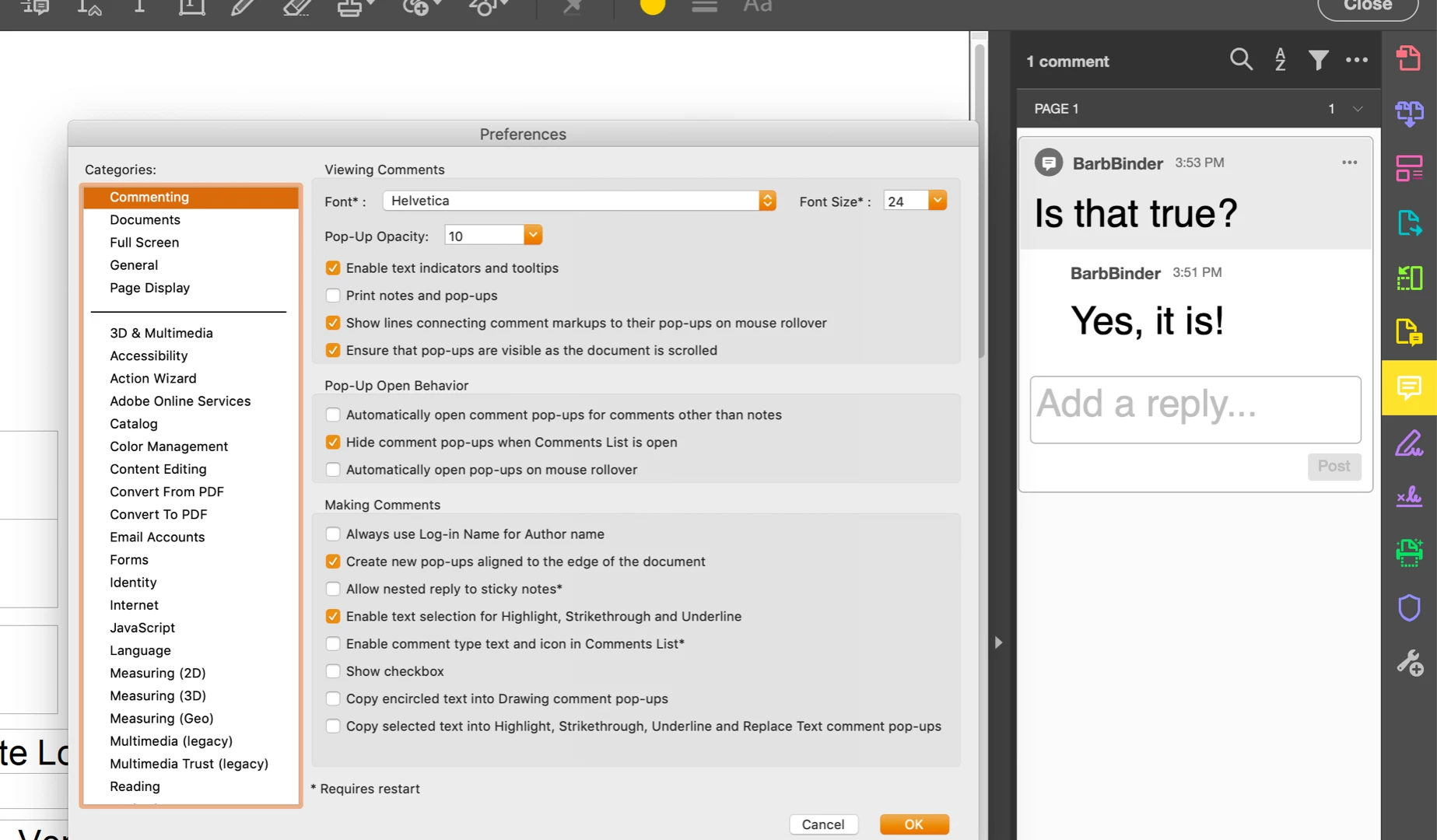
Set the commenting size via Preferences > Commenting > Font Size (top right of dialog box). You are not limited to the drop-down menu—type in any size up to 144 pts.

~Barb

1 reply

Barb Binder
Community Expert
Barb BinderCommunity ExpertCorrect answer
Community Expert
January 27, 2019

Hi Charis_Dancer:

Set the commenting size via Preferences > Commenting > Font Size (top right of dialog box). You are not limited to the drop-down menu—type in any size up to 144 pts.

~Barb

~Barb at Rocky Mountain Training
Participating Frequently
January 28, 2019

That's odd.

I'm using this version.

And I still get this:

Very tiny. Very hard to read.

Participating Frequently
January 28, 2019

Oh, and I should point out also that in my drop-down menu, the largest font size is 18 and not 144.