


Inspiring
May 17, 2024
Question

how to have the same crop dimension on all pages

  • May 17, 2024
  • 2 replies
  • 618 views

Hello,

In Acrobat I have made a crop on one page and applied it to "all pages" :
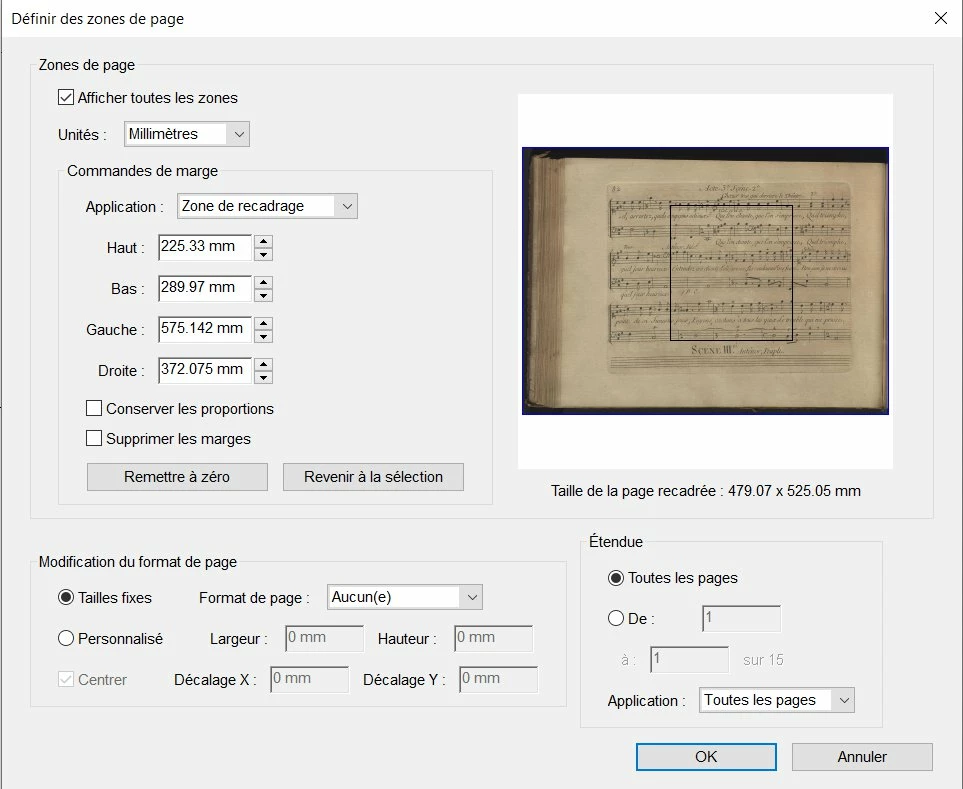


But the result is : the pages are now with different sizes :
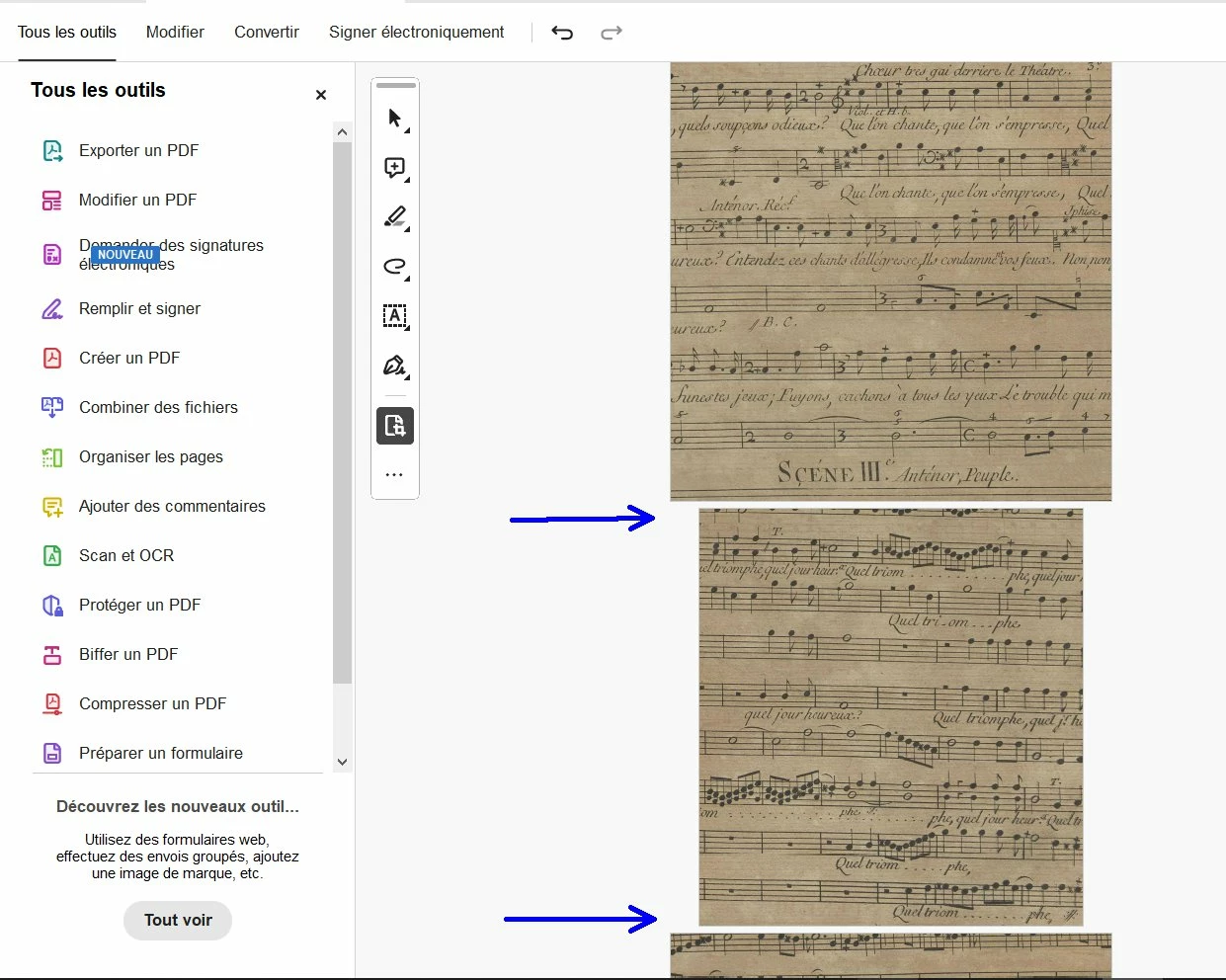


If I crop on one page and select "all pages", I would like to have the same crop dimension on all pages, in order to have pages with the same size. How to do it ?

This topic has been closed for replies.

2 replies

Inspiring
May 18, 2024

Hi @Amal. 

I have read the two links you give me and tried to crop all pages but I did not succeeded to do it : when I crop one page and set "all pages" in the crop window, the result is always : like in the screenshot I have put here, after the crop, the pages have not the same size (see blue arrows in my screenshot).

Amal.
Community Manager
Community Manager
June 17, 2024

Hi there


We are sorry to hear that.


What is the version of the OS and the Acrobat DC you are using? To check the version go to Help > About Acrobat and make sure you have the recent version 24.02.20857 installed. Go to Help > Check for updates and reboot the computer once.


~Amal

Amal.
Community Manager
Community Manager
May 17, 2024

Hi @pierret18811376 


Hope you are doing well.


Please go through the correct answer marked in the similar discussion https://community.adobe.com/t5/acrobat-discussions/can-i-crop-all-pages-to-same-size/m-p/10652361#M153032


Also, check the help page https://helpx.adobe.com/acrobat/using/crop-pdf-pages.html


~Amal