New Participant
August 11, 2023
Question

How to print Arch D pdf to a printer

  • August 11, 2023
  • 2 replies
  • 6899 views

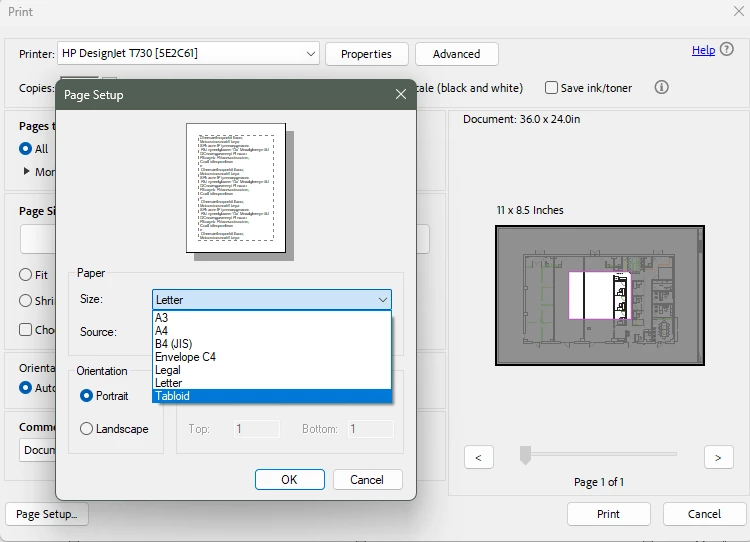
I am having trouble being able to print my pdf to our office plotter in the Arch D Size.
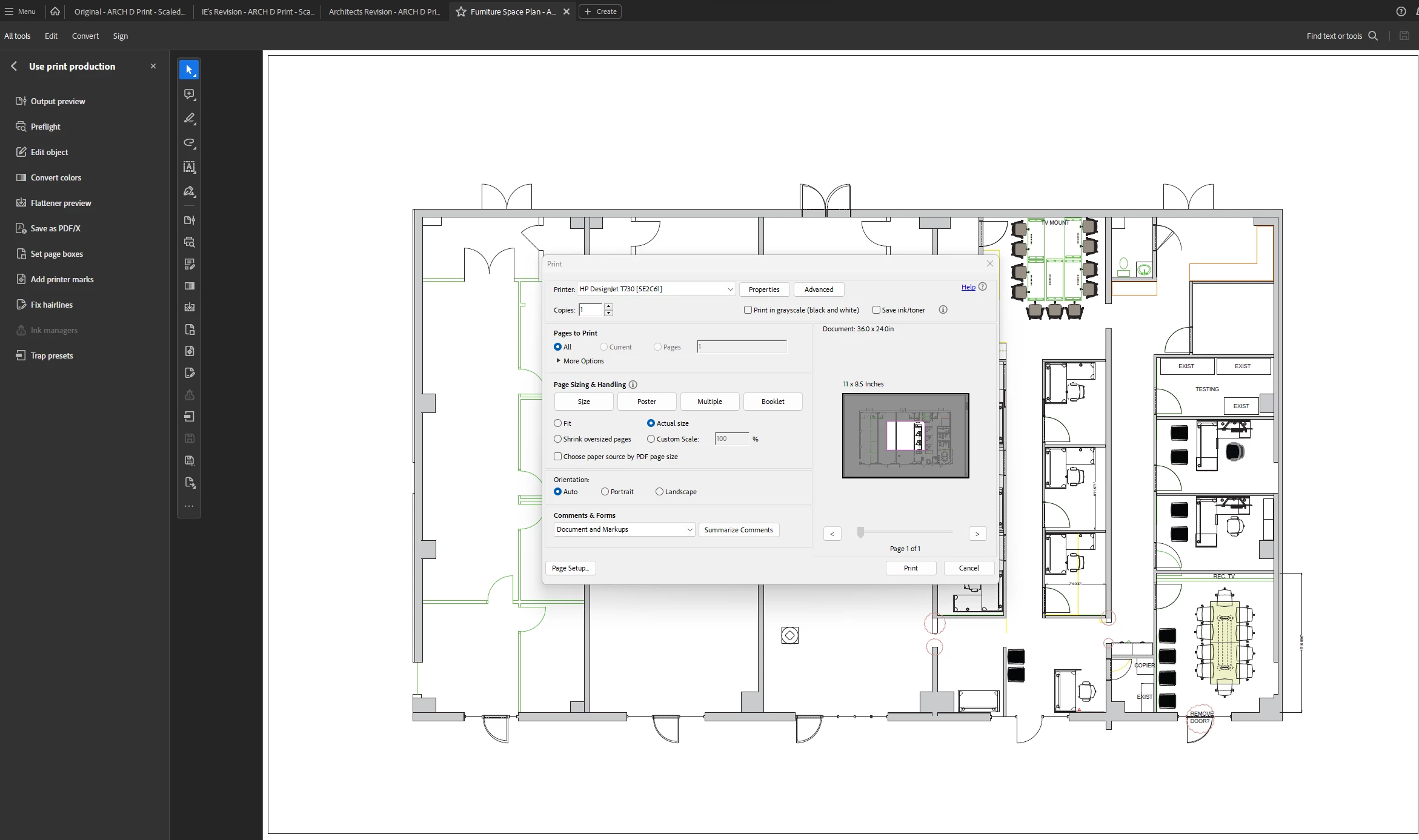
 

I can find the arch D size and the Adobe PDF Settings when I print to PDF, but I need to print to our plotter in the office and can't seem to get it to print it to the full Arch D size.


This topic has been closed for replies.

2 replies

New Participant
December 10, 2024

I just ran into this issue as well. I was able to reslove it by installing a new driver. My computer was recognizing the plotter, however, the driver was old and didnt have the new paper sizes. By searching for a new driver through the plotter printer propertiers setting I was able to find the one needed and that fixed the issue.

Amal.
Community Manager
Community Manager
August 11, 2023

Hi @Rachel31618158jsfn 


Hope you are doing well and thanks for reaching out.


Please check out the correct answer marked in the similar discussion https://community.adobe.com/t5/acrobat-discussions/how-to-print-custom-size-pdf-specifically-arch-d-24-quot-x-36-quot/m-p/9203025#M60083 and see if that works.


Let us know if you experience any trouble and need more help.


~Amal

New Participant
August 11, 2023

Hi Amal,


I have already tried that and it did not help 😞

Amal.
Community Manager
Community Manager
August 21, 2023

Hi!


I don't get an error message. For some reason, I just don't have the option to print to the Arch D size. I only get about 6 different print sizes that are all smaller sizes.


Hi there


Please try the steps below and see if that works:


  1. Open the PDF in Acrobat pro
  2. Go to Print > Select 'Adobe PDF' from the printer drop down menu
  3. Click On Properties > Select ARCH D from Adobe PDF page size drop down menu.


Regards

Amal