


Participant
October 25, 2019
Answered

How to remove white/empty space on top of a 4 page document

  • October 25, 2019
  • 1 reply
  • 44431 views

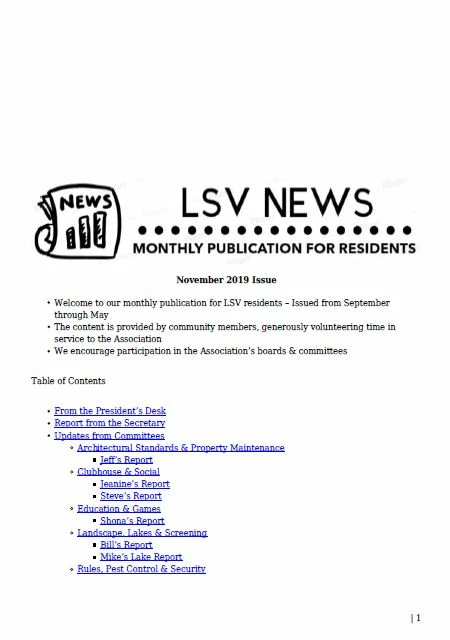
A basic skill (perhaps cropping?): What is the protocol to remove the white/empty space on top of each page on a 4 page document? 

Example attached for page 1. 
Thank you for being simple, as I am a beginner with Acrobat, but very motivated to follow a step-by-step protocol. 

Thank you!

Peter 


    Correct answer try67

    You can use the Crop Pages tool (under Tools - Organize Pages) to manually or automatically remove white space from the pages in your file.

    1 reply

    try67
    Community Expert
    try67Community ExpertCorrect answer
    Community Expert
    October 25, 2019

    You can use the Crop Pages tool (under Tools - Organize Pages) to manually or automatically remove white space from the pages in your file.

    Participant
    October 26, 2019

    THANKS - that works - tried it earlier and realized that I needed to learn how to use the cropping tool ;-).............all set!