


How to save file to current location automatically in DC
Hello,
I am working with Acrobat Reader DC version 2015.023.20070. I use a scientific research pdf article organizer (zotero) that keeps track of all my pdfs. When I needed to re-save a pdf previously Acrobat would offer in the first case to re-save it in the current location chosen by zotero (something like this "C:\Users\Jim\AppData\Roaming\Zotero\Zotero\Profiles\ijofrl1f.default\zotero\storage\QGD49P", with every pdf file having its own personal folder). However, with DC it prompts me to save in a recent location
or to locate the folder manually (see attached image) , which is a very cumbersome task.
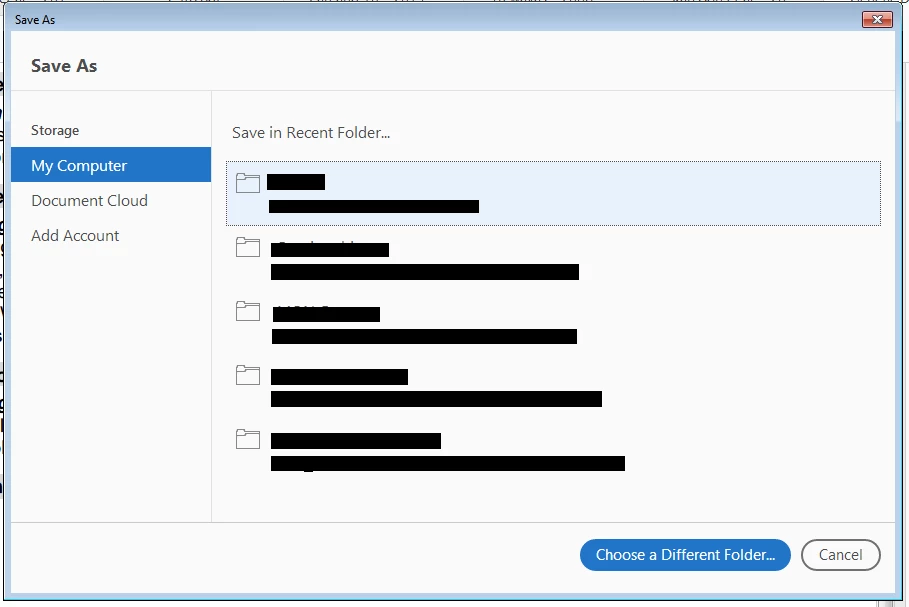
Is there a way to get DC to look to save the file in the current location automatically. I checked the dropdowns on the page and found nothing of help, and I searched some relevant-sounding forums on the site and came up dry.
Thank you!
Jim
 AdChoices