


Answered
How to select all pages of document to edit
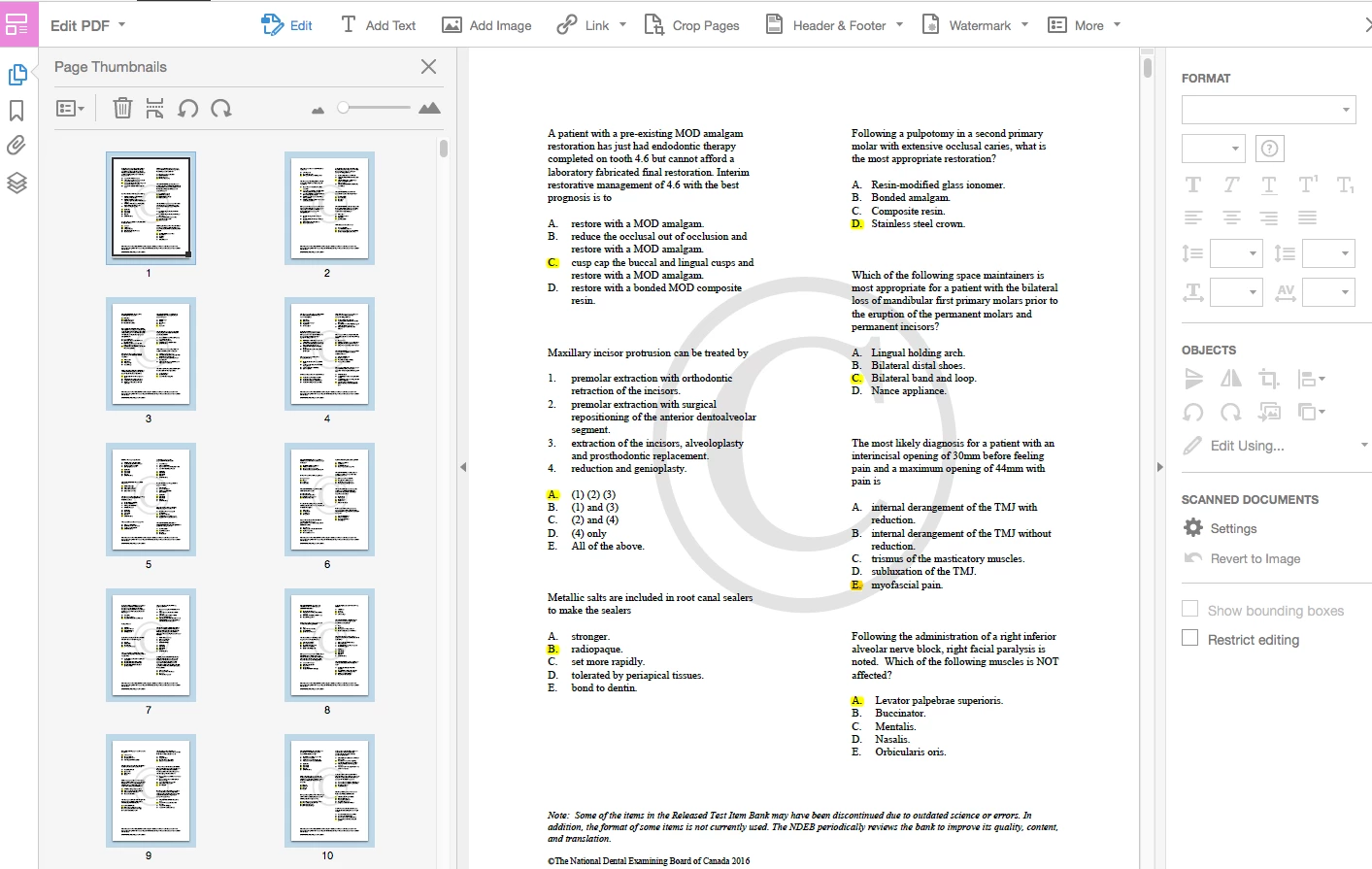
Hello, I am trying to select all pages of a pdf document (in Adobe Acrobat Pro DC) in order to change the fond color and font style. I am able to select all pages from the "page thumbnails" from the left of the screen, but when I navigate to the right side of the screen in "edit PDF" tools mode, the available options (such as page color or font style) are not selectable/greyed out as shown in the screen shot below. However, I am able to accomplish this if only one page is selected at a time. I have a project that I'm working on with the due date soon approaching and would appreciate any help. Thank you in advance!
 AdChoices