rodm39551196
Participant
February 9, 2018
Answered

How to sign field after someone else has signed when all fields become read only?

  • February 9, 2018
  • 2 replies
  • 32384 views

I have a document that needs to be signed by a lot of people continuously over a 2-3 week period.

Progressively as you work down the form, the fields will be signed for each line in a table to signify something has been completed.

Can i allow more signatures to be added whilst not allowing the previous signatures within the same file to be edited, moved or deleted?

As it stands right now for example :           

     The first row gets signed we close the pdf and save the work for the day.

     Come in the next day to sign the second row and the fields are all locked.

We want to be able to continue signing down the page.

I do know of the current signature field settings.

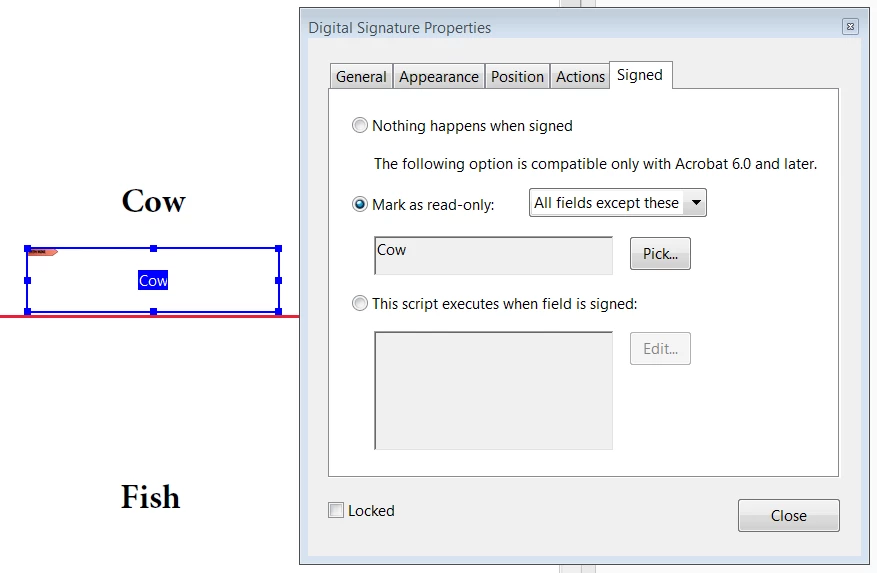
Digital Signature Properties -> "Mark as read-only": --> "all fields" OR "all fields except these" OR "Just these fields"

However neither of these functions are what i am after.

Any Help please

Thanks
This topic has been closed for replies.
Correct answer rodm39551196

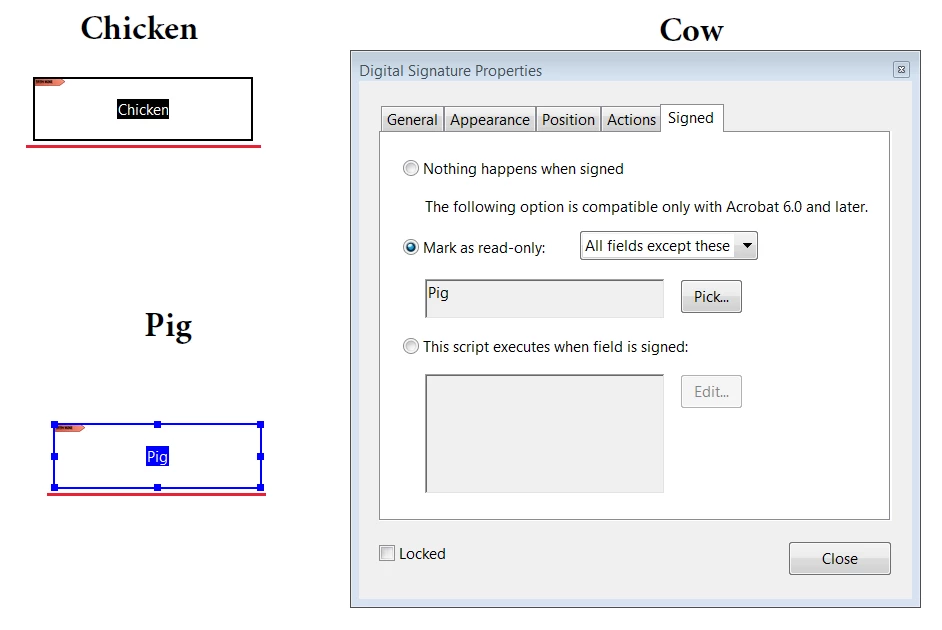
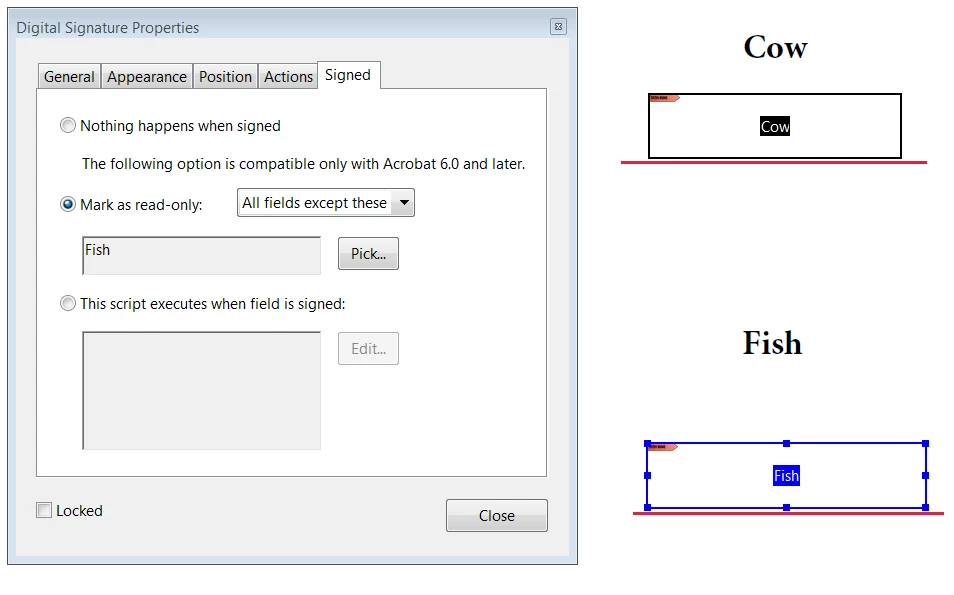
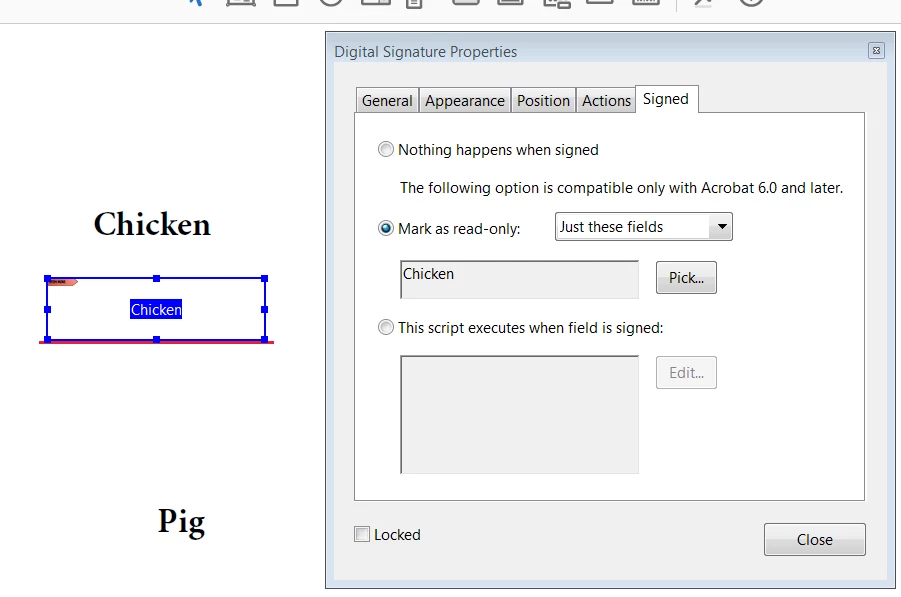
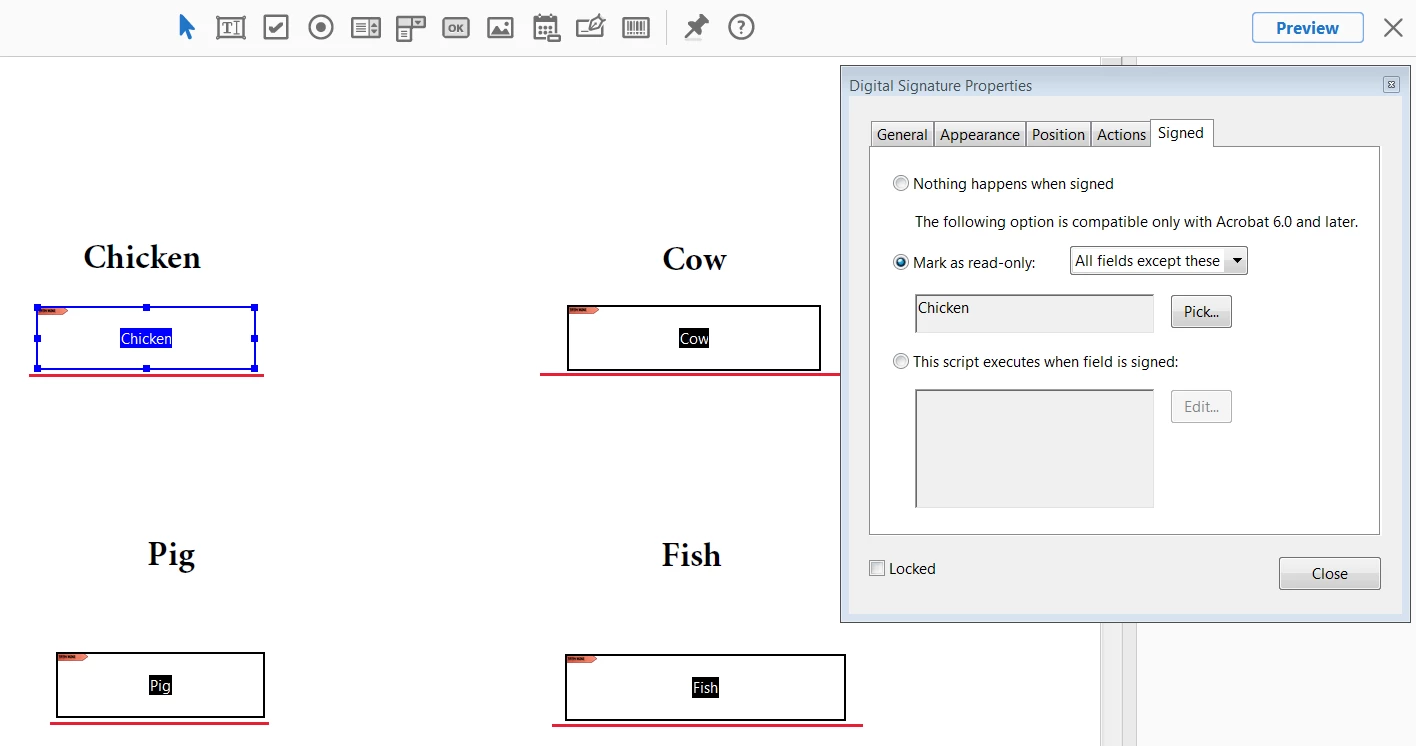
So i have applied these settings to each signature field.

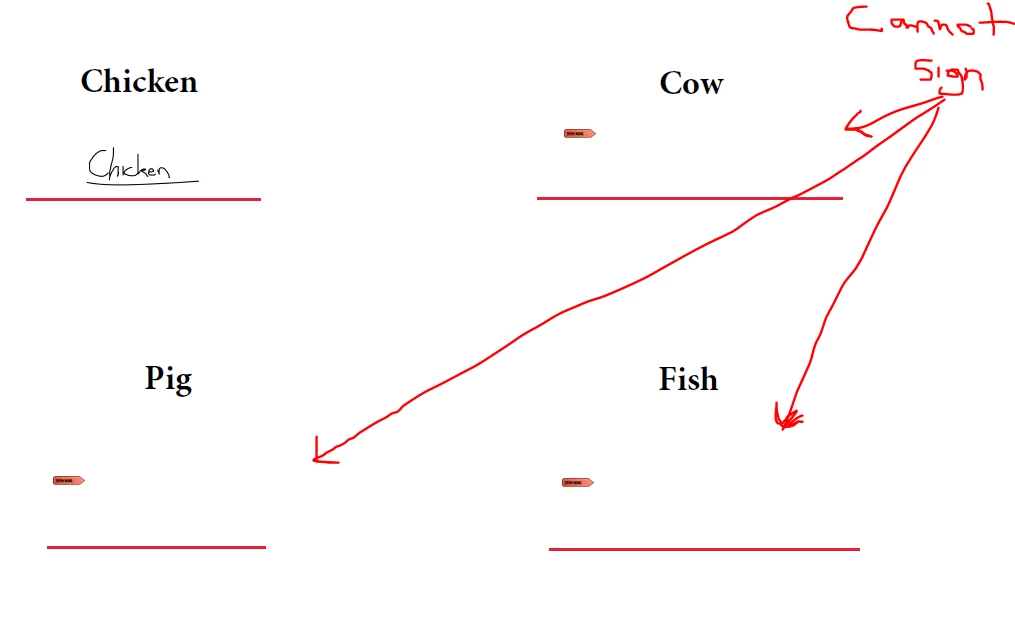
I signed the 'chicken' signature field and all the other fields locked.

I need the Cow, pig and fish to be able to sign.

After the chicken signed, this is what happened

So how can i make that the cow, pig and fish can sign.


just tried another setting and this setting worked.

JUST THESE FIELDS was the correct setting. With this setting applied, the chicken signed, and it became read only while the others remained open for others to sign in the future.

2 replies

Adorobat
Community Manager
Community Manager
February 22, 2018
Participant
April 29, 2020

I had the same issue with needing certain signature blocks and asscociated date fields to not lock after the first signature. Your second link is what I'm trying but this fix didn't quite solve the problem. After specifying what to lock after the first signature is completed (student signature), it still locks things I've selected to not lock like the date fields for other sigantures. Signature fields will still accept a digital or an esignature (which you seem to be able to drop anywhere), but most folks are just doing fill and sign and using e-sig so no date is accociated with the signature. All the other signatures are set to 'do nothing' under signed in properties. Below is where I set the student signature to mark as read only selected items. But those selected items like 'PD date' are still locked. Am I missing some other step or doing something backwards? 


try67
Community Expert
Community Expert
February 9, 2018

Yes, that's exactly what you should use. Add multiple signature fields and

set them to lock all other fields when signed...

rodm39551196
Participant
March 23, 2018

After one signature field is signed....

I want all the other signature fields to remain UNLOCKED!!!!!

So that the next day i open the PDF another person can sign the next signature fields.

As it stands now, once someone signs the first signature field all the others lock and are rendered useless

try67
Community Expert
Community Expert
March 23, 2018

Did you do as I described? You need to select something like this under the Properties of your Signature field: