


How to turn off Automatic OCR in PDF Edit 2023
Hello,
This topic has arisen before, but the solutions I found aren't working for me with the current version of Acrobat Pro.
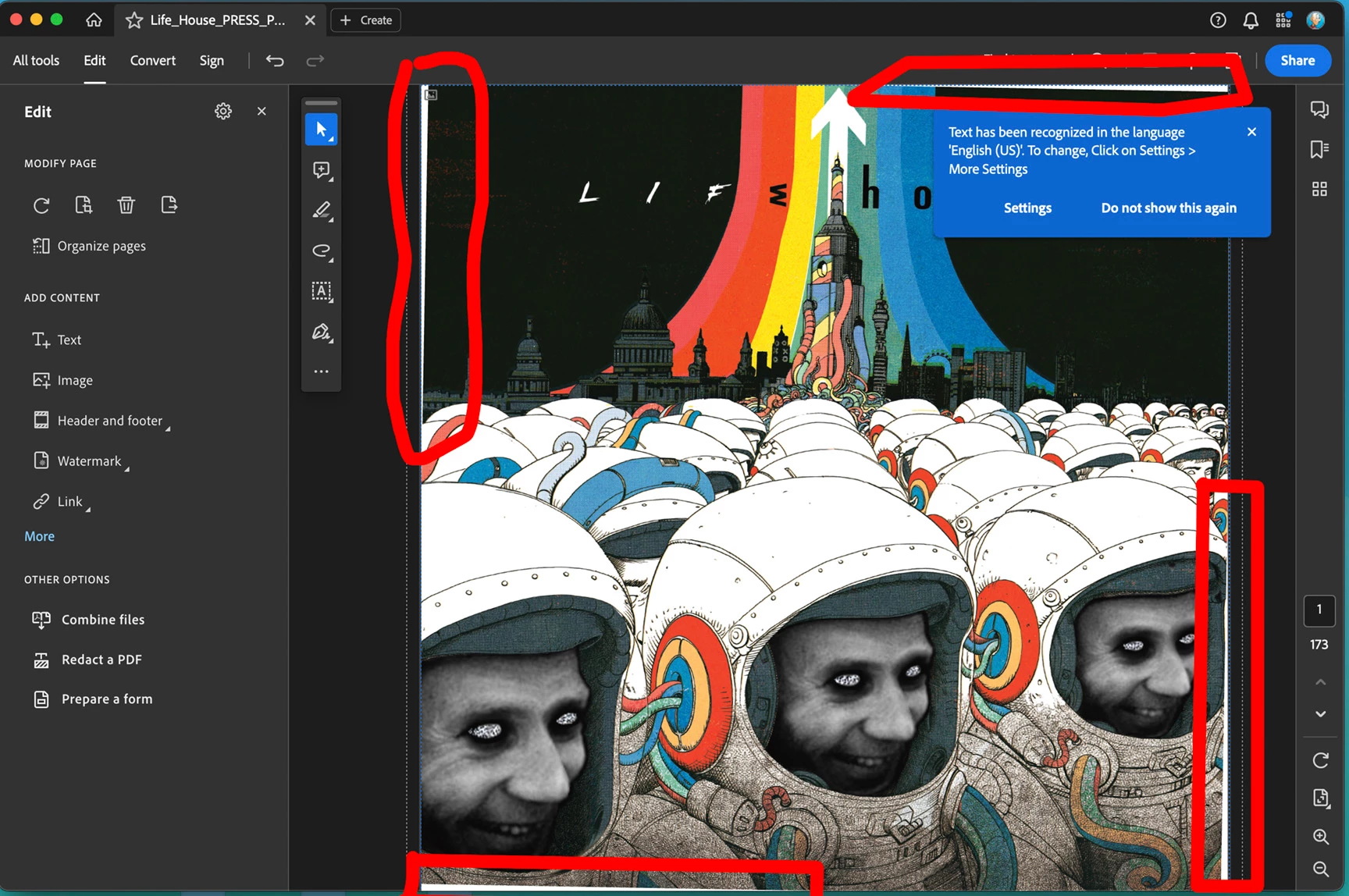
I assemble graphic novels - the latest one I'm working on has a problem with OCR as the cover page is being tilted when I don't want it to be (image 1 - red outlines indicate where the image has been tilted, creating a white edges that should not be there)
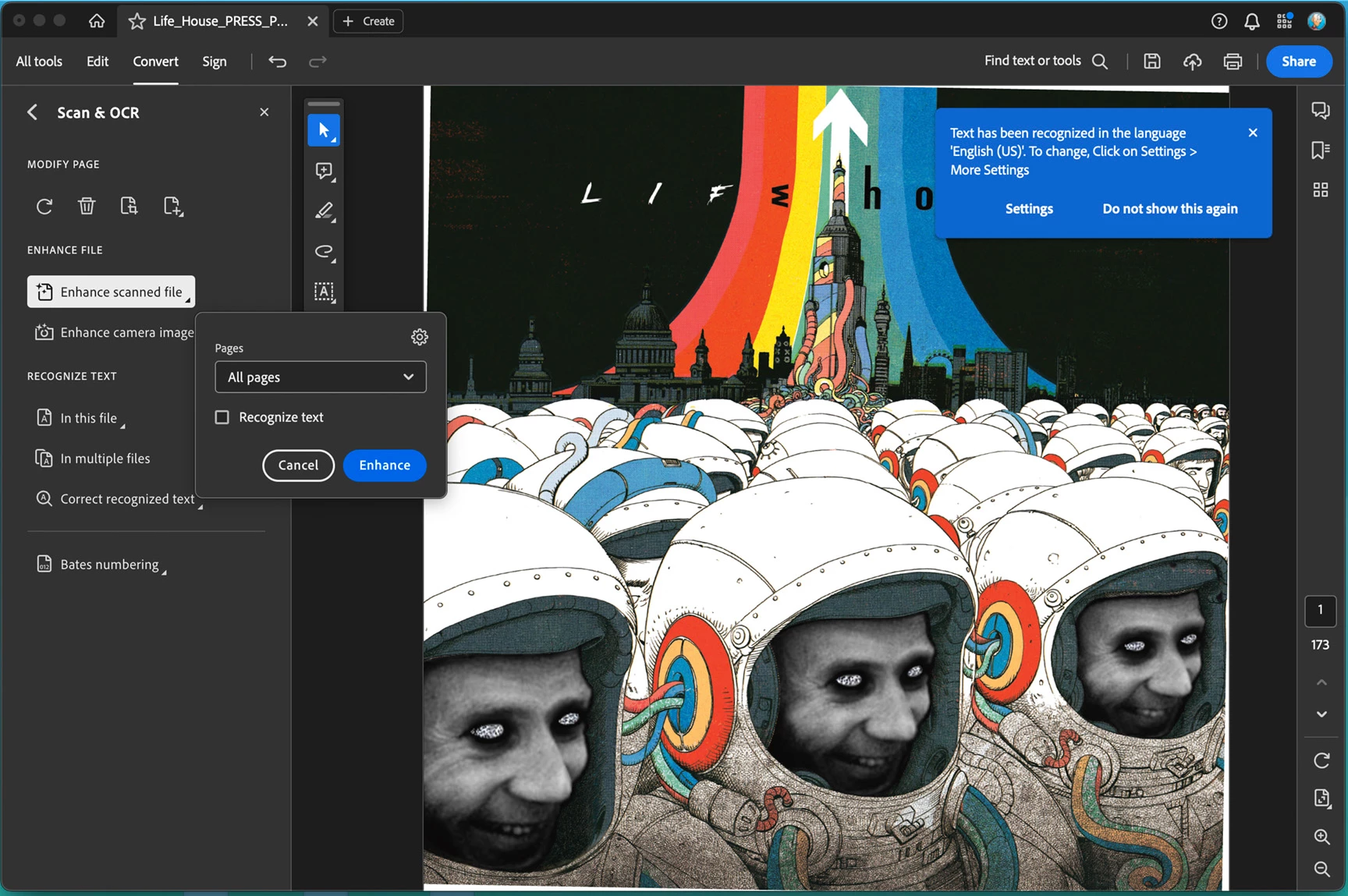
I went into the "Scan & OCR/Enhance scanned file" setting and unchecked "Recognize Text" - but the page is still being tilted. (image 2)
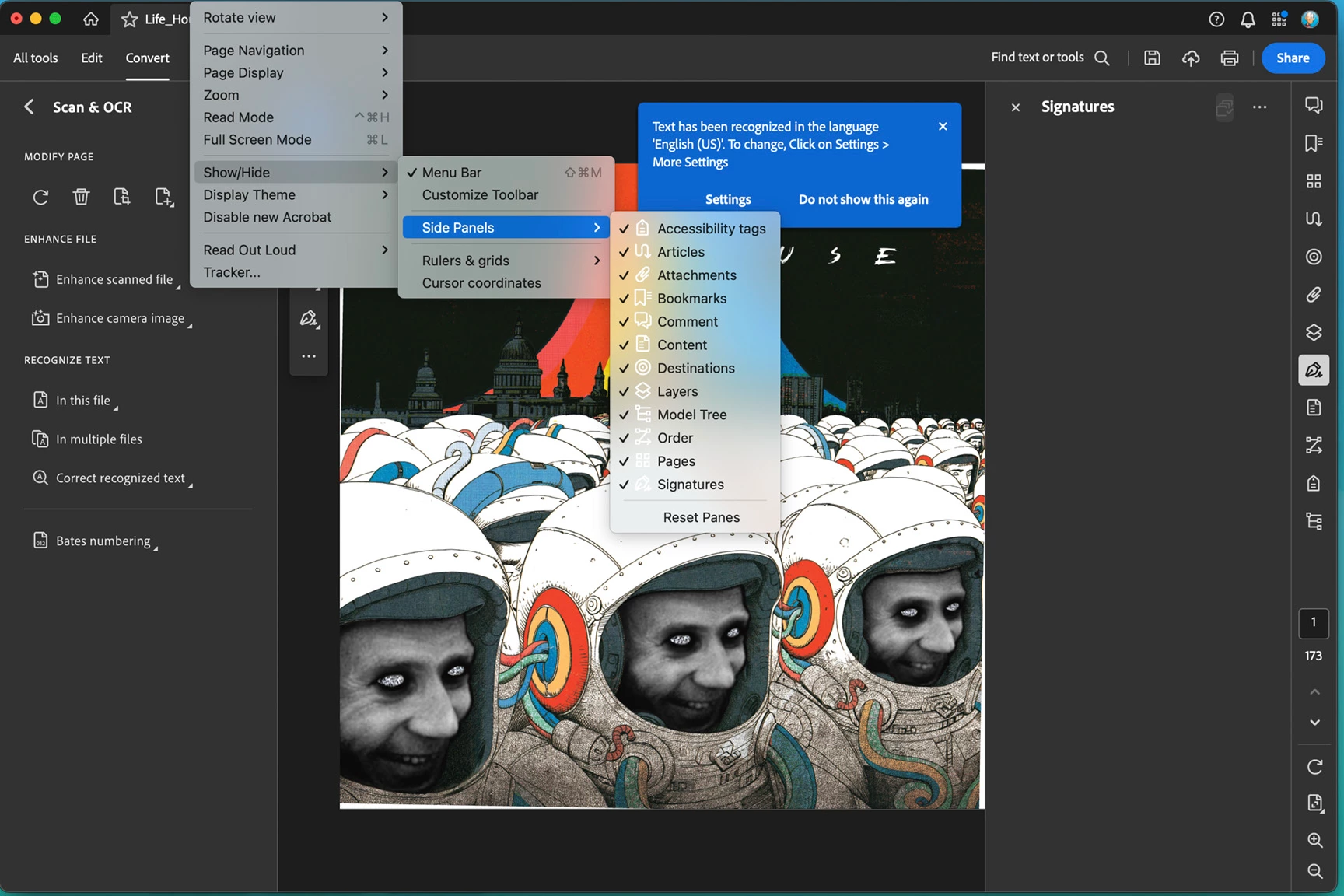
I saw advice that I can turn off "Recognize Text" via the right side panel using the "Scanned Documents" tab - but I don't have a "Scanned Documents" tab (image 3)
Final image is the version I'm using for reference.
Any help is greatly appreciated. Thank you.

 AdChoices