


New Participant
January 5, 2016
Answered

I cannot find the redact tool in Acrobat XI Pro

  • January 5, 2016
  • 1 reply
  • 72877 views

I want to redact certain text on a bank statement I downloaded as pdf.

I clicked on Adobe Acrobat XI Pro Help in the Help menu and searched for 'redact' and found an article titled 'Removing sensitive content from PDFs in Adobe Acrobat DC'.

Under the heading 'Redact sensitive content (Acrobat Pro DC)' it says:

1. Choose Tools > Redact.

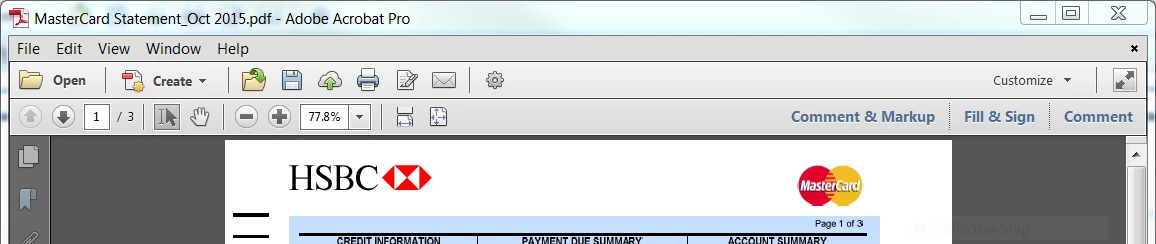
I cannot find the Tools menu.  I only have the following menus:

File

Edit

View

Window

Help

I also do not know what Acrobat Pro DC is but that was all that I could find in the help.

Please advise how to redact text in Acrobat XI Pro.

Version: 11.0.12

System: Windows PC 64 bit

OS: Windows 7 Enterprise

thanks

Bill.
This topic has been closed for replies.
Correct answer Biletubes

Thanks.  I did not have the tools tab:

But I found out that if I select the Customize drop down and set it to defaults then the tools menu reappears.  It must have been changed to 'Comment & Markup' previously which does not include the Tools.

1 reply

try67
Community Expert
January 5, 2016

Tools is a panel on the right-hand side of the application window, not in the menu bar. You can open it by clicking the "Tools" button in the top right-hand side. And the Redaction tools are located under the Protection sub-panel of Tools, not under Redact.

BiletubesAuthorCorrect answer
New Participant
January 5, 2016

Thanks.  I did not have the tools tab:

But I found out that if I select the Customize drop down and set it to defaults then the tools menu reappears.  It must have been changed to 'Comment & Markup' previously which does not include the Tools.

try67
Community Expert
January 5, 2016

Someone customized the tools panel and changed its name, which is quite

confusing since there's already a Comment panel... Anyway, you found the

correct solution to it.