


Inspiring
November 22, 2023
Answered

Import text file to fillable PDF form

  • November 22, 2023
  • 1 reply
  • 7041 views

How can you create a button to do the Import Data option - i have it where i can select the .txt file but it does not give me the option when doing it manually , i am not getting the "Import Data from Delimited text file"
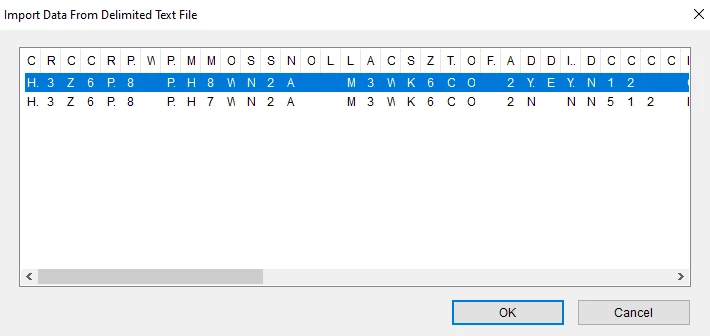
 

I have read so many posts and realize you cannot make separte forms for each line but i thought if i can have a button open this up and then just select each line for each new PDF form would work.


Correct answer Cindy31563458wshx

Either way is possible. If you want to email it to me do so via [try6767 at gmail.com].


I want to give a big THANK YOU to TRY67 - solution found.  In the form preference under "Security (Enhanced)"  under Sandbox Protections the first 2 boxes were checked "Enable Protected Mode at startup" and "Run in AppContainer". Under "Enable Enhanced Security" was also checked.  All these were unchecked and the button now works.   snapshot attached.

1 reply

Thom Parker
Community Expert
November 22, 2023

This has to be done with JavaScript, and from what you've described you need an automation script:

Here's an article on automation scripting:

https://www.pdfscripting.com/public/Automating-Acrobat.cfm


And here's a (not free) tool that does exactly what you've described:

https://www.pdfscripting.com/public/ImportExport-Excel-Data-as-Text-Description.cfm


And you could write a script that does create a new form for each line. 


Thom Parker - Software Developer at PDFScriptingUse the Acrobat JavaScript Reference early and often
Inspiring
November 24, 2023

Appreciate the information very informative.  


I have searched and did reach out to Adobe about importing data and filling in a pdf form and i received it could not be done.  Then i found on one blog to use the Excel AddIn Power PDF Filler, which did not work cause it goes by when the field was created and the field name (SMH).

I have an 8 page PDF form and then i have a Excel Spreadsheet with the field names and i can manually import it into the pdf form one line at a time.

You say it can be done with javascript - i know some but probably not what is needed to write the whole script.  

Is it possible to help me start?

Thom Parker
Community Expert
November 24, 2023

Such a script is not difficult to write, but you do need some programming skills. 

Here's the Acrobat JavaScript Reference entry for the "importTextData" function, which is what you'll need

https://opensource.adobe.com/dc-acrobat-sdk-docs/library/jsapiref/doc.html#importtextdata

Be sure to examine the example code. 


A simple way to do this is to develop and run the script in the Console Window.

Here's a video tutorial on using the Acrobat JavaScript Console.

https://www.pdfscripting.com/public/images/video/AcroJSIntro/AcroJSIntro_ConsoleWindow.cfm


Thom Parker - Software Developer at PDFScriptingUse the Acrobat JavaScript Reference early and often