


Question
in adobe acrobat pdf for split file using bookmark name as labels suffix after original file name
in adobe acrobat pdf for the split file using bookmark name as labels suffix after original file name.
It is a waste of time to rename files using bookmarks as a suffix.
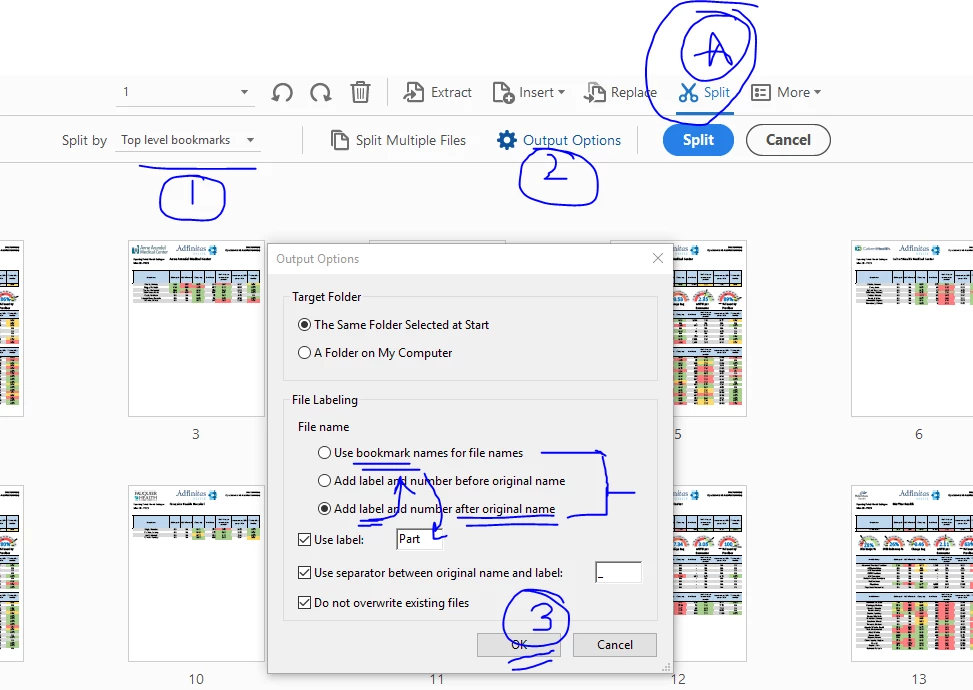
The option to use the bookmark as label exist but not as a combination with the original name. See screenshot. I think the default label should be "_Bookmark".
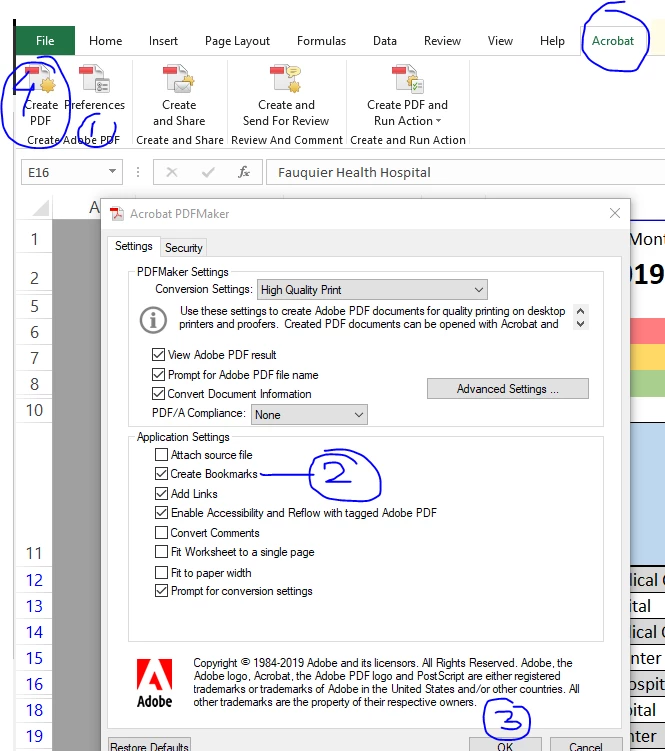
Goal: I am using Adobe Acrobat excel ribbon tab to create a pdf from an excel file with 17 tabs. I want to create an adobe file with all 17 tabs as a bookmark in pdf then also create 17 different files extracts from the one adobe pdf using orignialfilename_BookmarkName. Adobe pdf can do right now bookmark only or label with the original filename.
Excel adobe plugin
 AdChoices