@Karl Heinz Kremer
If I understand well, you have a script for a first dialog box...
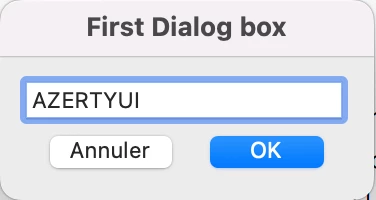
...and an other one for a second one
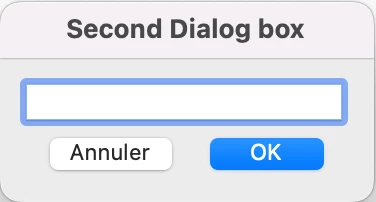
The inheritDialog parameter should be able to directly recover the value of the edit text window from the first dialog box into the second one. Correct?
Where and how to place this parameter in the script of the second dialog box??? In the script below, for example (the script of the first one being the same):
var dialog={
	description: {
		name: "Second Dialog box",
		elements: [
			{
				type: "view",
				elements: [
					{
						type: "view",
						alignment: "align_top",
						elements: [
							{
								type: "edit_text",
								item_id: "edtx",
								width: 150,
								height: 20
							},
						]
					},
					{
						type: "ok_cancel",
					},
				]
			},
		]
	}
};
Thanks.
@+
I don't think I ever implied that you have access to the previous dialog's properties. This is not inheritance in the OO sense.
Let's take a step back: You want to use two or more dialogs that all appear in the same spot on the screen. You can create one dialog and then when the user clicks on the "OK" button destroy this dialog and create the second. This will create some flicker on the screen: One window goes away and a second one gets created.
When you look at the installation wizard you get when you install software, there is one frame that stays on the screen throughout the process, but the contents are different. This is what you get with the inheritDialog parameter. You still have to fill in the details by providing a new dialog object with text fields, radio buttons, and so on. The only thing you get is that the window never disappears.
There is a good chance that you do not need this parameter. I've been programming with Acrobat's JavaScript for a long time, and I've never used it in an actual project.



 AdChoices