



initial view in a pdf portfolio
I just discovered the portfolio feature in acrobat and am learning how it works. I have created my first portfolio. When I opened the portfolio, I expected to see file thumbnails (which is what I see in how-to videos when I searched for tutorials). Instead, I get a file list - see below:
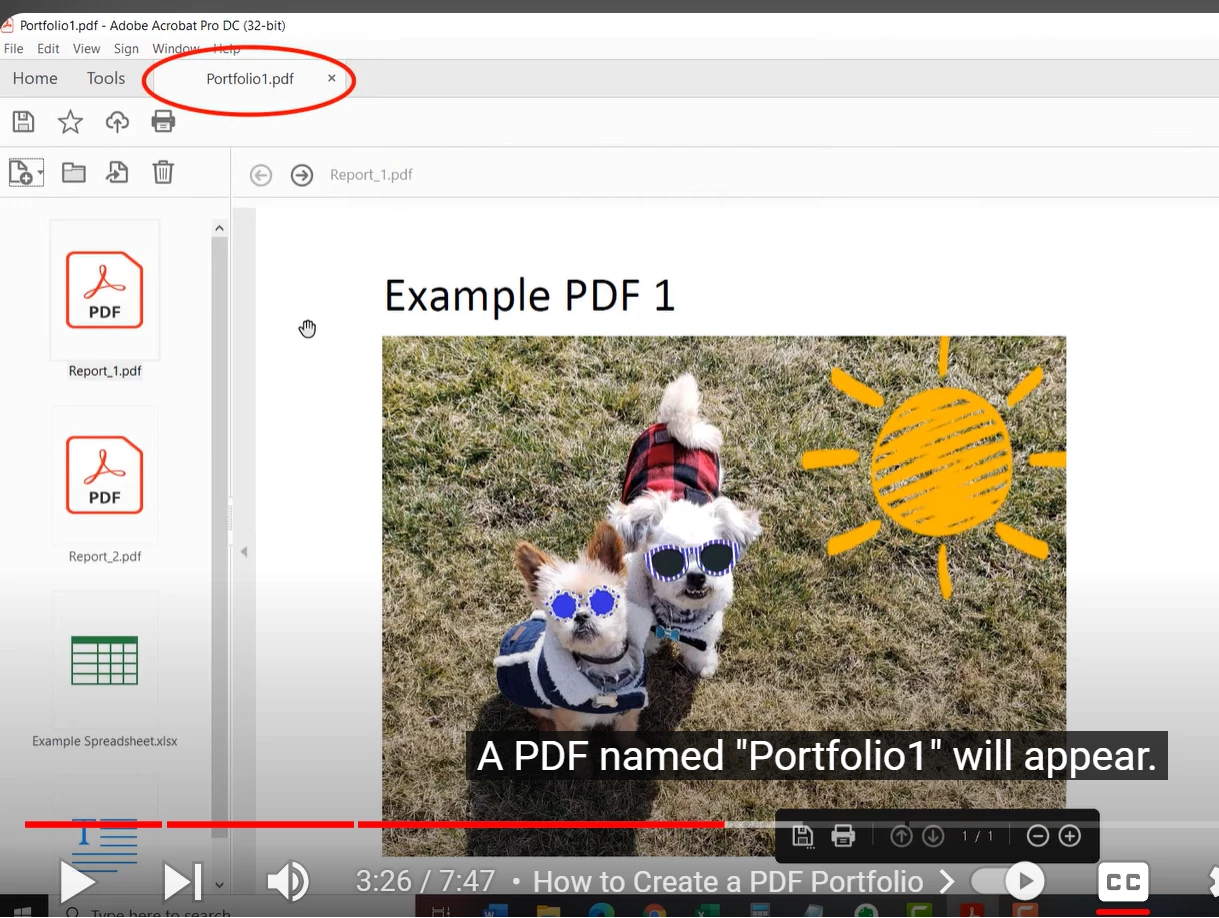
How I expected my portfolio to look - thumbnails on the left, the selected document in the main part of the screen, like this snippet from an online video:
What I got: a list of the files in my portfolio, like this:

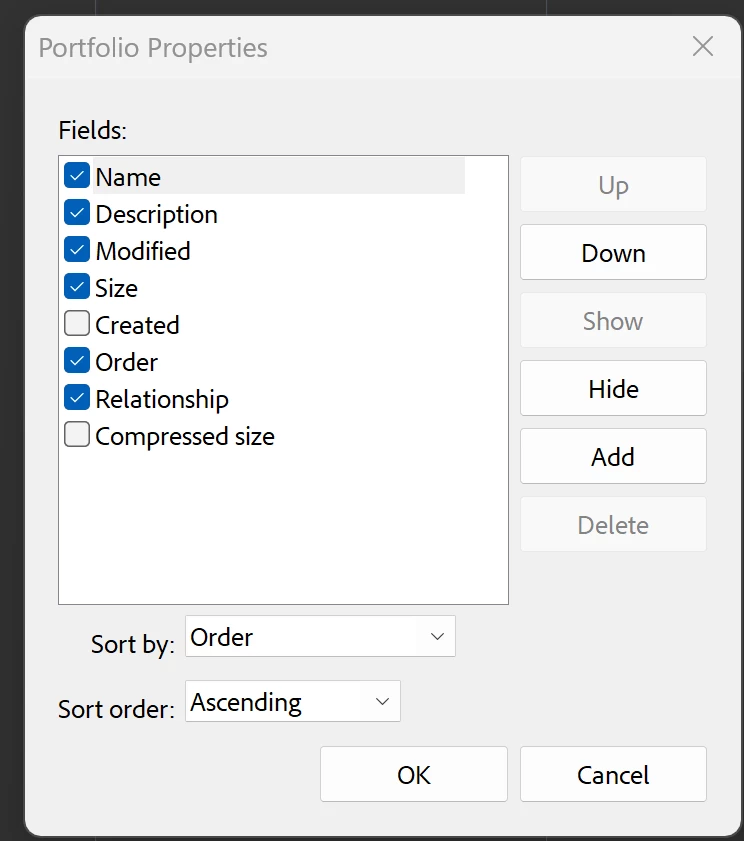
I tried the Portfolio Properties dialog (right-click and select Portfolio Properties). But this only gives me options to hide or select columns in my list view:
What am I missing? Does the thumbnail view no longer exist in Acrobat ? Or maybe not in my version of acrobat? I'm using Acrobat Pro (latest and greatest - I can't find a version number - maybe those don't exist with the cloud subscriptions?)
 AdChoices