


Participant
February 19, 2019
Answered

Insert Digital Signature Field - Acrobat 2019

  • February 19, 2019
  • 2 replies
  • 26473 views

I'm having trouble inserting digital signature fields in Acrobat. Searching online alludes to several options that appear to have changed in the newest version, so the actions are no longer applicable. I am using Acrobat Pro DC Version 2019.010.20091 on Windows.

Most solutions online refer to a "Digital Signature" field type, however this seems to be replaced with the "Signature" and "Signature Block" fields. When using these I found both to be unsatisfactory and nigh indistinguishable as seen in the screenshot below. The upper right field is a "Signature Block" and the one immediately below it is a "Signature," yet they both appear the exact same.
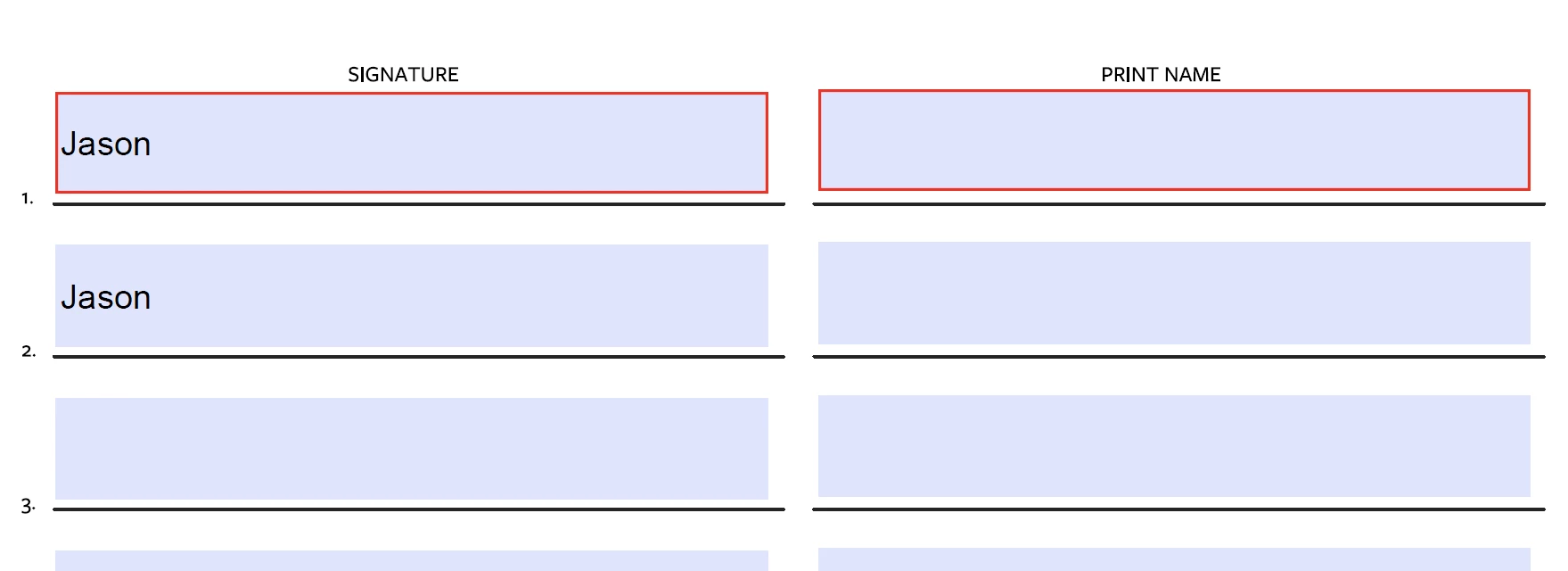
Both also appear as just printed text. Seeing how the designer of the form (not myself) has designed it with both "Signature" and "Print Name" columns, this would be redundant. I instead want to prompt the user to input a digital signature. What am I missing?

This topic has been closed for replies.
Correct answer try67

Did you tick the box that says "this document requires signatures" when creating it (or something to that effect)?

If so, you've created an Adobe Sign form. To change it back to a "normal" form, click on Tools - Prepare Form and then click on "More" at the right side of the window and then on "Revert to Acrobat Form".

2 replies

galtenr
Participating Frequently
April 28, 2020

THANK YOU try67! I was having the same problem, and this exactly the answer I needed! 

Participant
June 2, 2020

I do agree with what try67 has said regarding selecting the option of "this document requires signatures" prior to starting of creating the form however I am using Adobe Acrobat XI version and there was no button to insert any Digital Signatures. I had to click on "Save as other" and select "Certified PDF..." option to arrive at the position to insert the Digital Signature field. I had to sweat and struggle until today to arrive at this point. 

Participant
February 1, 2022
quote

I do agree with what try67 has said regarding selecting the option of "this document requires signatures" prior to starting of creating the form however I am using Adobe Acrobat XI version and there was no button to insert any Digital Signatures. I had to click on "Save as other" and select "Certified PDF..." option to arrive at the position to insert the Digital Signature field. I had to sweat and struggle until today to arrive at this point. 


By @Nirmalendu

This signs/certifies the pdf.


We are creating a pdf form for others  and we want to add a digital signature field someone else will sign.

Saving it as a certified pdf is not the correct answer.

try67
Community Expert
try67Community ExpertCorrect answer
Community Expert
February 19, 2019

Did you tick the box that says "this document requires signatures" when creating it (or something to that effect)?

If so, you've created an Adobe Sign form. To change it back to a "normal" form, click on Tools - Prepare Form and then click on "More" at the right side of the window and then on "Revert to Acrobat Form".

Participant
February 19, 2019

Thank you! That did it. That is a confusing feature.

try67
Community Expert
Community Expert
February 19, 2019

It is... Very bad user design.