
Participant
January 23, 2017
Question

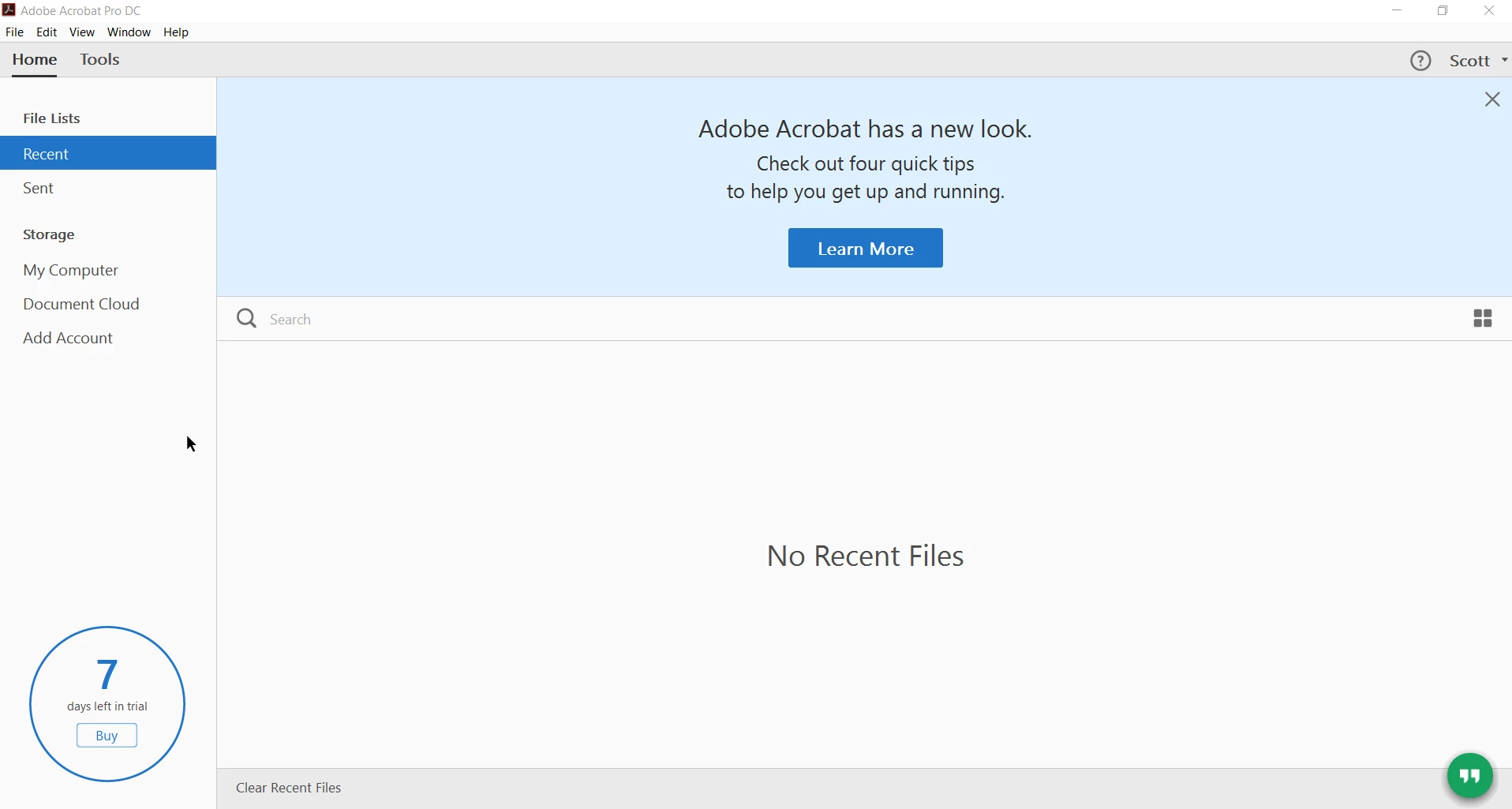
Installed Acrobat Standard - but end up with Pro on a trial license.

  • January 23, 2017
  • 2 replies
  • 7617 views

guys - I've just been added to my company account, and when downloading the provided link after activation (for acrobat standard dc) it runs up immediately as acrobat pro dc on a 7 day trial.

I've run the cleaner, but that's not changed anything.  It's weird and really annoying - and I don't particularly want to have any hassle getting it running when I'm out of the office.  Currently running Windows 10 Enterprise on a domain account.
This topic has been closed for replies.

2 replies

SMURPHETTA
Participant
January 23, 2017

I have the same problem.  Had Pro as a trial, purchased subscription to Standard and downloaded Standard version. (after uninstalled Pro version)  But still coming up as Pro and saying my trial has expired.

Participant
August 3, 2021

Try to rename the SLStore folder to SLStore_old at (systemdrive)\ProgramData\Adobe then relaunch the Adobe Acrobat

For Adobe Acrobat 2017 pro and standard uses the same installer it is suppose to change version according to the serial key. Sometimes if trial get activated first it become pro version, it will not activate to Standard even if you key in Standard key or reinstall.

Meenakshi Negi
Community Manager
Community Manager
January 23, 2017

Hi scottyman,

Please try the steps provided in the following link to convert the trial to licensed version:

Convert Acrobat Pro DC trial to a full license

Check if it helps and let us know if you still experience the issue.

Regards,

Meenakshi

ScottymanAuthor
Participant
January 23, 2017

Unfortunately the issue appears to be that Pro is installed not Standard, even though standard was downloaded. I don't have a Pro license - only a Standard license

Cheers

Meenakshi Negi
Community Manager
Community Manager
January 24, 2017

Hi scottyman,

Please runt the cleaner tool Download Adobe Reader and Acrobat Cleaner Tool - Adobe Labs  and restart your system.

Then try to install application from here:  Download Pro or Standard versions of Acrobat DC, XI, or X

Once the application installed, open it and go to Help menu > About Adobe Acrobat Pro DC and check if the classic version installed.

Let us know, if you still get the trial message.

Regards,

Meenakshi