


New Participant
September 29, 2021
Answered

Issues while installing Adobe Acrobat Pro and Creative Cloud apps

  • September 29, 2021
  • 1 reply
  • 1012 views

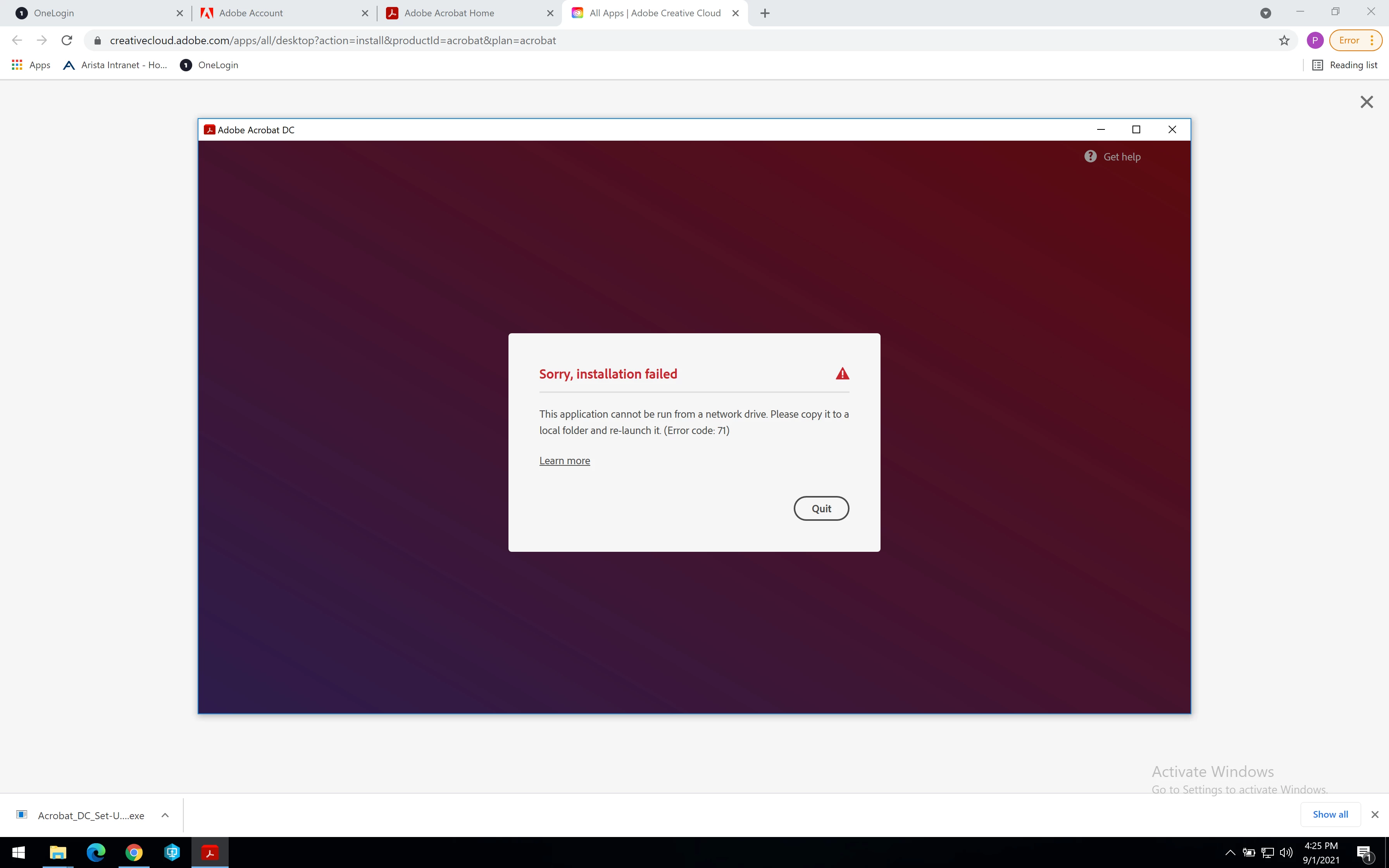
I am unable to instal Acrobat DC Pro or the Creative Cloud apps. With both apps, after I download the Setup.exe and run them, I encounter the error code 71. Similar to the one posted here. Any fix to these issues? Thanks, Praveen
This topic has been closed for replies.
Correct answer Praveen Arista

Ok, you said "Creative Cloud apps" which I assumed meant Photoshop, Illustrator etc.

The Creative Cloud Desktop app is the only thing you have to download.


Have you done any setup to move your TEMP directory or your home directory to a network share, encrypted drive, or anything else different?


Yay! Finally nailed it! What worked is this time around I moved the exe file to a google drive. From the google drive, I ran the .exe and everything worked like a charm! Thanks for initiating the idea of testing in a different drive!

1 reply

Braniac
September 29, 2021

Where do you download to?

New Participant
September 29, 2021

Local drive. The .exe files are downloaded to the local folder. When I run those .exes I encounter this issue.

Braniac
September 29, 2021
Ok the problem is I am not able to download or install Creative Cloud app
at all as I mentioned earlier. I am trying to install from my Adobe
account.

Ok, you said "Creative Cloud apps" which I assumed meant Photoshop, Illustrator etc.

The Creative Cloud Desktop app is the only thing you have to download.


Have you done any setup to move your TEMP directory or your home directory to a network share, encrypted drive, or anything else different?