


Participating Frequently
July 24, 2021
Question

JPEG based pdf files

  • July 24, 2021
  • 2 replies
  • 1936 views

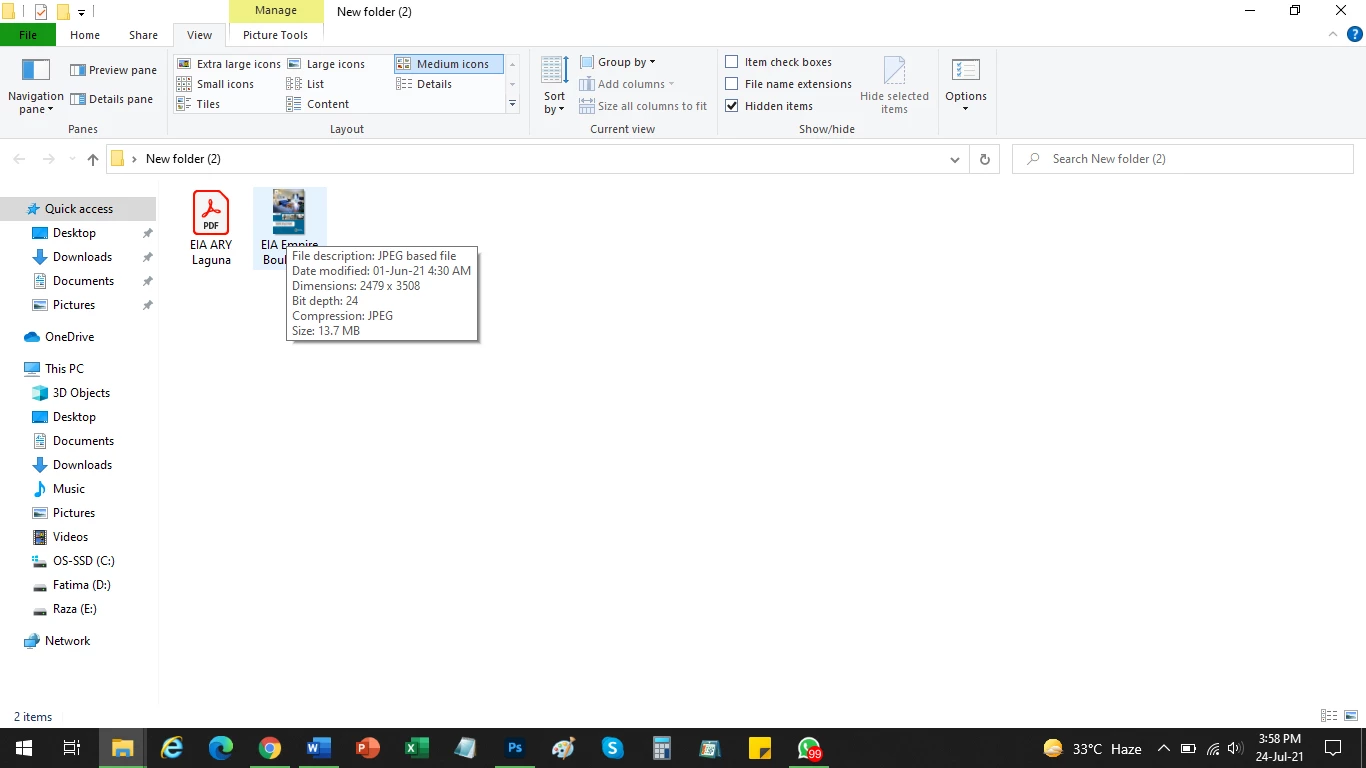
The attached screen shot shows two pdf files. One is a regular pdf file, while the other says “File description: JPEG based file”. The regular pdf file shows the “pdf logo” as the thumbnail, while the JPEG based file shows the photo of the file as the thumbnail. What is the difference between the two. Both open with Adobe Acrobat on double left click.
How do I make the regular pdf file into a JPEG based file so that it shows the picture as the thumbnail and not the pdf logo.
This topic has been closed for replies.

2 replies

try67
Braniac
July 24, 2021

I don't think the second file is a PDF file at all. It's an image file, and when you open it in Acrobat it converts it to a PDF file for you. To confirm if that's the case open the original file in a plain-text editor, like Notepad. What are the first couple of lines you see?

Raza5C92Author
Participating Frequently
July 24, 2021

This is the screen-shot of the Notepad for the second file.


Raza5C92Author
Participating Frequently
July 24, 2021

OK, they are both PDFs... Could you share the second file with us?


Attached is the complete second file ("Empire"- JPEG based file)

Braniac
July 24, 2021

There's something very strange going on with the second file. This is not the normal display for a PDF at all. Please open it in Acrobat and use File > Properties. Click the first tab ("Description") and post post a screen shot of all the information displayed.

Raza5C92Author
Participating Frequently
July 24, 2021

Yes, I agree that something strange is happening with the second file. I can'y find anything on the internet regarding "JPEG based file" for a pdf format.

But it is a good happening since it gives me a thumbnail view of the document. It makes it easier for me to differentiate between various pdf documents. That is why I want to convert all my pdf documents into"JPEG based files"
I am attaching the screen-shot of the decription page for the second file (i.e. the JPEG based file)


Raza5C92Author
Participating Frequently
July 24, 2021

And this is the screen-shot of the first file (i.e. the pdf logo thumbnail file).

As you can see, there is nothing different between the two.