


Participating Frequently
June 17, 2019
Answered

Link dropdown choice to autofill other fields

  • June 17, 2019
  • 1 reply
  • 1099 views

Hello I'm creating a form which gives two options on a dropdown list: Citizenship and Permanent Resident. There are two fields must autofill: ID1 and ID2

When you click on:

Citizenship he fields will show the next on ID1: Copy of Canadian Passport Information Page   and on ID2: Copy of Canadian Citizenship certificate or Canadian birth certificate

Permanent Resident, the fields will show the next on ID1: Copy of Passport Information Page   and on ID2: Copy of Permanent Resident Card (both sides)

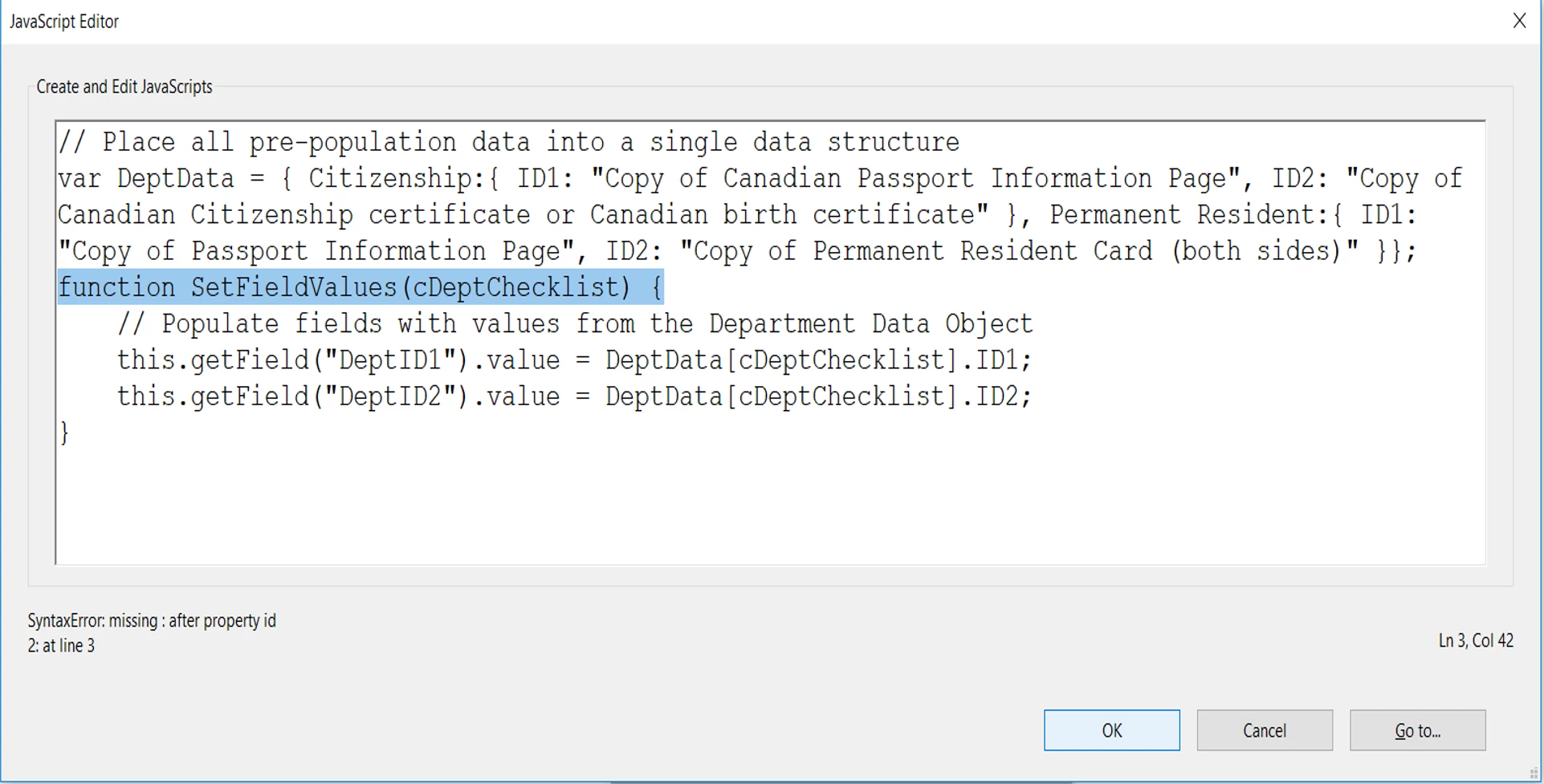
I found a JavaScript for this kind of autofill fields, but I'm doing something wrong, It sends me the next error.

Someone can help me? I'm not a developer... I'll appreciate if someone can help me with this issue.

Thanks
This topic has been closed for replies.
Correct answer try67

Put double-quotes around "Permanent Resident" in your code.

1 reply

try67
try67Correct answer
Community Expert
June 17, 2019

Put double-quotes around "Permanent Resident" in your code.

Participating Frequently
June 18, 2019

Hi! Thanks, this issue was resolved, now my problem is the form isn't doing anything. I select the dropdown list and add the next format code.

if( event.willCommit ) {

    if(event.value == "") this.resetForm(["DeptID1","DeptID1"]); else SetFieldValues(event.value);

}

Do you know what can I do?

try67
Community Expert
June 18, 2019

You specified the same field twice in the resetForm command, but that should not cause it to not work entirely.

Are there any errors in the JS Console? If not, could you share the file with us (via Dropbox, Google Drive, Adobe Document Cloud, etc.)?