


tomb92906800
Known Participant
May 24, 2023
Question

Link outline not showing in browser but does in Reader

  • May 24, 2023
  • 2 replies
  • 1141 views

Hi Community,

I'm producing policies for my office that will be available on a network share. They are created and exported as accessable PDFs with internal jumps to various sections.

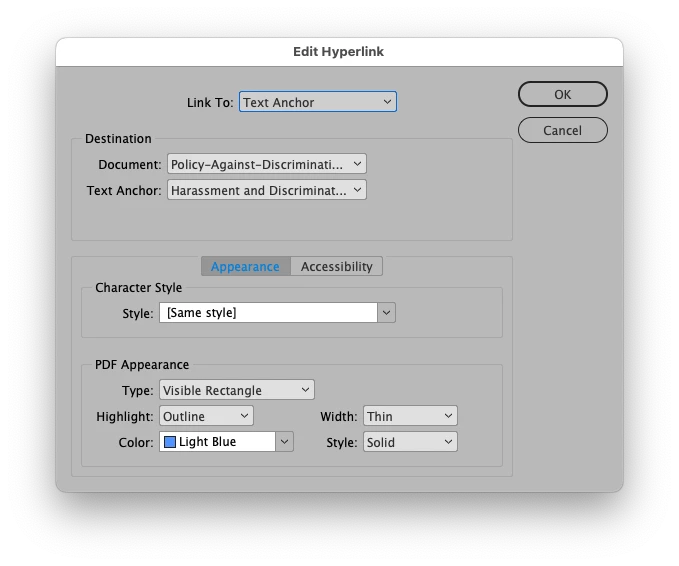
The jumps are set in InDesign as hyperlinks with visible blue rectangles. See screenshot for settings.

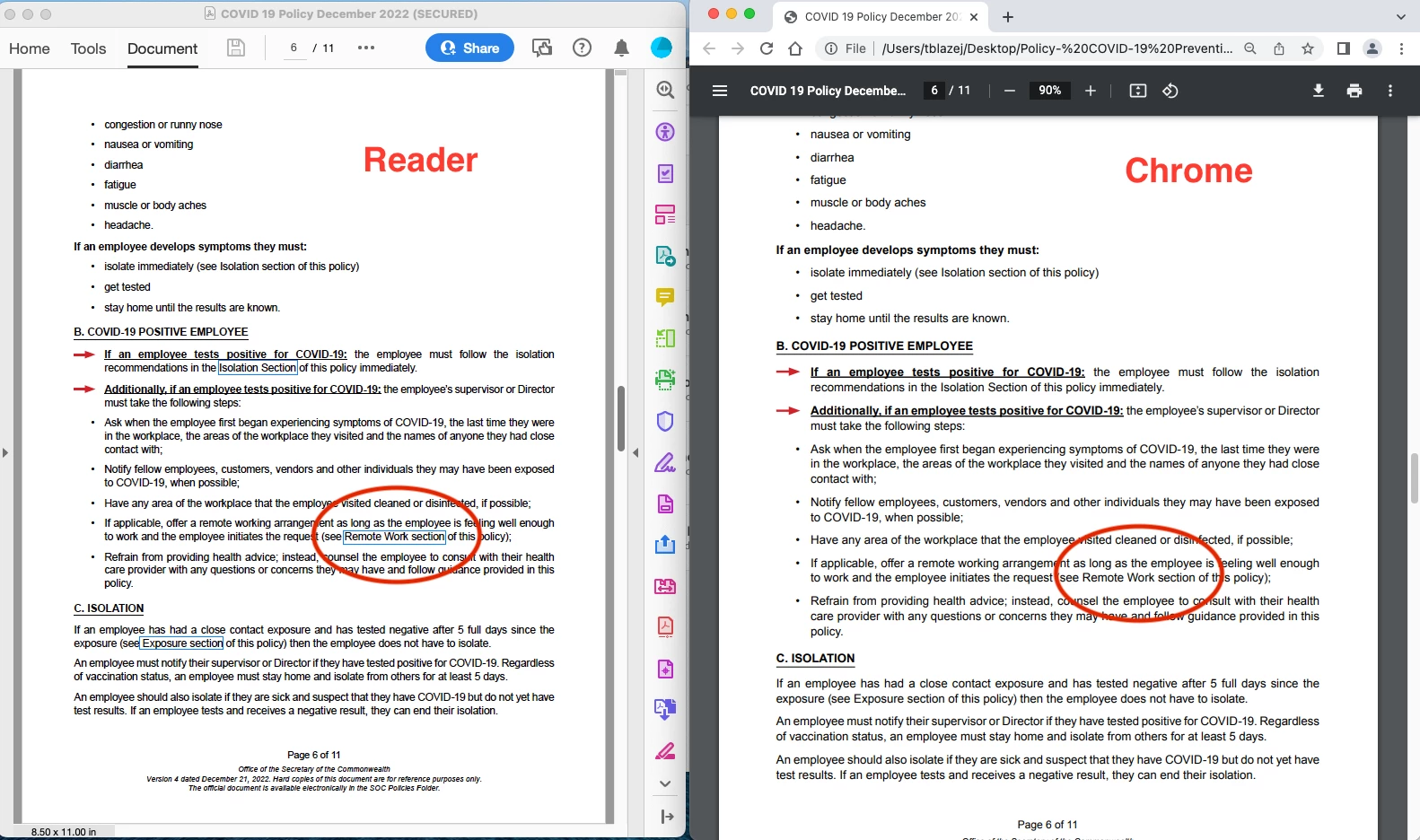
When employees open the accessable PDFs thier default browser (Edge or Chrome) does not display the blue rectangles but if it opened using Reader they are there. Unfortunatly, changing the default on every workstation to open PDFs in Reader is not an option.

The department I've been working with says they were there when we tested a few weeks ago but now they are not. 

I'm hoping someone knows a fix for this issue.

Thank you,

Tom
 

This topic has been closed for replies.

2 replies

Legend
May 24, 2023

By the way, typically you'd prepare the links in the original document, such as in Word, using a different visual style for links.

tomb92906800
Known Participant
May 24, 2023

Thank you for that info. 

The links were completly set up in InDesign and exported as interactive. A great feature. Much better the doing it in after in Acrobat Pro. 

tomb92906800
Known Participant
May 24, 2023

Corrected - 🙂

Thank you for that info. 

The links were completly set up in InDesign and exported as interactive. A great feature. Much better than doing it after in Acrobat Pro. 

Legend
May 24, 2023

Chrome has its own PDF viewer, made by Google. Edge uses the same one. So maybe they changed it. Anyway, it's not something related to Adobe software if that still works. Yes, having multiple PDF viewers out there can be a nightmare.