


Known Participant
January 7, 2022
Answered

Need help with NaN error and/or field do not match

  • January 7, 2022
  • 4 replies
  • 4969 views

I am trying to add two formulas to my pdf form:
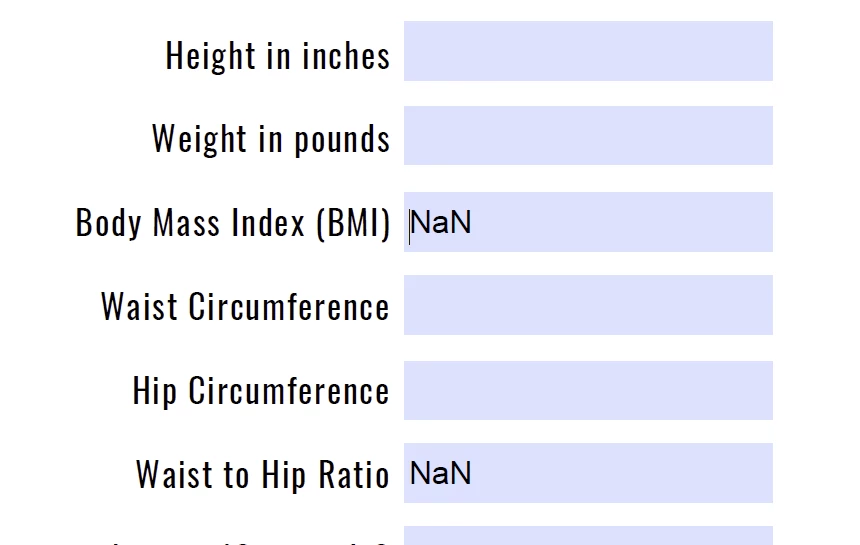
The first formula is for BMI which is 703*weight in pounds/height inches squared. I made the BMI box a number initially but an error came up that said fields don't match. I Imagine it is either because it is a long decimal or because there is a zero in the denominator until someone types a value in there. I changed the field to reflect "none" in formatting and now it is showing "NaN" until something is typed. I would like for "NaN" not to show.


I have ZERO knowledge of javascript, and just need to know what to type in and where. I figure the solution to the first formula will help me solve the second formula issue.

Correct answer Nesa Nurani

You've been so helpful! I just have one last file, it says my text field (pg36_1)does not match. Can you help?


Instead of Simplified field notation use this as custom calculation script:

var c1 = Number(this.getField("Calc1").value);
var c2 = Number(this.getField("Calc2").value);
var c3 = Number(this.getField("Calc3").value);
var x = c1+c2+c3;
if(x == 0)event.value = "";
else
event.value = 18000/(2*x);

4 replies

JR Boulay
Community Expert
January 7, 2022

As we assumed:

- input fields should have the "Number" format to avoid unwanted entries.

- the Simple Field Notation can't protect against division by zero or division by nothing, so you must use a JavaScript calculation.


Joker: calculated fields should be read only.

😉

Acrobate du PDF, InDesigner et Photoshopographe
Known Participant
January 7, 2022

great. How do I add a tofixed(2) vaue to this script:


if(this.getField("pg8_4").valueAsString == "" || this.getField("pg8_5").valueAsString == "")
event.value = "";
else
event.value = Number(this.getField("pg8_4").value)/Number(this.getField("pg8_5").value);

try67
Community Expert
January 7, 2022

This typically happens when you divide a number by zero and try to apply the result to a Number field.

To avoid it you must use a script. If you post the exact formula you're using for that field's calculation we can help you convert it into such a script.

Known Participant
January 7, 2022

This is the script: 703*pg8_2/(pg8_1*pg8_1)

I've input this is the simplified field notation

JR Boulay
Community Expert
January 7, 2022

NaN = Not a Number

This is a Format issue, can you share (part of) your document?

Acrobate du PDF, InDesigner et Photoshopographe
Known Participant
January 7, 2022
Pages_from_EAT_IntroBook_orig_FPDF8.pdf
try67
Community Expert
January 7, 2022

Use this code as the field's custom calculation script:


var v1 = Number(this.getField("pg8_1").valueAsString);
var v2 = Number(this.getField("pg8_2").valueAsString);
if (v1==0) event.value = "";
else event.value = (703*v2/(v1*v1));
Nesa Nurani
Community Expert
January 7, 2022

Post script you are using.

Known Participant
January 7, 2022

This is the script: 703*pg8_2/(pg8_1*pg8_1). I've input this is the simplified field notation

Nesa Nurani
Community Expert
January 7, 2022