


Known Participant
January 7, 2022
Answered

Need help with NaN error and/or field do not match

  • January 7, 2022
  • 4 replies
  • 4969 views

I am trying to add two formulas to my pdf form:
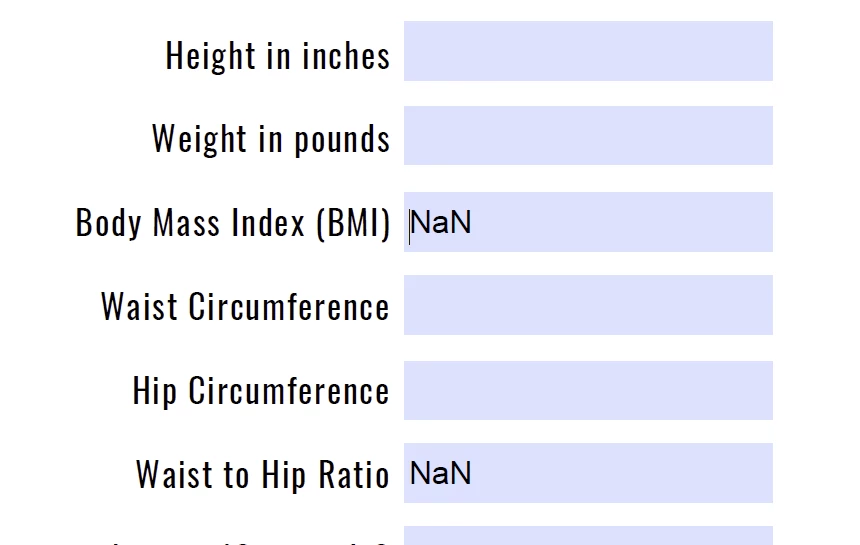
The first formula is for BMI which is 703*weight in pounds/height inches squared. I made the BMI box a number initially but an error came up that said fields don't match. I Imagine it is either because it is a long decimal or because there is a zero in the denominator until someone types a value in there. I changed the field to reflect "none" in formatting and now it is showing "NaN" until something is typed. I would like for "NaN" not to show.


I have ZERO knowledge of javascript, and just need to know what to type in and where. I figure the solution to the first formula will help me solve the second formula issue.

Correct answer Nesa Nurani

You've been so helpful! I just have one last file, it says my text field (pg36_1)does not match. Can you help?


Instead of Simplified field notation use this as custom calculation script:

var c1 = Number(this.getField("Calc1").value);
var c2 = Number(this.getField("Calc2").value);
var c3 = Number(this.getField("Calc3").value);
var x = c1+c2+c3;
if(x == 0)event.value = "";
else
event.value = 18000/(2*x);

4 replies

JR Boulay
Community Expert
January 7, 2022

As we assumed:

- input fields should have the "Number" format to avoid unwanted entries.

- the Simple Field Notation can't protect against division by zero or division by nothing, so you must use a JavaScript calculation.


Joker: calculated fields should be read only.

😉

Acrobate du PDF, InDesigner et Photoshopographe
Known Participant
January 7, 2022

great. How do I add a tofixed(2) vaue to this script:


if(this.getField("pg8_4").valueAsString == "" || this.getField("pg8_5").valueAsString == "")
event.value = "";
else
event.value = Number(this.getField("pg8_4").value)/Number(this.getField("pg8_5").value);

try67
Community Expert
January 7, 2022

This typically happens when you divide a number by zero and try to apply the result to a Number field.

To avoid it you must use a script. If you post the exact formula you're using for that field's calculation we can help you convert it into such a script.

Known Participant
January 7, 2022

This is the script: 703*pg8_2/(pg8_1*pg8_1)

I've input this is the simplified field notation

JR Boulay
Community Expert
January 7, 2022

NaN = Not a Number

This is a Format issue, can you share (part of) your document?

Acrobate du PDF, InDesigner et Photoshopographe
Known Participant
January 7, 2022
Pages_from_EAT_IntroBook_orig_FPDF8.pdf
try67
Community Expert
January 7, 2022

Use this code as the field's custom calculation script:


var v1 = Number(this.getField("pg8_1").valueAsString);
var v2 = Number(this.getField("pg8_2").valueAsString);
if (v1==0) event.value = "";
else event.value = (703*v2/(v1*v1));
Nesa Nurani
Community Expert
January 7, 2022

Post script you are using.

Known Participant
January 7, 2022

This is the script: 703*pg8_2/(pg8_1*pg8_1). I've input this is the simplified field notation

Nesa Nurani
Community Expert
March 3, 2022

Hi Nessa,


Can you help me with this page as well? It seems my javascript is not working... I get an error when I open the file saying text 15 ..it says the value entered does not match the format of the field {text 15}. Ive attached the file.


Since those fields have calculations they won't be blank so there is no point to check if field is "" and since you can't divide with 0 you need to check that divisor in this case field "Text14" is not 0 for calculation to trigger, like this:

if(this.getField("Text14").value == 0)
event.value = "";
else
event.value = Number(this.getField("Text13").value)/Number(this.getField("Text14").value);