




Question
New Preference option to use filename as the document title in Acrobat/ Reader
Now use the filename as the document title.
In the recent update, a new preference is added to Acrobat/ Reader that will let you use the filename as the document title. By default, the option is disabled.
You can easily enable the preferences using the following steps:
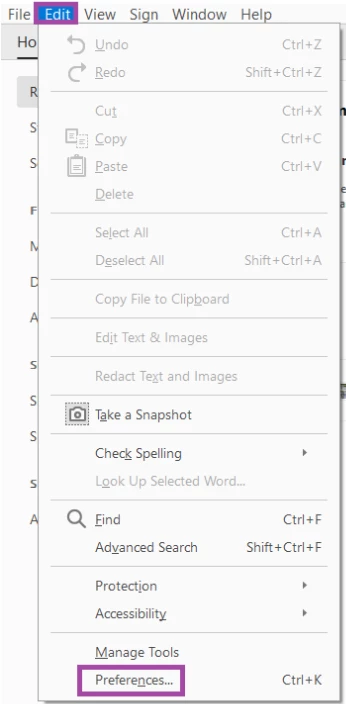
- Go to Edit > Preferences (Windows), or Acrobat > Preferences (macOS).
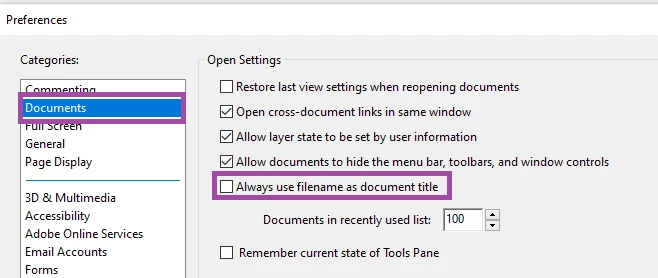
- Select Documents from Categories in the left pane.
- Under Open Settings, select Always Use Filename As Document Title.
Did you find it helpful? If yes, share your experience with us: Join the conversation here. We are listening!
To discover a host of other great features added in a recent update – Go straight to: Acrobat and Reader August 2020 Release | Set the default zoom level for bookmarks
 AdChoices