Having this same issue is there a solution?
Hi @kirsten_1908,
Thanks for reaching out. Sorry for the delayed response. Since I don't have access to your document, this could be for various reasons.
-
PDF/A is an archival format. It requires that the file be completely self-contained:
-
All fonts must be embedded.
-
All color spaces must be explicitly defined.
-
No external dependencies.
-
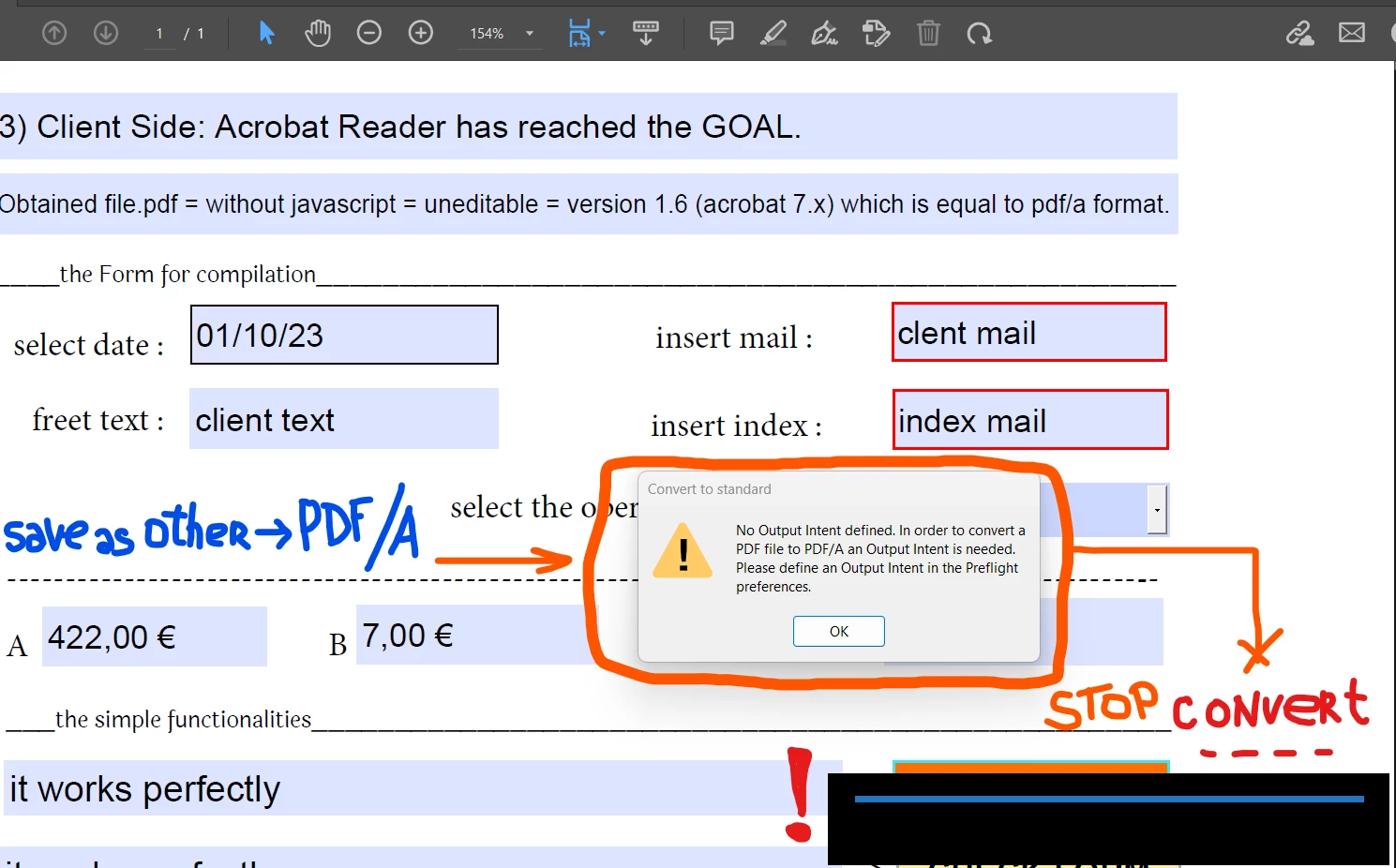
One of these requirements is an Output Intent — essentially a description of the color profile (e.g., sRGB, CMYK ICC profile).
-
If the document doesn’t have one defined (like in your simple DOCX → PDF), Acrobat cannot finalize the PDF/A conversion and throws this error.
How to Fix It:
You need to add an Output Intent (color profile) in Acrobat before converting to PDF/A.
Option 1: Quick Fix during Save As
1. Go to File → Save As Other → Archivable PDF (PDF/A).
2. If prompted, Acrobat will try to assign a default sRGB IEC61966-2.1 profile.
3. Confirm and save.
Option 2: Manually Add an Output Intent (via Preflight)
1. Open your PDF in Acrobat Pro.
2. Go to Tools → Print Production → Preflight.
3. In the Preflight dialog, search for PDF/A (e.g., “Convert to PDF/A-1b”).
4. Before running, click the wrench/edit icon and ensure an Output Intent (like sRGB) is selected under Color Management.
5. Run the profile → Save your file.
Option 3: Set a Default Output Intent
-
In Acrobat Preflight preferences, you can define a default Output Intent (e.g., sRGB).
-
After that, Acrobat won’t complain every time.
Important Notes
-
Even if your PDF does not contain images or colors (just text), Acrobat still requires an Output Intent for compliance.
-
For archival (PDF/A-1b is most common), usually sRGB is fine unless you specifically need a print/CMYK workflow.
In short, the error occurs because your PDF does not have a color profile (Output Intent). Add one (sRGB) in Preflight or during Save As PDF/A, and it will work.
Best regards,
Tariq | Adobe Community Team



 AdChoices