Participant
March 19, 2022
Question

OCR = edit text and images causes garbage in PDF doc

  • March 19, 2022
  • 1 reply
  • 5526 views
OCR = edit text and images causes garbage in PDF doc


Hope you can help.

After scanning a document into a PDF file, I see that it contains info that I need to update. So, I run EDIT document.

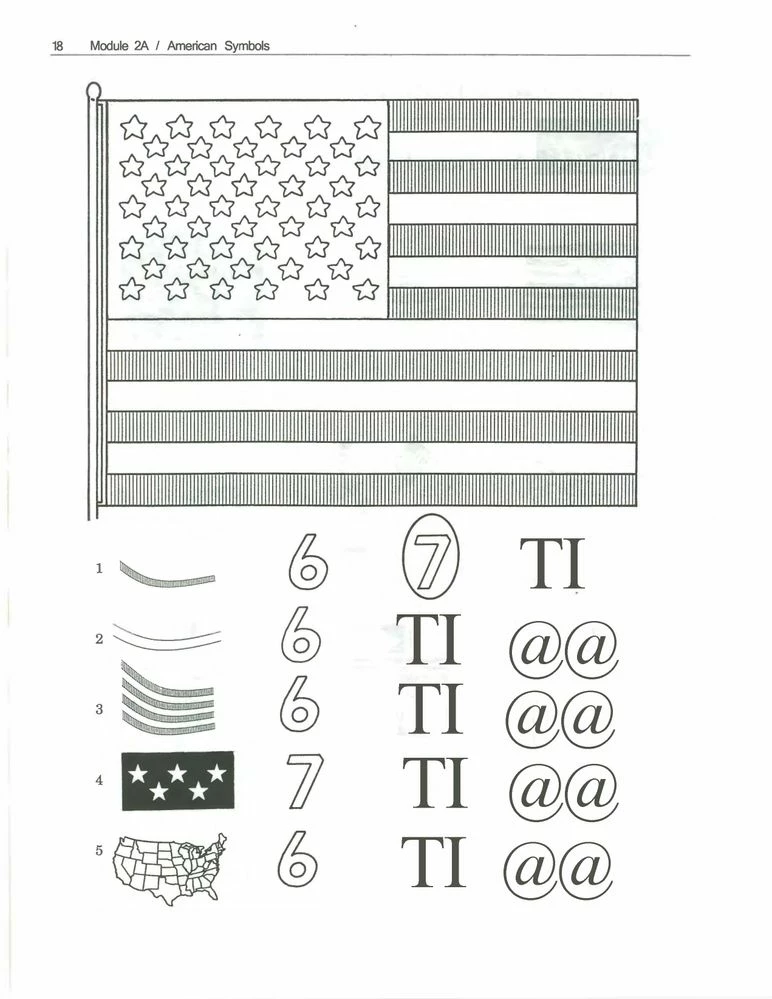
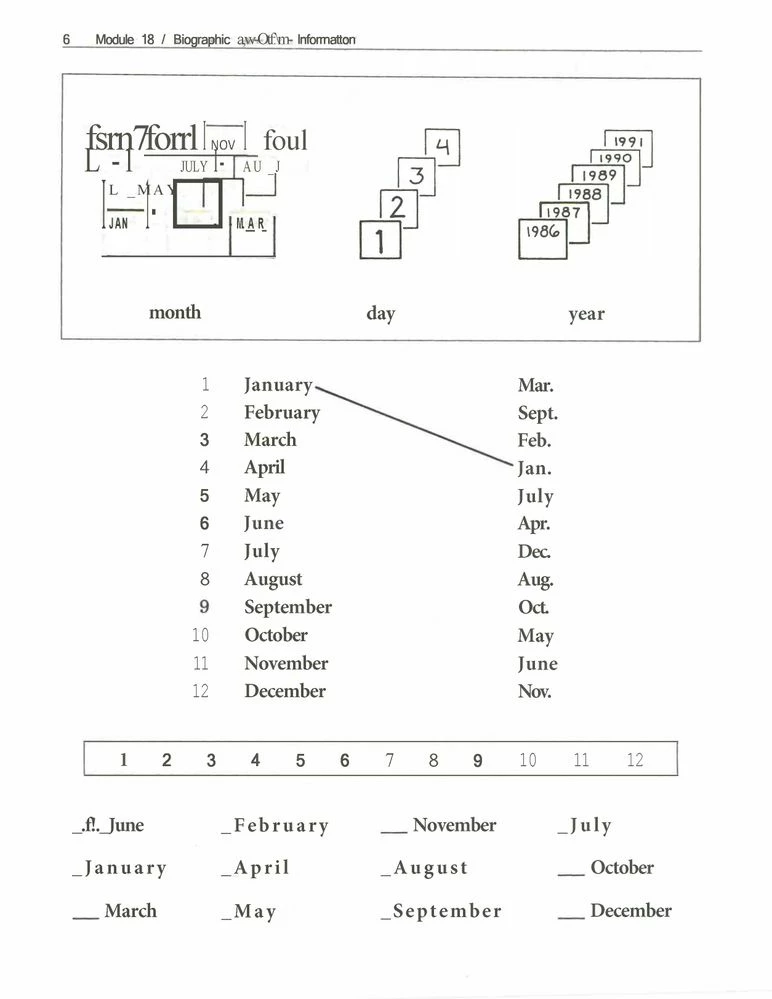
The result is that several images are turned into symbols (@), or images are overlaid with symbols (@).


I've tried every thing I could find in support and community, but cannot get a clean conversion!


This topic has been closed for replies.

1 reply

Amal.
Community Manager
Community Manager
March 21, 2022

Hi there


Hope you are doing well and sorry for the trouble.


Is this a behavior with a particular PDF file or with all the PDFs? Please try with a different PDF file and check. If the file is stored on a shared network/drive, please download it to your computer first and then try again.


Also, go to Edit (Win), Adobe Acrobat (Mac) > Preferences > Page Display > under Rendering, Select 'Use Local Font' > Click OK and reboot the computer once and check if that helps.


Regards

Amal

arthurr45042582
Inspiring
March 21, 2022

Amal,

Thanks for your response. 


I checked the setings you recommended. They were already set as you stated.

Then I did a different page. 

I've attached sample pages that show the progression - steps - taken that replicate the problem. 


Point of information: Pages with a mix of images that were draw, combined with lines and text are when the problem occurs. But, drawn images alone are not a problem, and most pages of text only are not a problem. 


Yet, older text only pages do have many errors when scanned and made editable. xample 2 is a good representation of this. It is a mix of text types.


A


Amal.
Community Manager
Community Manager
March 23, 2022

Amal,

 
It was a simple process. I thought I made it clear in the titles of the images. Now I see that I failed to show them in the right order.
Here is what I did.
After I checked and found that my settings were the ones you recommended, 
  1. From Acrobat DC I selected "Create PDF"
  2. From Scanner.
  3. Scanned a page of mixed line drawings and text to create a PDF file. Got a perfect doc.
  4. Selected "Edit PDF".
  5. Waited while "Make Editable" ran.
  6. PDF of line drawings + text now had errors.
  7. Repeated steps 1 through 3.
  8. Selected Scan and OCR
  9. Got the same error filled result.
My question is: what other settings can I check/fix? Or what other sequence of steps can I use?
 
Let me know if you need more from me.
 
Arthur

Hi Arthur


Thanks for sharing the details. It seems to be a document-specific issue, please share the source file as well as the resultant PDF file so that we can try to check it at our end.


Regards

Amal