Participant
March 19, 2022
Question

OCR = edit text and images causes garbage in PDF doc

  • March 19, 2022
  • 1 reply
  • 5526 views
OCR = edit text and images causes garbage in PDF doc


Hope you can help.

After scanning a document into a PDF file, I see that it contains info that I need to update. So, I run EDIT document.

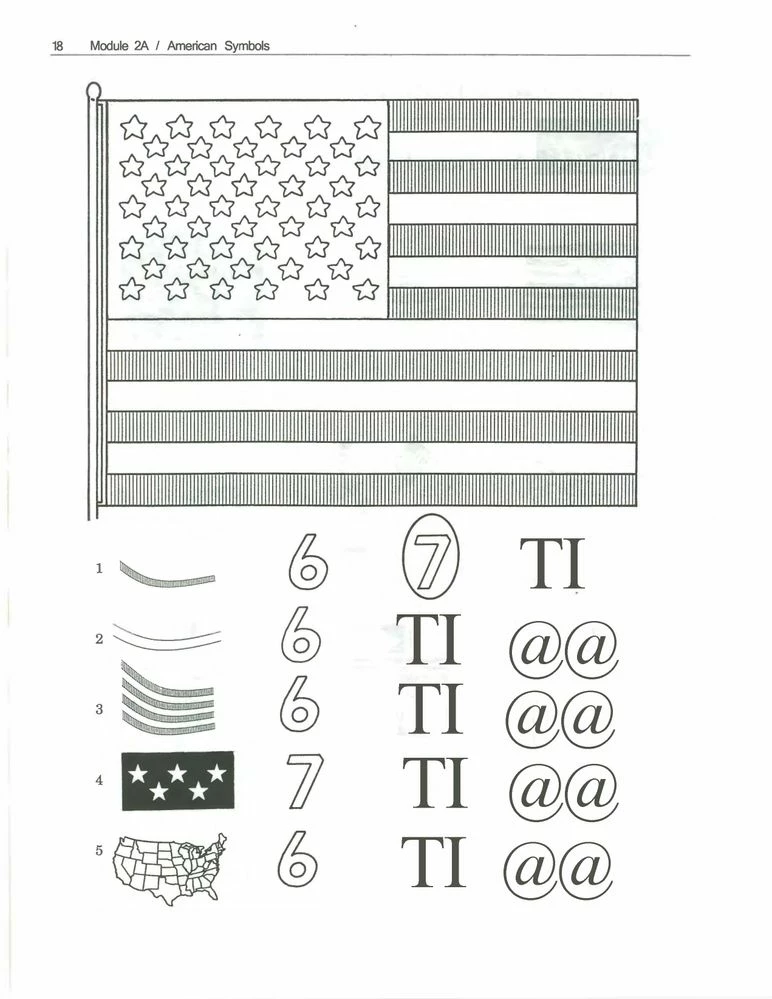
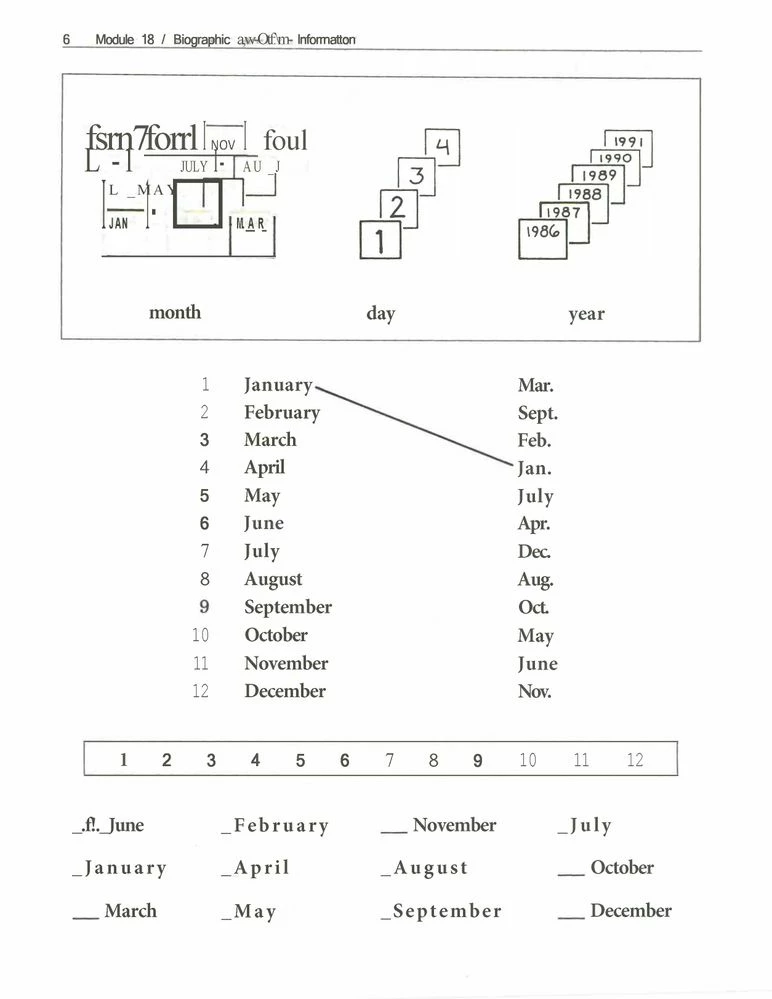
The result is that several images are turned into symbols (@), or images are overlaid with symbols (@).


I've tried every thing I could find in support and community, but cannot get a clean conversion!


This topic has been closed for replies.

1 reply

Amal.
Community Manager
Community Manager
March 21, 2022

Hi there


Hope you are doing well and sorry for the trouble.


Is this a behavior with a particular PDF file or with all the PDFs? Please try with a different PDF file and check. If the file is stored on a shared network/drive, please download it to your computer first and then try again.


Also, go to Edit (Win), Adobe Acrobat (Mac) > Preferences > Page Display > under Rendering, Select 'Use Local Font' > Click OK and reboot the computer once and check if that helps.


Regards

Amal

arthurr45042582
Inspiring
March 21, 2022

Amal,

Thanks for your response. 


I checked the setings you recommended. They were already set as you stated.

Then I did a different page. 

I've attached sample pages that show the progression - steps - taken that replicate the problem. 


Point of information: Pages with a mix of images that were draw, combined with lines and text are when the problem occurs. But, drawn images alone are not a problem, and most pages of text only are not a problem. 


Yet, older text only pages do have many errors when scanned and made editable. xample 2 is a good representation of this. It is a mix of text types.


A


Amal.
Community Manager
Community Manager
March 22, 2022

Hi there


Would you mind sharing the steps you did to create these PDF files? A small video recording of the same would be very helpful.


It seems to be a font issue, as if the required font is not properly embedded into the PDF file or it is not present on your computer or you may not have the rights to use the required font.

A font can be embedded only if it contains a setting by the font vendor that permits it to be embedded. For more information about the font embedding please check the help page https://helpx.adobe.com/acrobat/using/pdf-fonts.html


Regards

Amal