


krystelh53602876
Participant
January 4, 2017
Answered

PDF changed original fonts and hyperlinks don't work

  • January 4, 2017
  • 12 replies
  • 18577 views

I am using MacBook Pro and have Microsoft Word 2016 and Adobe Acrobat 2015 version installed.

Objective: to convert microsoft word file to pdf document with all internal links (table of contents, cross reference links, etc) working.

What I've done:

First try: converted the document to pdf using 'Save As' option straight from Ms. Word, chose 'best for online viewing' to retain all the links. What happened was, the links were all working but all original fonts are gone and replaced with some sort of generic font throughout the document

Second try: tried to create pdf using Adobe Acrobat, it automatically converts the word document into pdf but later found out that all the links were not working at all.

I need to know how to convert a word document into pdf without losing the hyperlinks/internal links and original font. Not sure why Ms. Word just decided to change all of my fonts....

Help...
Correct answer defaulth2ym0ddqd09q

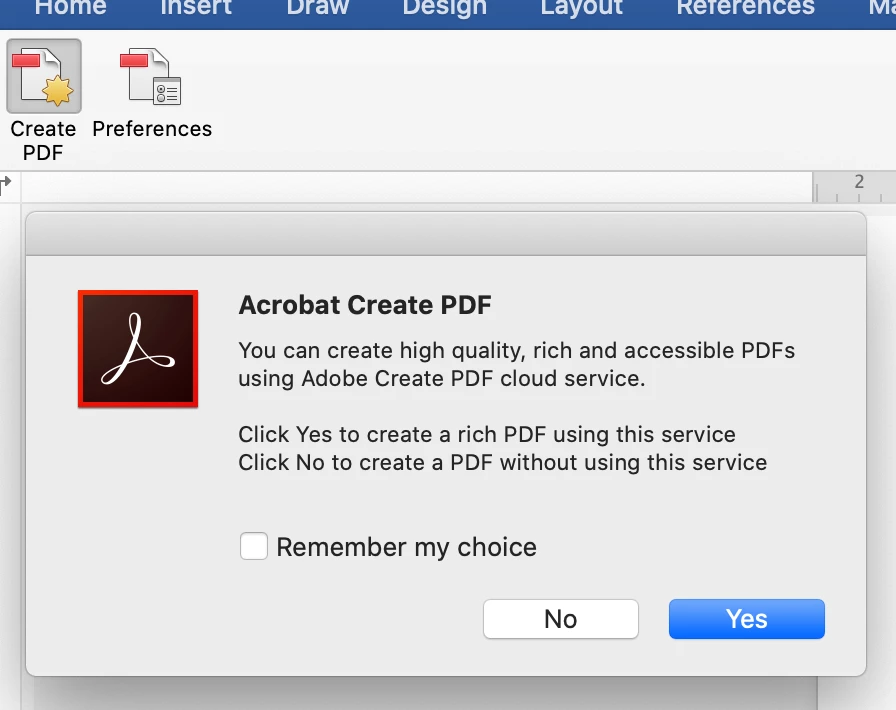
It is 2021 and this is still an issue. It has driven me mad. The solution I have found rom testing every way to create a PDF appears to be something to do with the 'Adobe Create PDF cloud service'. The only way to both create a PDF with embedded fonts *and* retain hyperlinks is to disable the 'use Adobe Create cloud service'.


From the Acrobat tab in Word's ribbon click 'create PDF' and then click 'No' to create a PDF without using this service if prompted. If you are not prompted maybe you already agreed to go into the Acrobat 'preferences' option in the Word ribbon and tun on then export without cloud service and then turn off the preference prompt tickbox so you don't get asked each time (if that makes sense).

Not sure what the 'Create Cloud service' does that is a benefit, but it seems to mess this up and maybe something to do with what fonts are installed locally or installed via Adobe fonts.


12 replies

MichaelKazlow
Legend
January 8, 2017

Hyperlinks aren't preserved in the Mac version.

Meenakshi Negi
Community Manager
Community Manager
January 4, 2017

Hi krystelh53602876,

Please click on Acrobat ribbon in Microsoft word application and select preferences.

Then check box for Add links under Security tab.

Now try to convert word file to PDF using Create PDF option under Acrobat ribbon.

Let us know if issue still persists.

Regards,

Meenakshi

krystelh53602876
Participant
January 4, 2017

Hi Meenakshi,

Unfortunately, when I click on Acrobat ribbon in Microsoft word application, it only shows Create PDF option and nothing else. Is this an issue with Microsoft Word 2016 for Mac?

Thank you.

Meenakshi Negi
Community Manager
Community Manager
January 7, 2017

Hi krystelh53602876,

Could you please share the screenshot of the options you get when you click on Acrobat Ribbon.

Please also let us know the exact dot version of Adobe Acrobat and OS installed on your system.

Regards,

Meenakshi