


Participant
April 17, 2025
Question

PDF created from Word not showing Raleway font correctly - PDF version is unreadable

  • April 17, 2025
  • 2 replies
  • 458 views

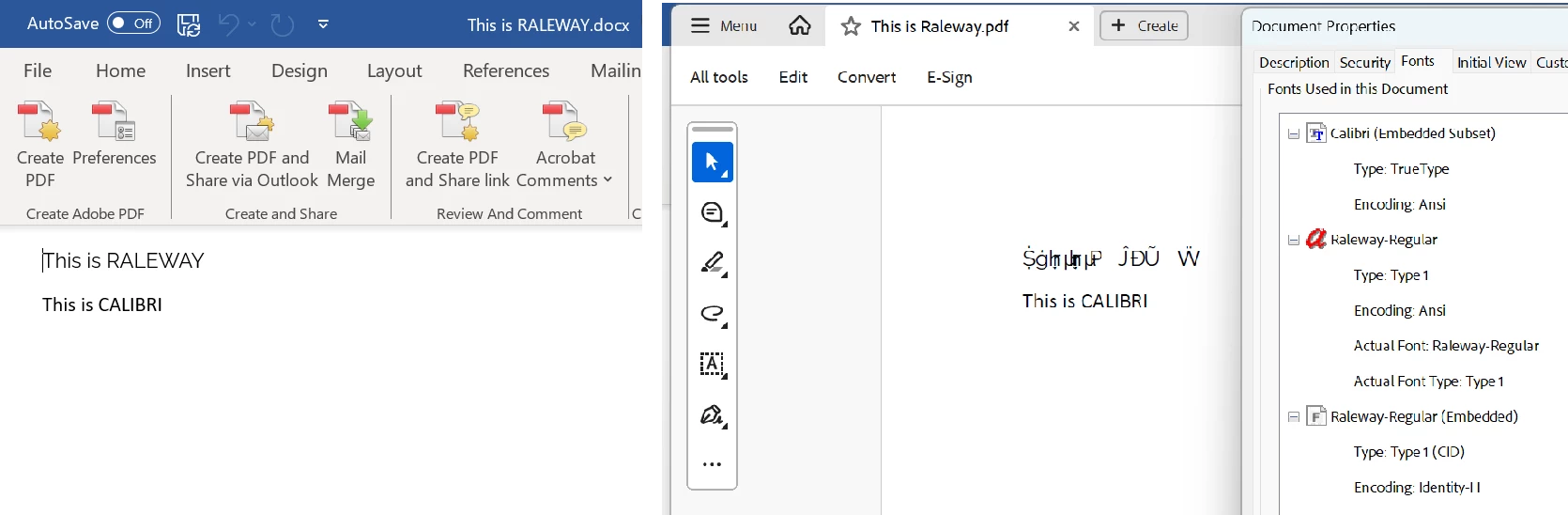
When I create a PDF from a word using "Save as Adobe PDF" or the Acrobat ribbon "Create PDF", any Raleway font is unreadable.

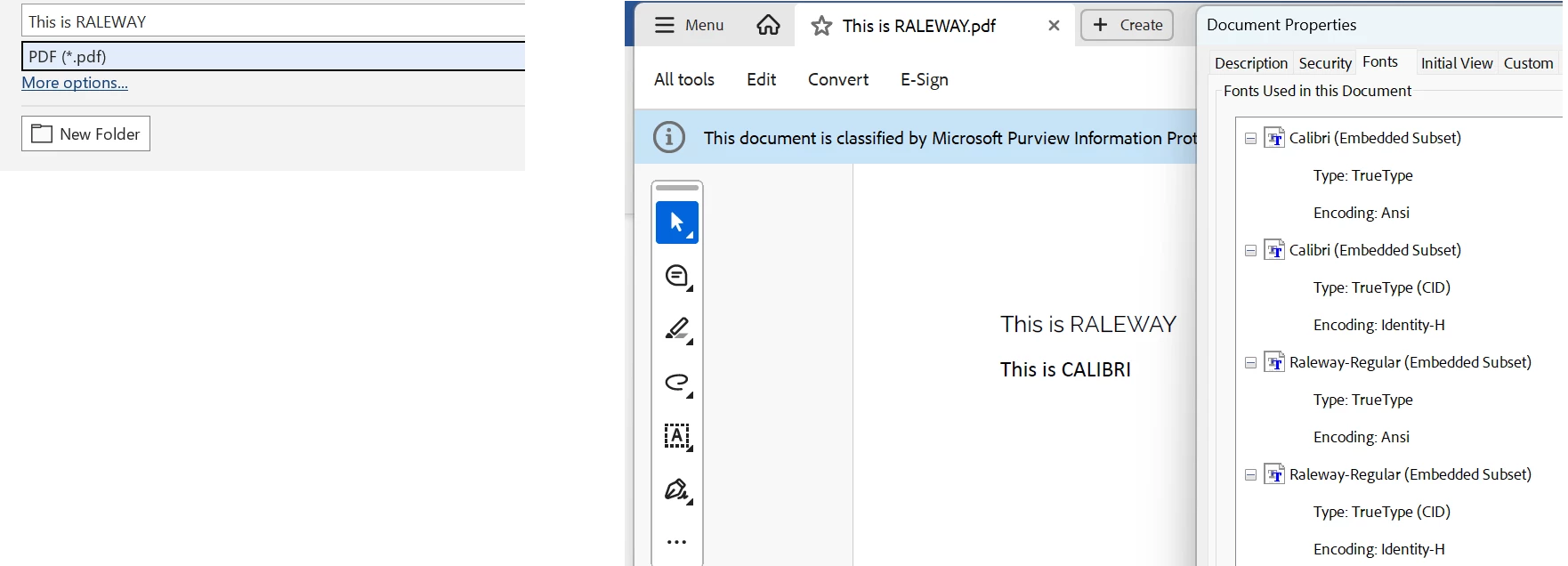
If I "Save as PDF" it looks fine. Can someone explain to me what's the difference and how I can fix this?

Changing the font to something else isn't an option because the Word documents I'm working with are being provided to me by a third party. Acrobat version 2025.001.20435 64 bit.

This is the result using "Create PDF" from the Acrobat ribbon:
This is the result "Saving as PDF":


2 replies

Dave Creamer of IDEAS
Community Expert
Community Expert
April 17, 2025

I noticed that the problem file has the font as Type 1, while the good file is a TT font. 

Check out this post, especially Mr. Dov Isaacs answers:

https://community.adobe.com/t5/acrobat-sdk-discussions/why-do-opentype-fonts-appears-as-type-1-fonts-in-the-acrobat-font-list/m-p/8121785


David Creamer: Community Expert (ACI and ACE 1995-2023)
Participant
April 17, 2025

Yes, I did notice that the Type 1 font shows up in the unreadable document. Why this is happening and how I go about fixing it are what I don't understand. The exact same Word document is the source of both PDFs, just slightly different methods to get there. I would expect both PDFs to look the same, with the same fonts. Thanks for the link to Dov Isaacs' discussion regarding Opentype, Truetype and Type 1 fonts. While interesting, it doesn't provide enough information to explain this behaviour.

Dave Creamer of IDEAS
Community Expert
Community Expert
April 17, 2025

I just tested the font and my Acrobat-created PDF looked fine. What verson of Acrobat Pro are you using?


I'm not an expert in the overly-technical side of things, but I suspect it has something to do with Type 1 not supporting Unicode and limited to only 256 characters. 

I view this the same as the old joke: "Patient: Doctor, it hurts when I do this..., Doctor: Well, don't do that!"


David Creamer: Community Expert (ACI and ACE 1995-2023)
Participant
April 17, 2025

Tried this but no diffference: