



PDF No Longer Has Dark Background When Exported from MS Word 201
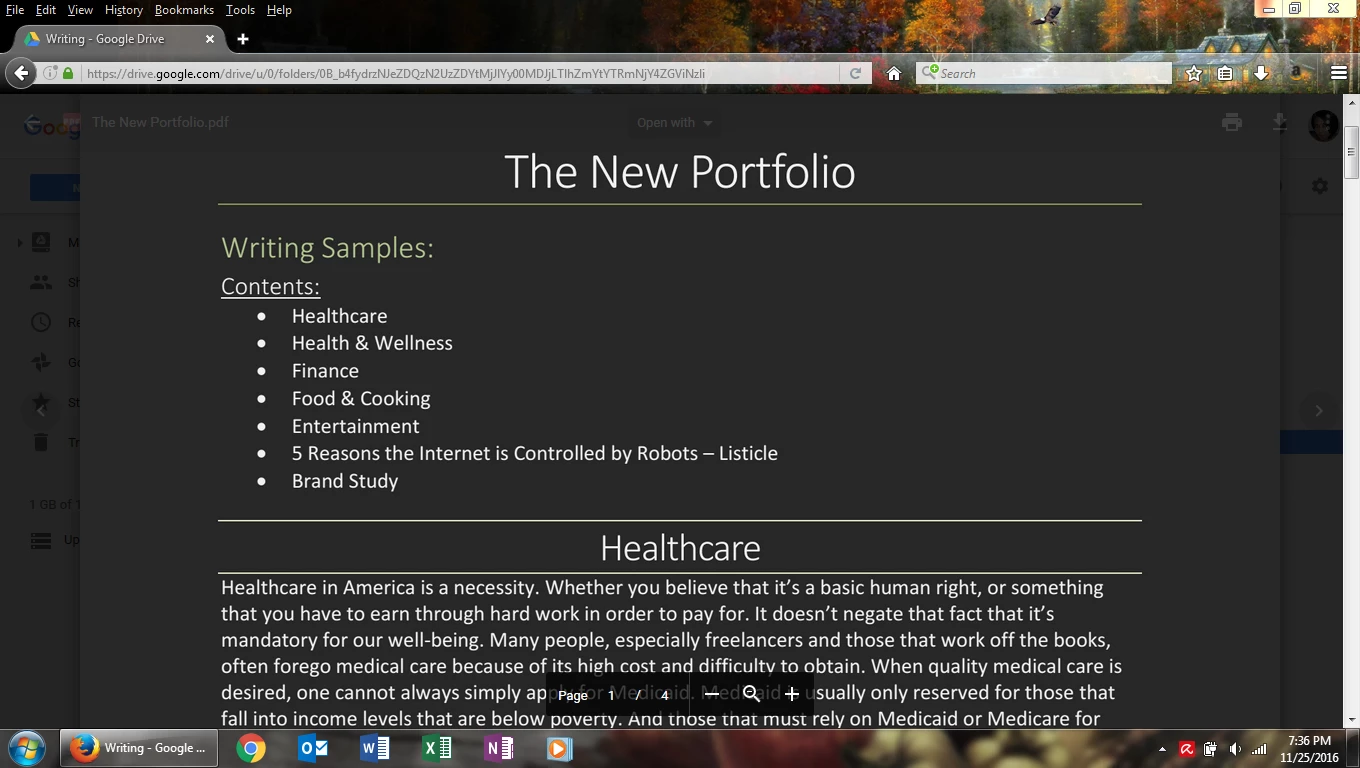
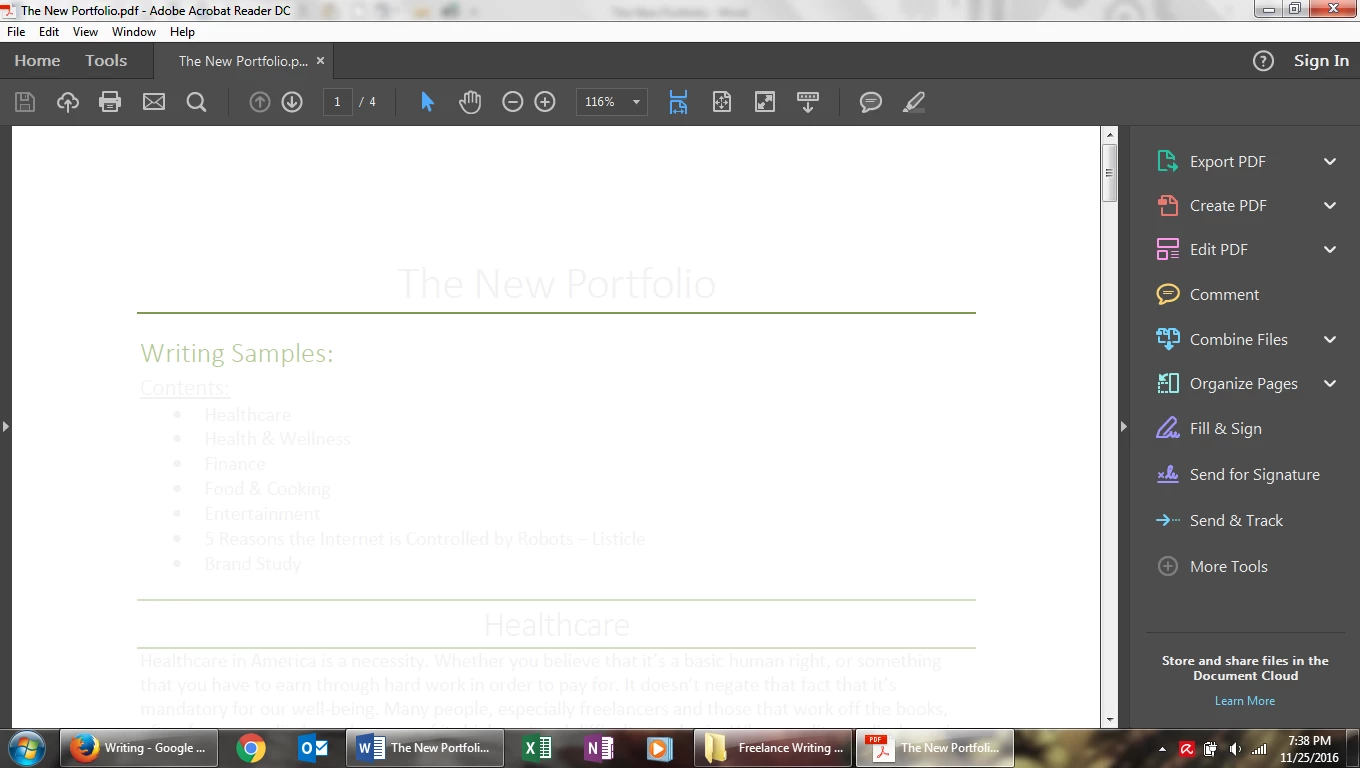
So for years now I've been able to create Word documents with a dark background and light letters on the page. It's just part of my preferred style of document. And for many years I've also been able to convert them to PDF and everything is exactly the same in the PDF doc as in the Word doc: black background; white (or some other light) letters; etc. But now all my previously converted documents, which had been displaying properly before, now have white backgrounds only, no matter what I do. The ones that I'd made had the right display before, now they do not. 
I can't help but think that this is due to some update that Adobe has done. It is extremely aggravating and disappointing. I love PDFs, creating them, etc. I love a lot of the new tools that they now offer, but this is a real nuisance, as I'm a writer and it's now part of my look for my portfolio and many of the pieces that I've written to be displayed as light on dark. So I do hope that someone will see this and fix it. I don't think this is really a troubleshooting issue, but since I don't have a paid account, cannot get any technical help any other way, nor can I hope to probably get anyone to work on something so small. But since many people now like the "night view" on mobile devices and such, I'm hoping that it won't fall on deaf ears completely.
Thank you
-gothceltgirl

 AdChoices