


Question
PDFMaker Office COM convert email to PDF - attachment list
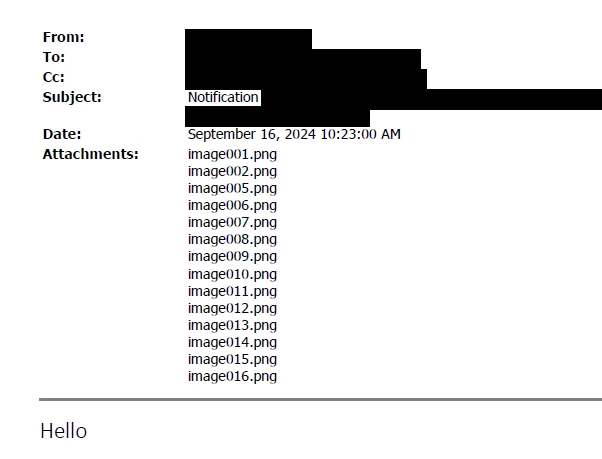
Hello. How do I remove the attachment list when using PDFMaker to convert an Outlook email to PDF? Conversion settings are set to "Do not include attachments in the Adobe PDF" and yet it still lists the attachments despite not really having any attachments. Please see image below. The image00....png's are already embedded and are converted within in the email but the "Attachments" list in the email headings still shows and is ridiculously too long and these are just email signatures! I am resorting to just printing (instead of converting) to PDF just to not show the attachment list. Thank you for your time and any input.
 AdChoices