


Photoshop and Acrobat are displaying the color differently!
A little info on my setup...
I'm using a Mac with High Sierra. All my adobe products have the "North America General Purpose 2" Color Management setting.I created a PDF from sRGB tiffs using the Photoshop "PDF Presentation" automation. Here are my Photoshop Color Settings and PDF creation settings:
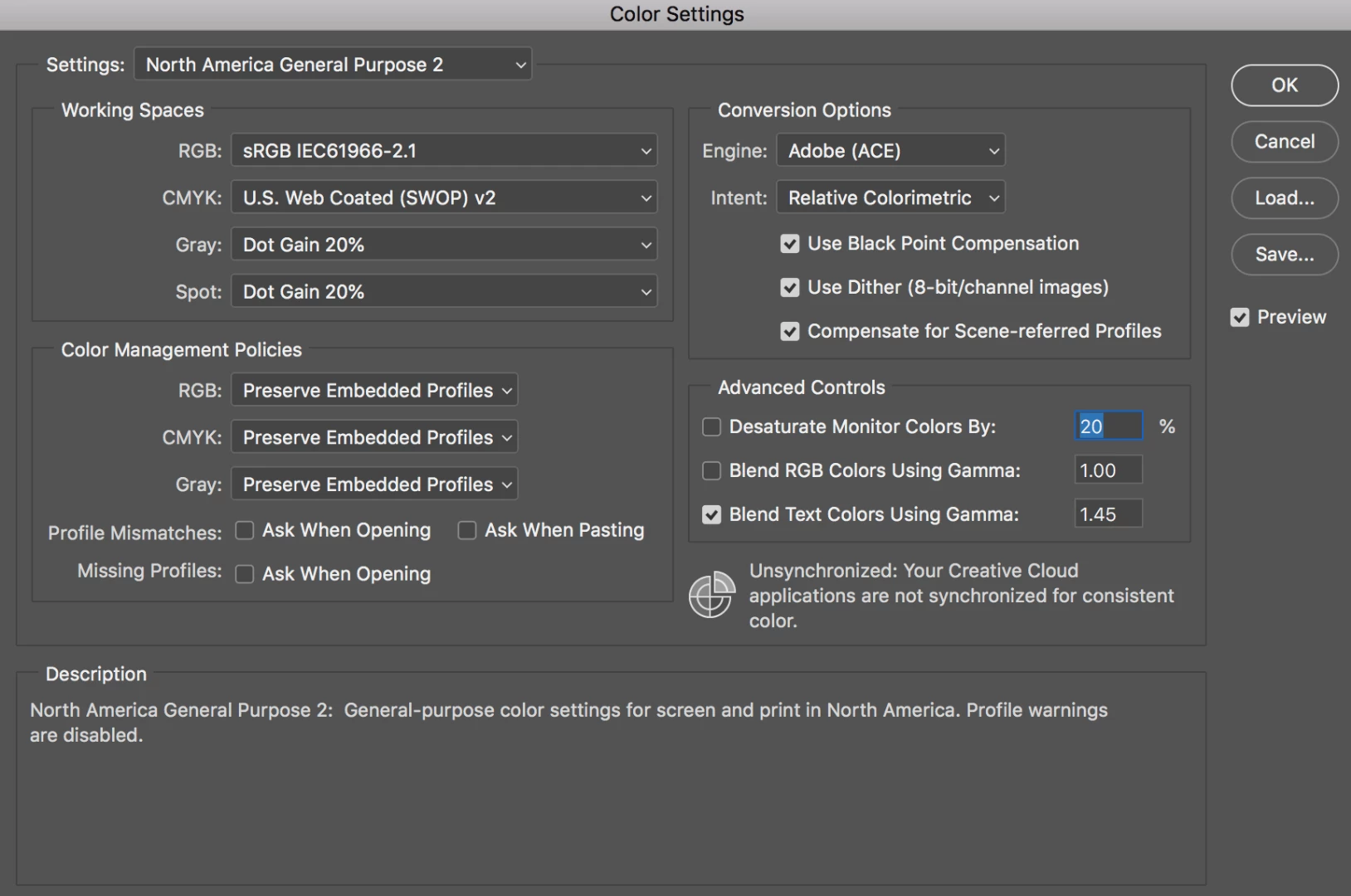
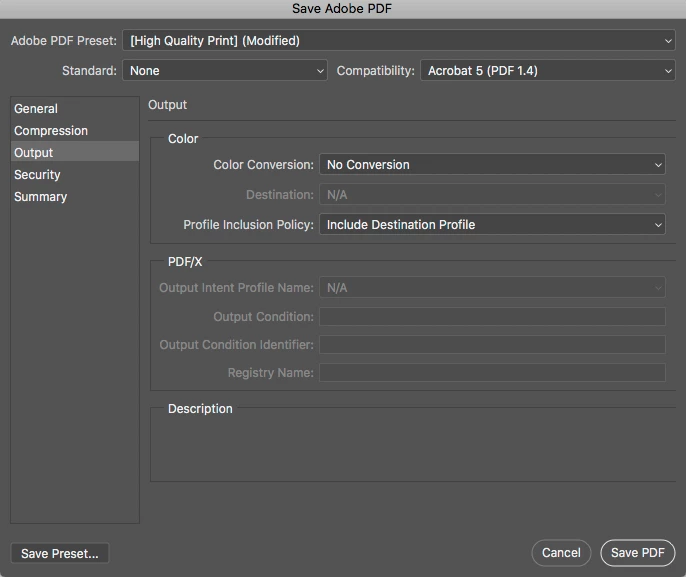
*didn't include all pages of the save adobe PDF dialog cause it didn't seem necessary but let me know if there are crucial color settings on those pages and i'll share a screenshot
I then opened that PDF in Acrobat and the color is different. Below is a side-by-side example. The image on the left (tiff opened in photoshop) doesn't have nearly as much red as the image on the right (pdf opened in acrobat). You can really tell in their skin. Exactly color is crucial in my industry. What's going on? All images are sRGB. Is there a setting i'm missing?

Another whacky thing I've noticed that may provide another clue is that when I open the image in Preview the color in the Preview image matches the color in tiff opened in Photoshop:
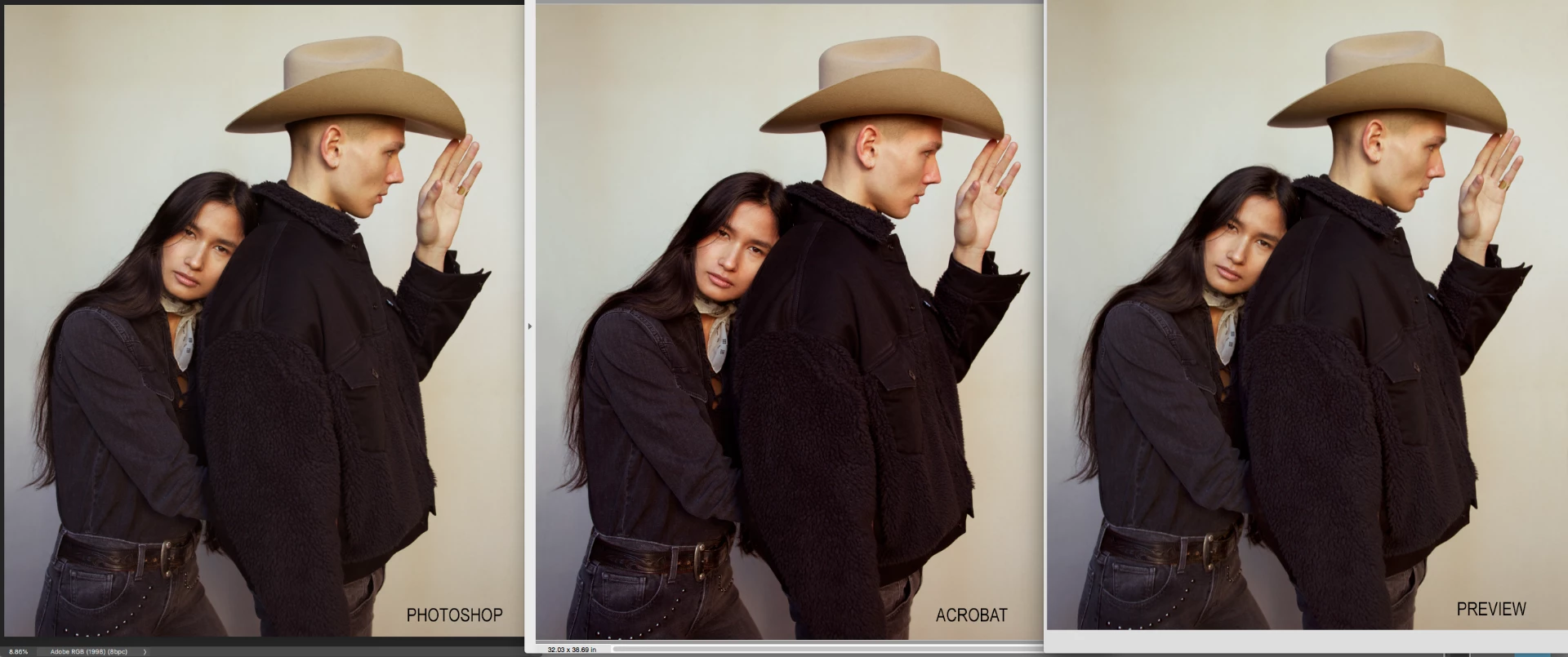
Wow, does that mean? That Preview does a better job of managing color than Acrobat? Or am I missing some kind of color setting in Acrobat that Preview's default accounts for?
Adobe Acrobat is the standard in my industry for image review. I need to know that color will be managed consistently across programs.
Any ideas?
 AdChoices