

Answered
Pin documents
It would be really helpful to be able to pin regularly used documents so they could be opened readily without a plodding through File > Open or scrolling through Home > Recent. MS office products do this so nicely...

It would be really helpful to be able to pin regularly used documents so they could be opened readily without a plodding through File > Open or scrolling through Home > Recent. MS office products do this so nicely...
This was a while ago but just in case you are still interested (I only found out recently myself) :
The star is not visible until you hover over the row and it turns grey. Don't know why I haven't noticed it before 😞 .
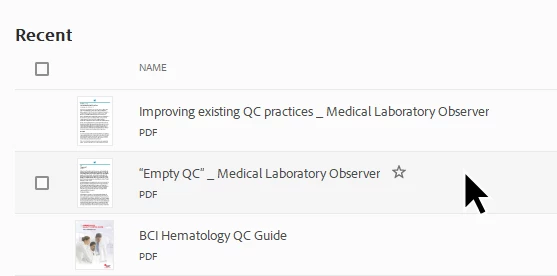
Click on the star and then it appears at the top:
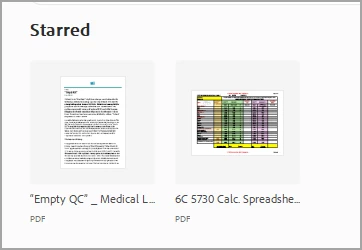
Thanks to @AkanchhaS8194121 .
Already have an account? Login
Enter your E-mail address. We'll send you an e-mail with instructions to reset your password.
 AdChoices