



Placing videos into PDF using web URL instead of local file?
I have used Adobe Chat Support twice but no one knew the answer or how to do this. It is getting pretty frustrating.
I have the latest Adobe Acrobat Pro DC and I want to place videos into my PDF document. Local video files work fine, but I need to insert a lot of videos, meaning the PDF file size will get pretty large, and I don't want that. Instead, I want to be able to use a web URL to reference the video and have that video appear in my document.
I have checked out these resources:
Acrobat Help | Add audio, video, and interactive objects to PDFs
Acrobat Help | Adding multimedia to PDFs
... along with a lot of forums and web, but no working answers have been found.
What I want:
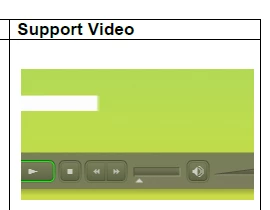
Video playing inside the document, referenced from a web URL, looking like below:
I tried:
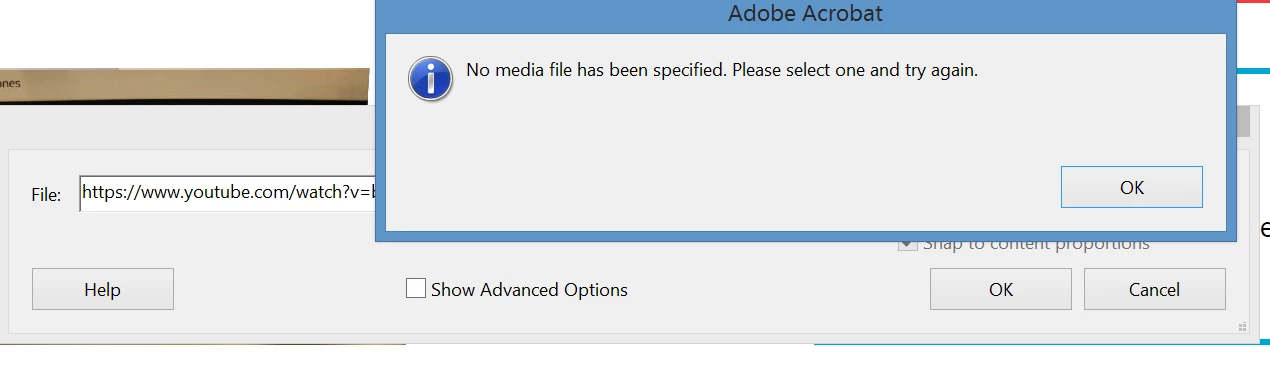
Rich Media > Add Video, but this error appears
I tried youtube, vimeo, dropbox .mp4 links but nothing works.
I tried embed codes from youtube but Acrobat says it doesn't recognize <iframe> code.
On the Adobe website I posted, this is what Adobe said:
"Adding video, sound, and interactive content transforms PDFs into multidimensional communication tools that increase interest and engagement in your documents."
"Another way to add multimedia is by entering a URL that refers to a video file or streaming media. Three types of URLs can be used: RTMP, HTTP, and HTTPS. On HTTP and HTTPS servers, H.264-compliant MOV and MP4 files are supported."
My question:
Can what I want be done? And HOW?
 AdChoices