

Exit
  • Global community
    • Language:
      • Deutsch
      • English
      • Español
      • Français
      • Português
  • 日本語コミュニティ
  • 한국 커뮤니티
1

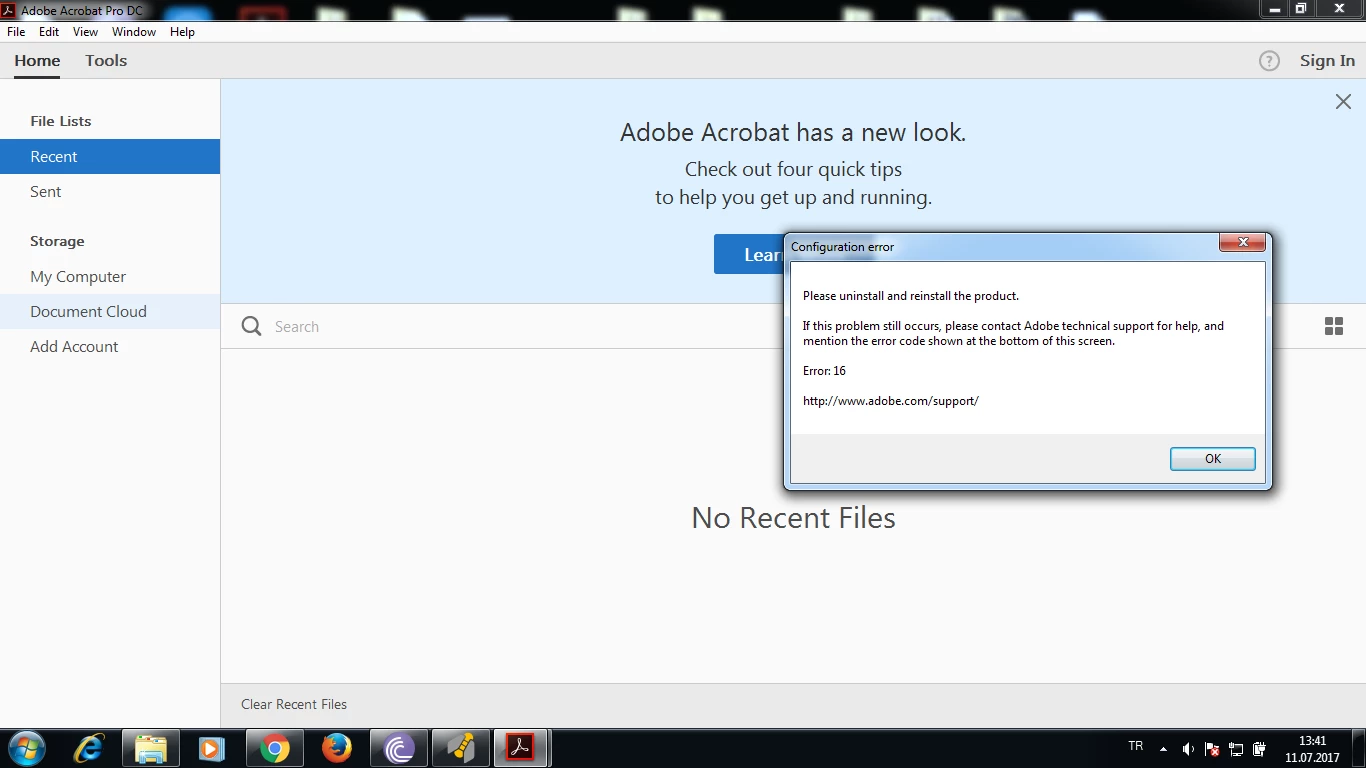
please uninstall and reinstall the product error 16

New Here ,
Jul 11, 2017 Jul 11, 2017

I am downloading Adoba Acrobat Pro but i am taking an error. the error is sent in attachment. can u help me?

TOPICS
Install update and subscribe to Acrobat
3.8K
Translate
Report
Community guidelines
Be kind and respectful, give credit to the original source of content, and search for duplicates before posting. Learn more
community guidelines
1 ACCEPTED SOLUTION
Adobe Employee ,
Jul 13, 2017 Jul 13, 2017

Hi busrak52580484,

As you get the error 16, please try the troubleshooting steps provided here: Configuration error in Adobe Creative Cloud 

Check if this helps.

If you still experience the issue, please try to uninstall the application using the cleaner toolDownload Adobe Reader and Acrobat Cleaner Tool - Adobe Labs.

Then restart your system and install the application from here: Download Pro or Standard versions of Acrobat DC, XI, or X

Let us know if you experience nay issue or need nay help.

Regards,

Meenakshi

View solution in original post

Translate
Report
Community guidelines
Be kind and respectful, give credit to the original source of content, and search for duplicates before posting. Learn more
community guidelines
Adobe Employee ,
Jul 13, 2017 Jul 13, 2017

Hi busrak52580484,

As you get the error 16, please try the troubleshooting steps provided here: Configuration error in Adobe Creative Cloud 

Check if this helps.

If you still experience the issue, please try to uninstall the application using the cleaner toolDownload Adobe Reader and Acrobat Cleaner Tool - Adobe Labs.

Then restart your system and install the application from here: Download Pro or Standard versions of Acrobat DC, XI, or X

Let us know if you experience nay issue or need nay help.

Regards,

Meenakshi

Translate
Report
Community guidelines
Be kind and respectful, give credit to the original source of content, and search for duplicates before posting. Learn more
community guidelines
New Here ,
Jan 23, 2018 Jan 23, 2018

I'm having the SAME problem with computers on my network. Acrobat Pro 2017 is what is installed and I get the Error:16 box whenever I try to open a PDF attachment from Outlook 2016.  I have done repairs of the installations and it fixes it for about a day and then it happens again.

Translate
Report
Community guidelines
Be kind and respectful, give credit to the original source of content, and search for duplicates before posting. Learn more
community guidelines
Adobe Employee ,
Jan 23, 2018 Jan 23, 2018
LATEST

Hi Ndti-sysadmin,

You may try once recreating the preferences of the application.

Refer this help document How to reset Acrobat Preference settings to default. for the steps

Check if that helps.

As you have mentioned above "the error appears when you open the attachment from Outlook 2016".

Please confirm if the other PDFs open without any issue in the application.

Is it an issue with some particular attachment or with all the attachment that you try to open from Outlook?

Please also let us know the exact version of the Adobe Acrobat Pro installed on your system.

Take help from the steps mentioned in this link Identify the product and its version for Acrobat and Reader DC to check the version.

Also, share the OS version you are working on.

Let us know if you need any help.

We will be waiting for your response.

Regards,

Meenakshi

Translate
Report
Community guidelines
Be kind and respectful, give credit to the original source of content, and search for duplicates before posting. Learn more
community guidelines