


February 9, 2012
Answered

Print a PDF so that comments appear

  • February 9, 2012
  • 2 replies
  • 249528 views

I used Actobat 9 Pro to create a portfolio containing PDFs, which I set up to enable comments. I then used Acrobat 9 Reader to open several PDFs and created comments. I emailed the portfolio to my workmate who also made comments.

We can see both sets of comments in the PDFs, identified with out user names - which is great.

However, if I print the PDFs, the comments do not appear. Are they only visible on-line? is there any way to print them, with their context in the PDF?

Regards,

Sue.
This topic has been closed for replies.
Correct answer CtDave

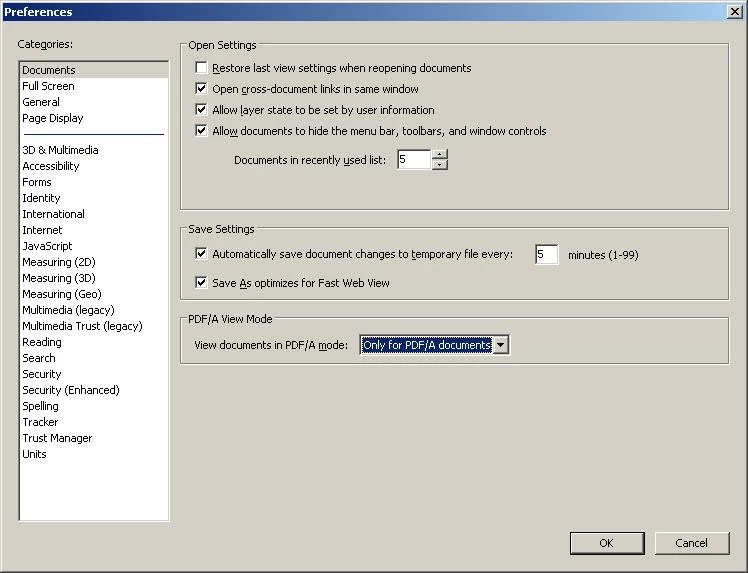
This is what I see in "Preferences" in 9 Reader. Apparently nothing relating to Comments...


The Print dialog obtained from File > Print in Adobe Reader (9)  provides for selection of "Document and Markups".

As your screen capture depicts Adobe Reader's Properties does not provide for user configuration of how Comments, Markups, and associated Pop-ups are displayed.

You must have Acrobat Pro (...maybe Standard also) for this functionality.

2 replies

New Participant
May 14, 2022

I have a similar problem.  After a very long wait, I receive an error message from Adobe Acrobat Pro that it was expecting a .dic? Dictionary?  I use Screenshots to get around this problem.  It is much slower and uses more printer ink, but it is better than nothing. Good luck!

February 12, 2012

It seems that there is no way to do this, as no-one has replied. Is there any alternative or work-around?

CtDave
Participating Frequently
February 12, 2012

In the Print dialog ....

try67
Braniac
March 27, 2018

Seems not to work unless you have the professional version at £15/month, which I certainly don't want for a once a year task. Tried print screen from a full page view and dropped the image into .docx seemed to work fine for me.


This option is also available in the free Reader, maybe not Reader 9 but certainly in newer versions. Here's a screenshot from Reader XI:

The only option that's not available in Reader is to print only the values of form fields.