


Participant
June 14, 2023
Answered

Problem printing grays and blacks

  • June 14, 2023
  • 2 replies
  • 2393 views

I am a long-time user of Acrobat and am currently using Adobe Acrobat Pro 23.001.20174.0.  I need to print plans (blueprints) daily.  On a plan set, what is colored gray is existing, and what is black is new.  (You can see what a problem this can be) Anyway, as an example, I have a plan page to print that looks like this:
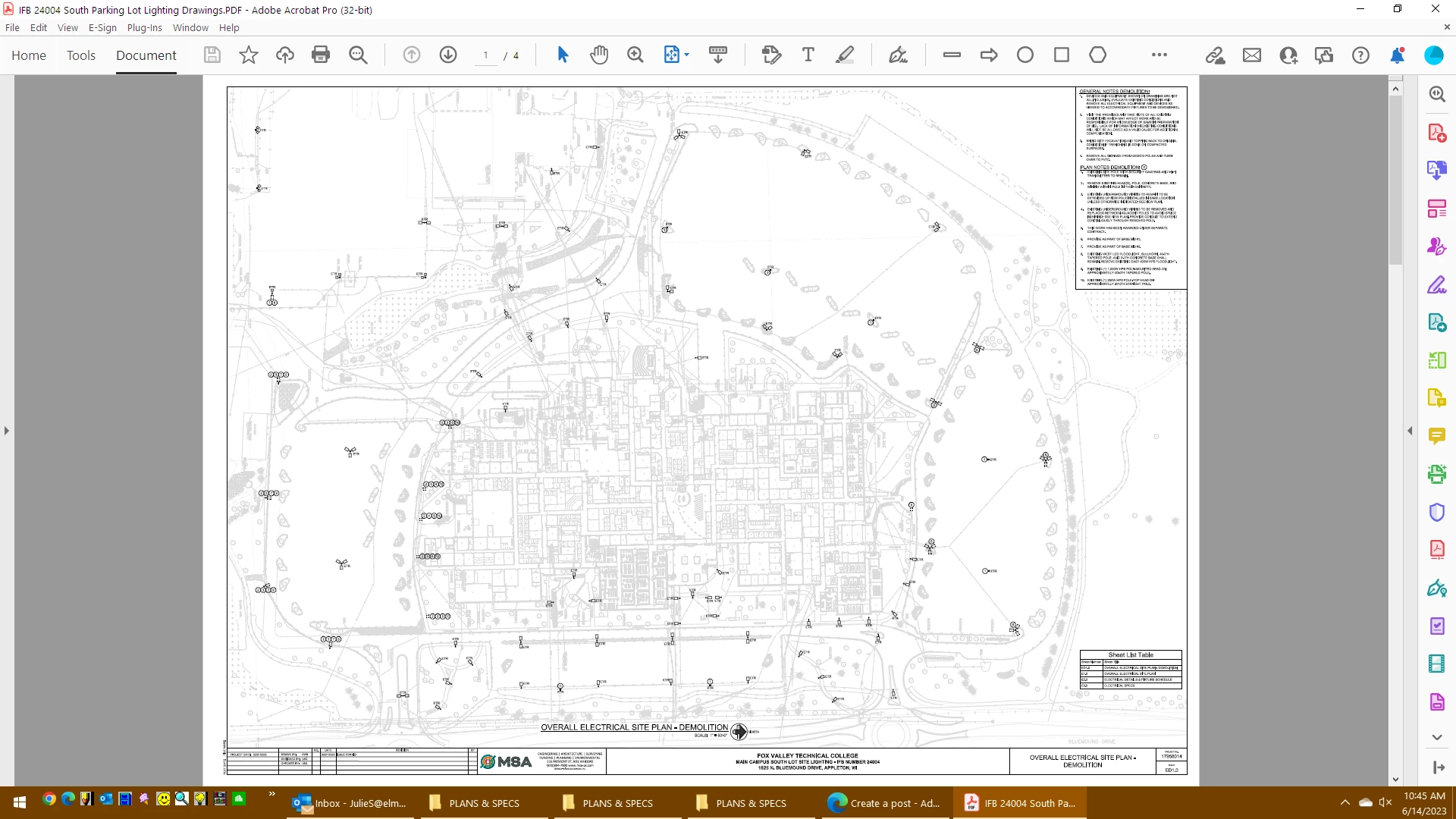
All the background needs to be gray and just several items need to be black. No matter what kind of options I can find to choose, or even what printer I choose, it always prints like this:
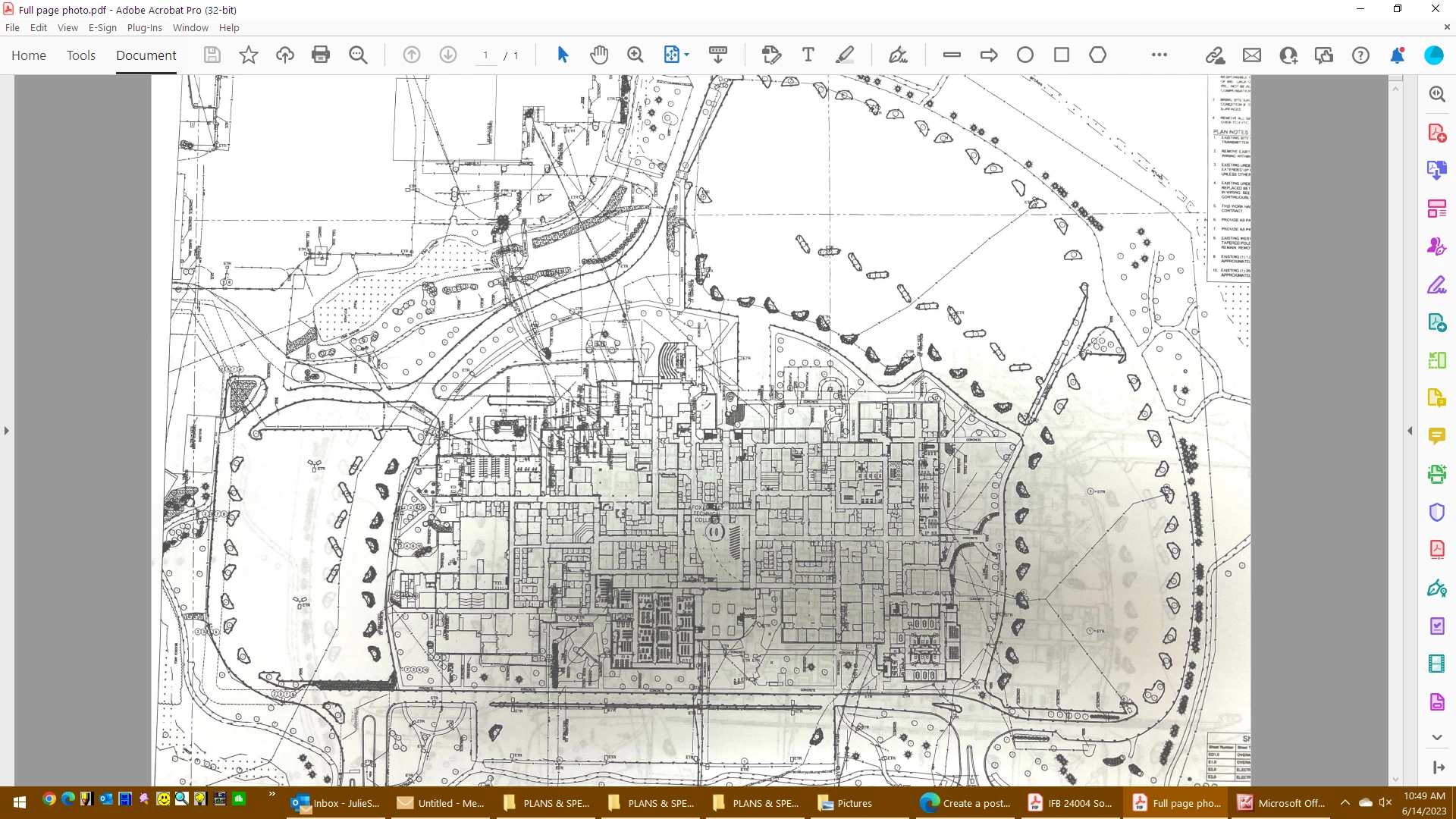
(Unless, of course I print it in Foxit - which prints it perfectly without tweaking at all.) I have used Acrobat Pro for many years and really hate to change but does anyone have any ideas what might be the problem with Adobe not picking up the difference between the grays and blacks and printing them properly?
 

Correct answer julies4744610

Hi @S. S, thanks for the quick response,


1. I'm using Adobe Acrobat XI (11.0.07)

2. I'm on Windows 10 Pro

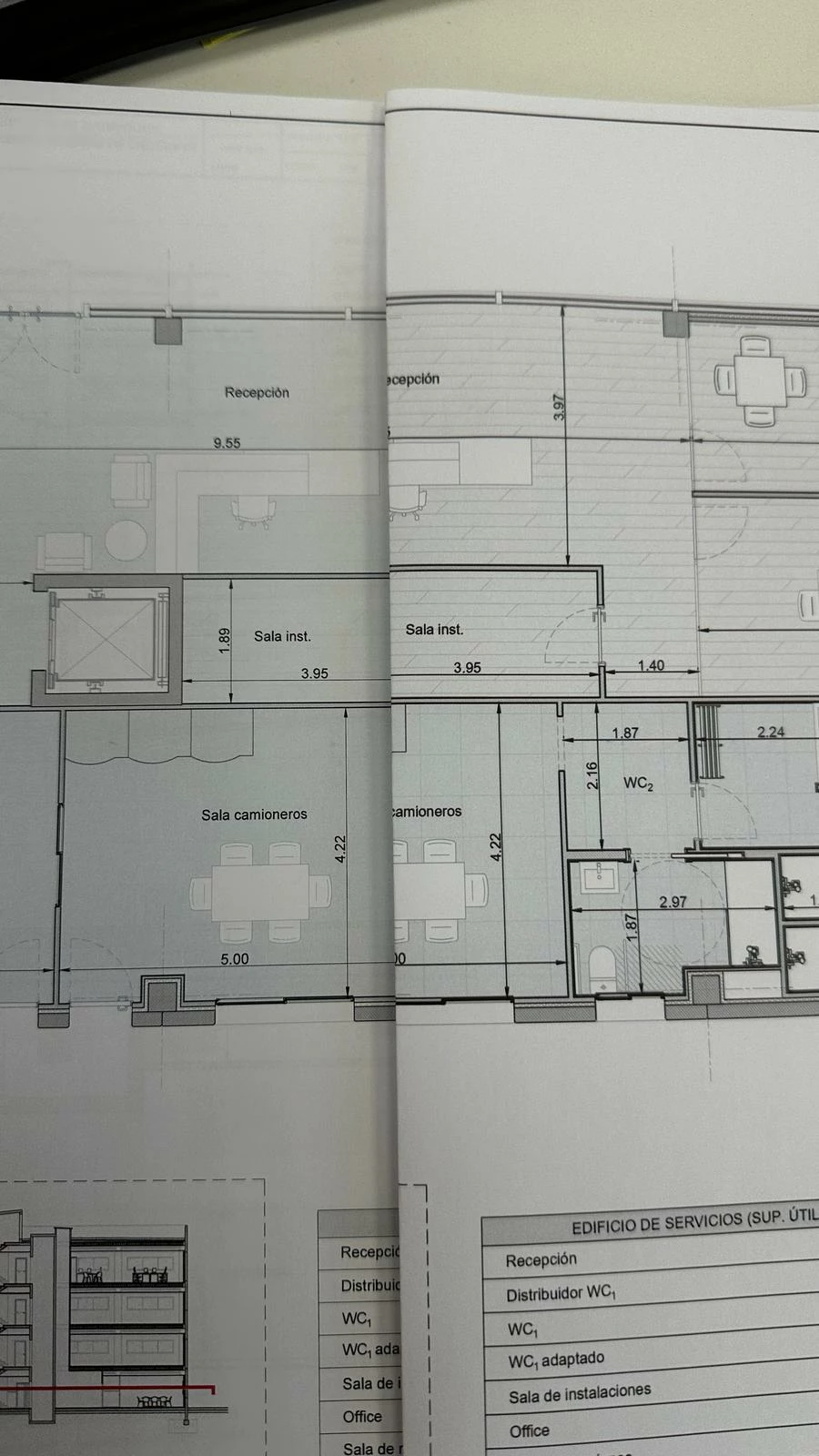
3. I attach the problematic plan file. On the following picture, on the left, you can see what printing from Acrobat looks like. On the right, you can see what should the printing look like. Notice the Acrobat printing is missing some details like the gray horizontal lines.

4. I have also tried to print as an image, but the printing result it's the same...


Is anything I can do to solve this issue? 


I DID find an answer to printing my plan sheets! It was however in my print settings.  I am using Toshoba printers - on my Color Printer in Print Properties- Image Quality - I had to choose the plain General profile which is Halftone - Auto; Resolution - 600 dpi; Pure Black and Pure Gray as well as the Sharpness filter.  On my B&W Printer I choose Halftone - Detail; Resolution 600 dpi and Smoothing. I could not find anything in Acrobat to help me - all I can suggest is try messing with your print settigs

2 replies

Participant
April 24, 2025

I'm experiencing the same problem as you with my plans. Have you found a solution to your problem? Foxit blurs my texts

S_S
Community Manager
Community Manager
April 24, 2025

Hi @kasp_2371,


Hope you are doing well. Sorry for the trouble with printing PDFs.


Would you mind sharing a few pieces of information for further investigation:

1. The app version of Acrobat you use (go to Menu > Help > About Acrobat);

2. The OS and its version;

3. A sample file where you experience the issue for us to reproduce in-house.

4. Have you tried printing the file as an image? To do so, go to Print > Advanced > check the checkbox "Print as Image."


Also, please ensure you are on the latest version of Acrobat (2025.001.20467) for the best experience.

To do so, go to Menu > Help > Check for Updates.


Look forward to hearing from you.


Regards,
Souvik.

S_S
Community Manager
Community Manager
May 13, 2025

I DID find an answer to printing my plan sheets! It was however in my print settings.  I am using Toshoba printers - on my Color Printer in Print Properties- Image Quality - I had to choose the plain General profile which is Halftone - Auto; Resolution - 600 dpi; Pure Black and Pure Gray as well as the Sharpness filter.  On my B&W Printer I choose Halftone - Detail; Resolution 600 dpi and Smoothing. I could not find anything in Acrobat to help me - all I can suggest is try messing with your print settigs


Hi @julies4744610,


Hope you are doing well.


Thanks for writing what worked for you.

Marking this as a correct answer for future users to use as a reference.


Regards,
Souvik.

Luke Jennings3
Community Expert
Community Expert
June 14, 2023

Can you upload a sample pdf? I suspect the gray areas are made up of small lines or vector patterns and your printer is enlarging them in order to ensure they print, much like the Acrobat page display preference "Enhance thin lines". Try printing the pdf as an image (possibly under advanced print settings) or exporting the pdf as an image. If you are still having problems, try flattening a copy of your pdf and convert the strokes (lines) to outlines- Tools> Print Production> Flattener Preview. The reason Foxit is printing it correctly may be because it considers all vector elements as an image?

Participant
June 14, 2023

thank you for your answer.  I am uploading one sheet of this plan set.  Some of our plan sets are 100s of pages long.

As you can see this is a 42x30 in sheet and I am printing on 17x11. I have to be very careful on the sccale I print to as we still need to measure distances off the printed sheets.

Luke Jennings3
Community Expert
Community Expert
June 14, 2023

The pdf is RGB, the thin gray lines are .24 pt and 219 RGB, the black lines are .6 pt or larger and 0 RGB. When reduced to fit on a 17x11 sheet the thin lines become .086 pt. Your pdf is printing fine on my printer without intervention, so I don't have a fix for you other than to try printing as an image, you may need to print as color (not grayscale) in order to see this option under advanced settings.

Have you tried the measure tool in Acrobat?