


Inspiring
September 24, 2024
Answered

Problem with print function Adobe Acrobat Pro, version 2024.003.20112|64 bits

  • September 24, 2024
  • 1 reply
  • 11308 views

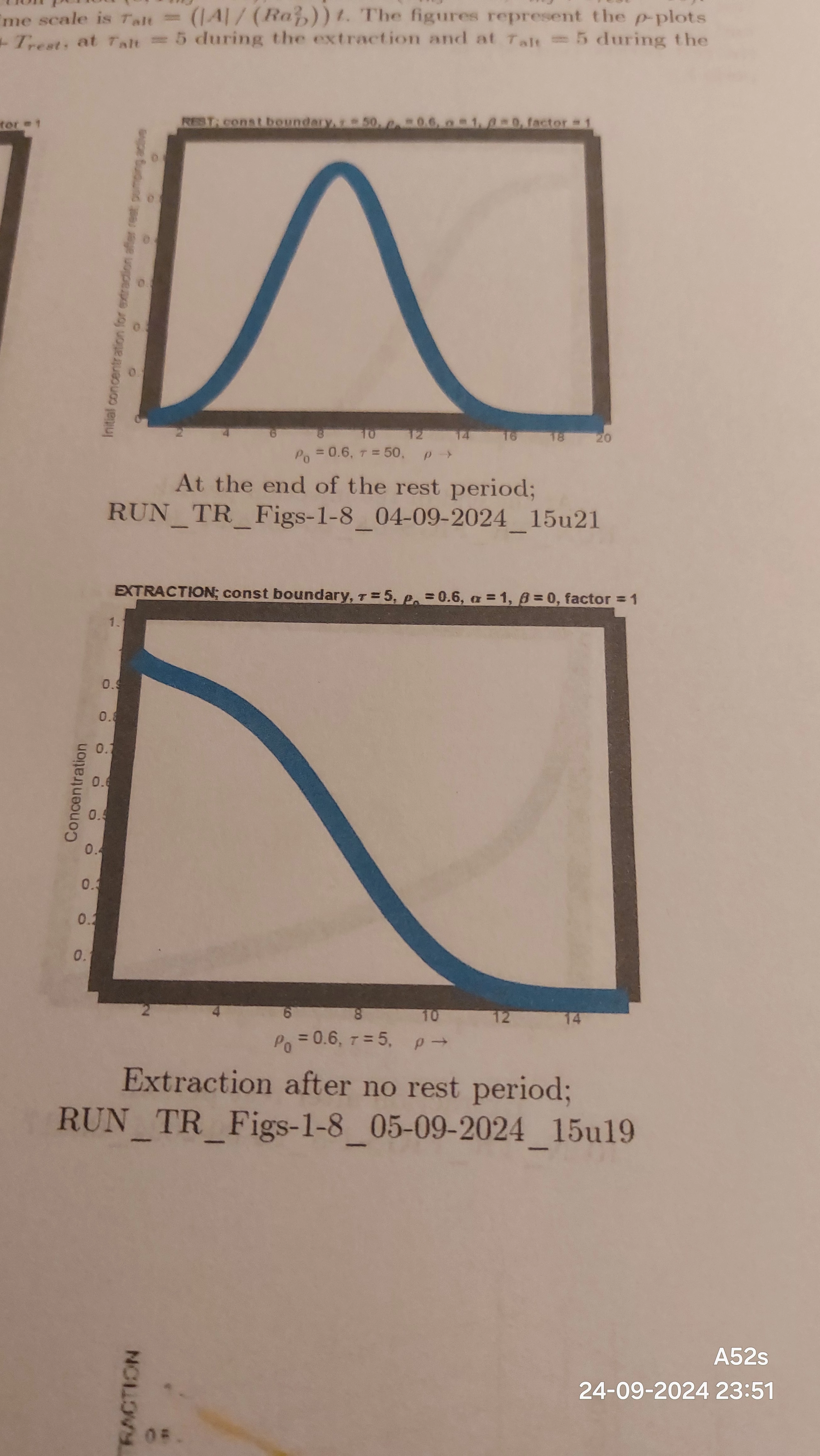
Herewith I want to record that my Adobe Acrobat Pro, version 2024.003.20112|64 bits (see the enclosed sysinfo.txt file) does not print the enclosed PDF-file properly with respect to the thickness of the lines in the 16 figures. These are much too thick. See the enclosed photo, below.
Earlier, I used Adobe Reader XI, version 11.0.08, and that piece of software lets print this PDF-file correctly.
My PDF-file was generated by a LaTeX interpretator (Scientific Word). I enclose the log-file.
On the screen both Adobe software apps (the Pro and the Reader version) showed the file correctly.

Any suggestions welcome!


Ed Veling
Correct answer Ed Veling

Sirs,

It might be helpful to remark that printing my test file from my GSM, Android telephone, using the Adobe Acrobat app, version 25.1.0.37036 and using the print facilities "Canon Print Services", version 2.12.0, to my Canon MG5350 printer delivered the correct result, i.e. a plot with thin lines just as visible on the screen.

A print of the same test file using Adobe Acrobat Pro, Version 2024 005.20.20399 | 64 bits, delivered a correct image on the screen but using the print facility of this version delivered a plot with thick lines.

So, my problem remains. I should like to install the old Adobe Reader XI, version 11.0.08, which worked correctly, but apparently, that is prohibited with my abonnement.

Ed Veling


Sirs,

FINALLY, I solved the problem. I get a correct print of my test file (WITHOUT the thick lines, see above) if I do not highlight the option "Save inkt/toner" in the upper right of the PRINT-screen (in Dutch "Inkt/toner besparen").

So, apparently, highlighting that option resulted in just the opposite action.

I hope that the Adobe engineers can find out what the software solution should be.

Ed Veling

1 reply

Community Manager
September 25, 2024

Apologies for the problem. can you please share us the logs 

Steps

  1. Close Acrobat
  2. Download and run Diagnostics utility https://helpx.adobe.com/acrobat/kb/acrobat-diagnostics.html
  3. Select Start Diagnostics.
  4. Now Open Acrobat and reproduce the issue.
  5. Select Stop Monitoring, and share the log ID with us.


Thanks

Chetan

Ed VelingAuthor
Inspiring
October 5, 2024

I downloaded today Adobe Acrobat Pro, version 2024.003.20180|64 bits, but the problem has not been cured.

Ed VelingAuthor
Inspiring
November 14, 2024

I just runned the diagnostic tool and shared the logs.

I included the PDF-file with the figure that produces the thick lines in the print.

I included also the EPS-file that was included in the LaTeX-document which was the source fotr the PDF-file.


Today, I used Adobe Acrobat Pro, version 2024.004.20243|64 bits, but the problem has not been cured.