


New Participant
April 18, 2019
Question

[Q] How to create chapter points in video?

  • April 18, 2019
  • 2 replies
  • 742 views

[Acrobat DC Pro on MacOSX Mojave.]

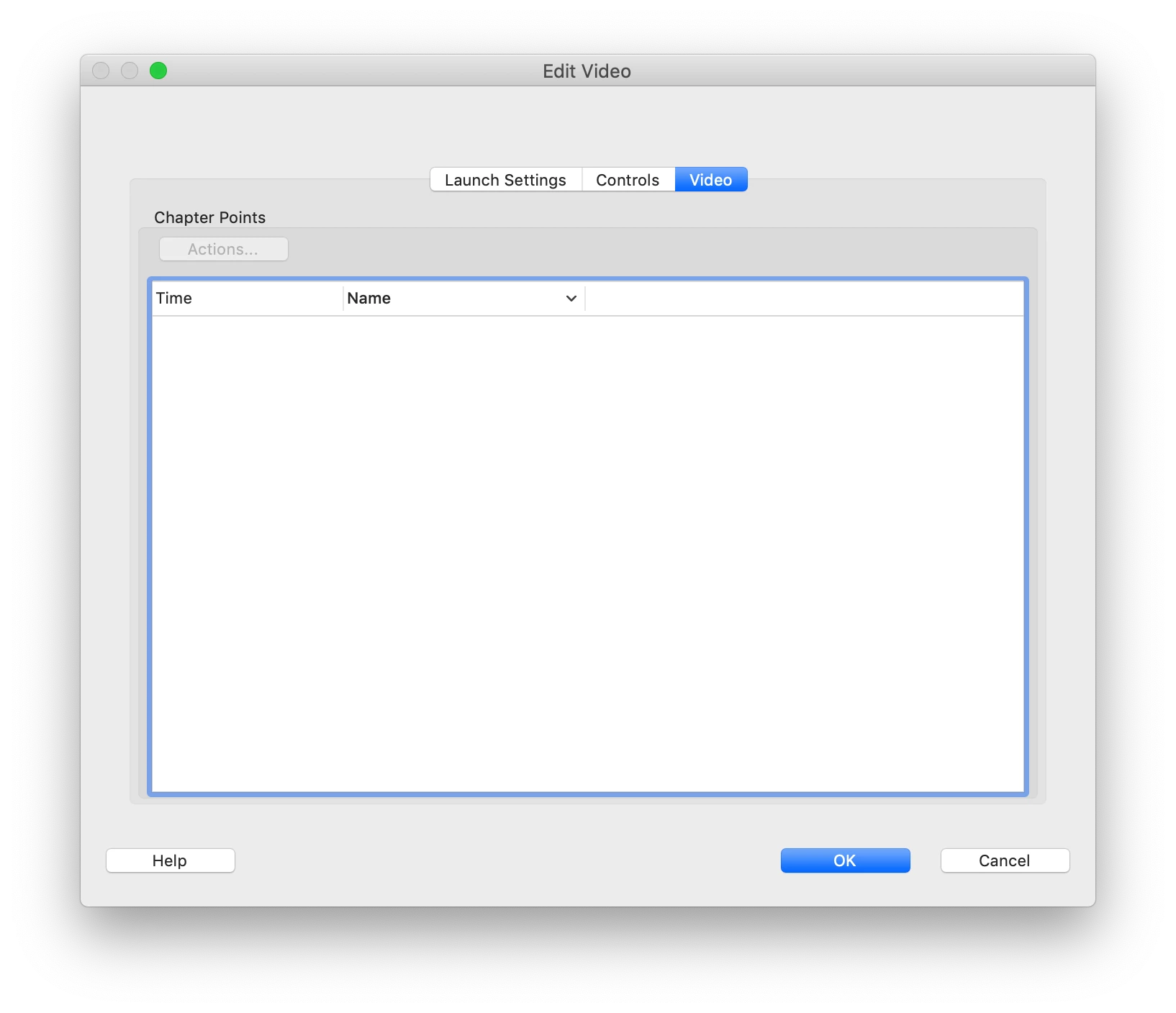
I am completely lost on how to create 'chapter points' in a video (Right click video -> properties -> edit video -> tab 'video'). The video plays fine (H264 exported from Apple Compressor). I've found some instructions for an old version of Acrobat which provides a video preview and allows settings of in and out point and provides a plus sign button to add chapter points.

I can't find any recent documentation.

What am I missing here? Does it only work with certain types of video? Does it not work on MacOSX?

Any help greatly appreciated.

Tom
This topic has been closed for replies.

2 replies

New Participant
August 4, 2021

I cant figure it out either. I have an MP4 with chapters, but when I add it to the PDF that same Screen for Chapter Points is blank and Actions button is disabled.

Can't find any documentation on how to do it.

Joel Geraci
Community Expert
April 29, 2019

You can't add them using Acrobat. You can only assign actions that will execute at the chapter point in question. Chapter points are added using your video editing software and/or as a secondary text file with a very particular format. If you have Adobe Premier, look for tutorials on adding Chapter Points. If not, you'll need to find another tool.

That said, I strongly advise not embedding video in your PDF in this manner. Only do it if you know, for a fact, that the recipients of the PDF will use Adobe Reader or Acrobat to view the file and will not be using mobile devices.

Instead, host the video on a service of your choice and then just link to the video. You'll have a more reliable experience.