


Quality of Excel cell borders in pdf is really bad!
Dear Adobe
I am using Acrobat 9.4.2. I paid for it.
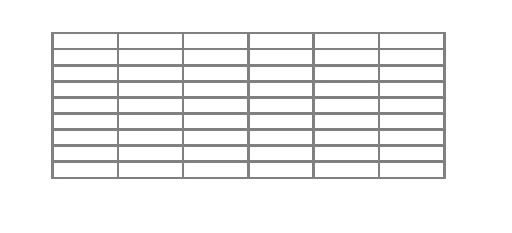
When I convert a page from Excel (or Word) to pdf, the borders of the cells (or tables in Word) are shown in real bad quality in pdf (fine, light lines get thick and clumsy - just ugly).The quality of drawing shapes is ok. The problem only is with borders of Excel cells and Word tables.
I tried all different settings and versions (Excel, Word, Acrobat). Nothing helps. The Questions in the Adobe Forums do not get answered. This is a real problem for a lot of users and companies (in Europe) are getting nervous about it.
We need a solution, not an explanation.
Is there any solution available or are you working on a solution?
Thanks, Roman
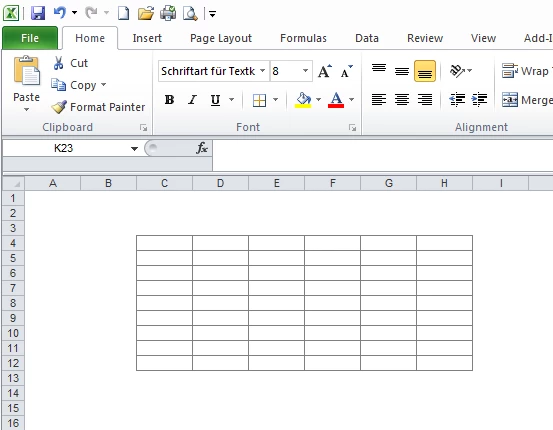
Here is the original formatting in Excel (not a good picture quality):
Here is the converted formatting in pdf:
 AdChoices