


Answered
"Add to trusted certificates" button is grayed out. Why?
And at the top of the document it says "The validity of the document certification is unknown. The author could not be verified." Can anyone help with this?

And at the top of the document it says "The validity of the document certification is unknown. The author could not be verified." Can anyone help with this?
You might try the following steps for Acrobat DC/XI:
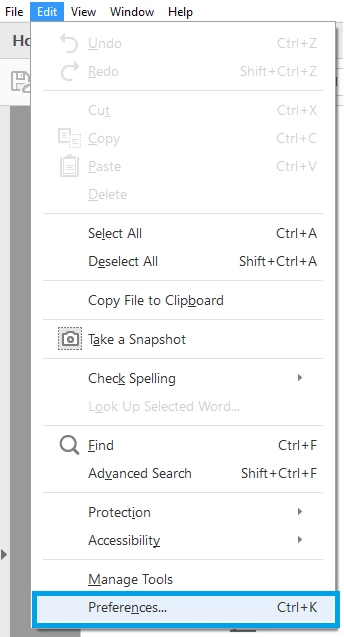
1- Launch Acrobat>navigate to Edit menu> select Preferences
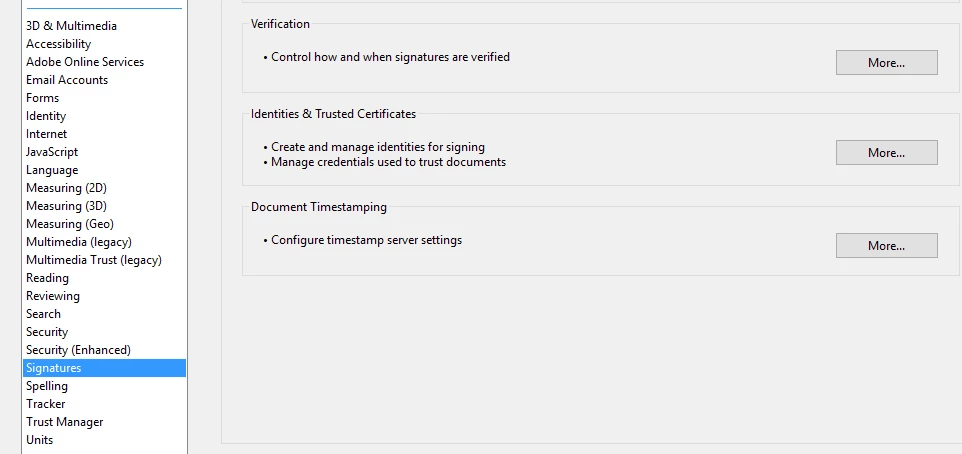
2- Under Preferences>select Signatures in the left hand pane.
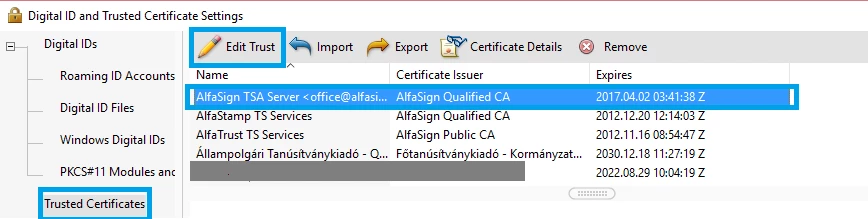
3- Select Trusted Certificates in the left hand pane, select the certificate for which you want to change settings>select Edit Trust
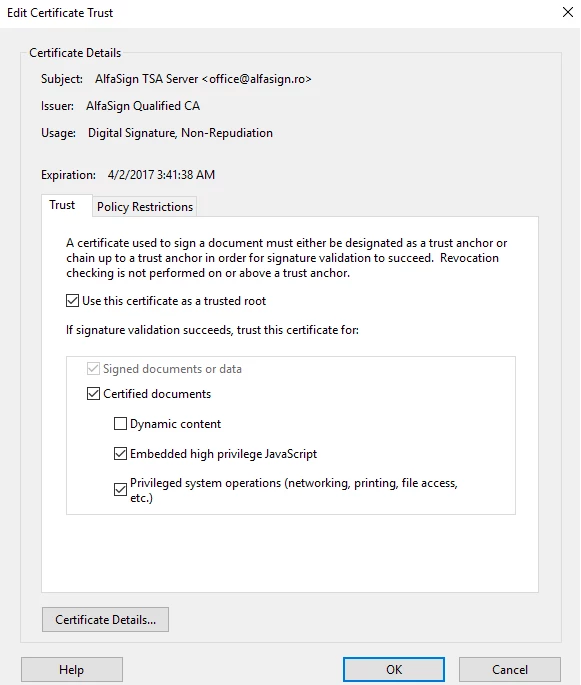
4- Select the following check boxes under Edit Certificate Trust and click OK.
 - Use this certificate as a trusted root
(ii)- Signed documents or data (if its not already)
(iii)- Certified documents
(iv)- Embedded high privilege JavaScript
(v)- Privileged system operations (networking, printing, file access, etc.)
Let me know if it worked.
Thank You,
Shivam
Already have an account? Login
Enter your E-mail address. We'll send you an e-mail with instructions to reset your password.
 AdChoices