


Participant
October 18, 2022
Question

"AdobeAcrobat Quit unexpectedly" when attempting open application on MAC OS

  • October 18, 2022
  • 1 reply
  • 348 views

When attempting to open AdobeAcrobat on my MacBook Pro runnin 12.3.1 I immediatly recieve this error message. 
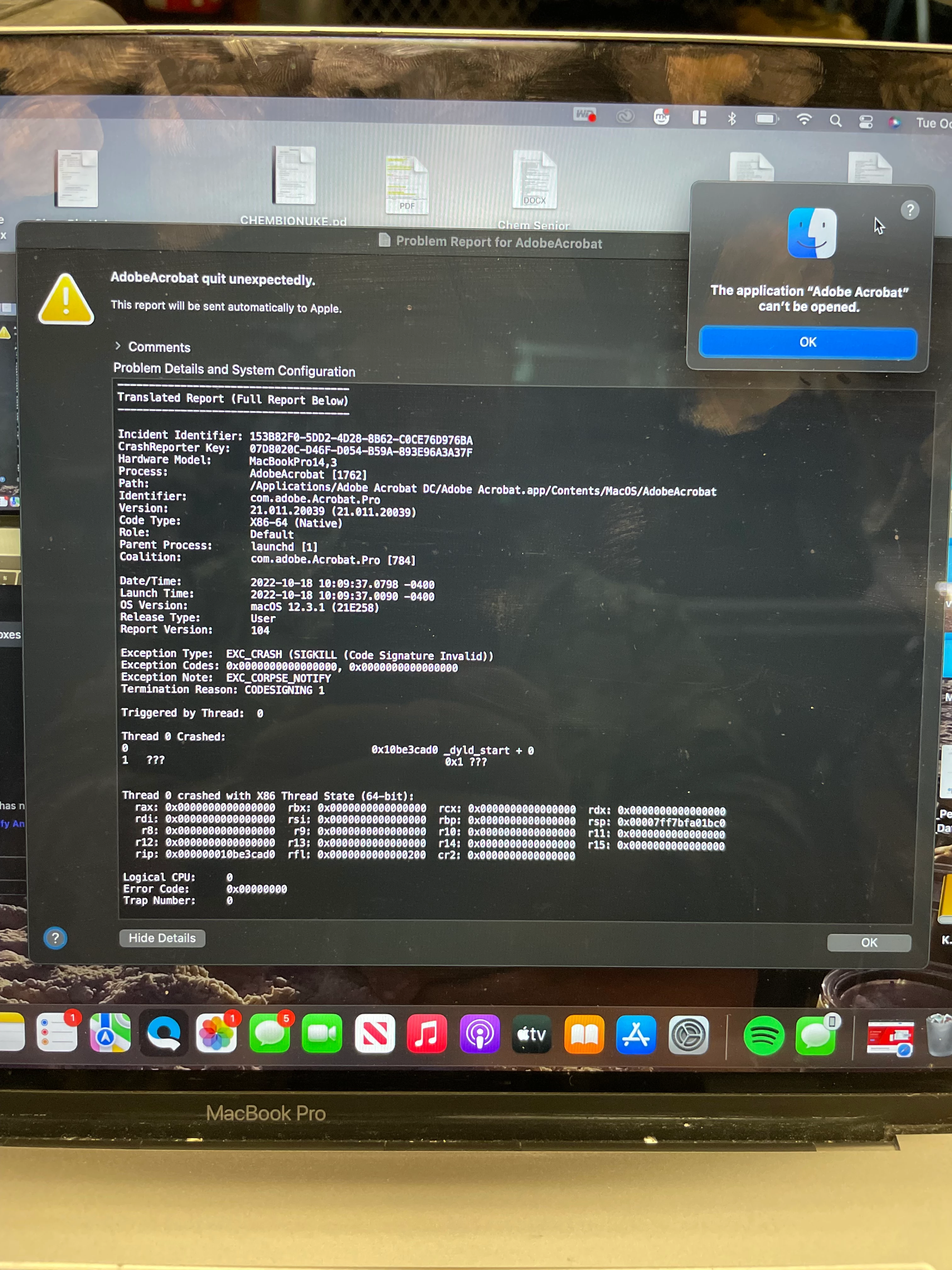
I have attempted to follow troubleshooting steps, including the cleaner tool, but recieved a 404 error message when clicking the link. Any help or a point in the right direction would be greatly appreciated. 

This topic has been closed for replies.

1 reply

Amal.
Community Manager
Community Manager
October 18, 2022

Hi @Jordan26662153u1qx 


Hope you are doing well and sorry to hear that.


Please go through the help page https://helpx.adobe.com/acrobat/kb/error-acrobat-pro-dc-quit-unexpectedly-when-trying-to-open-acrobat-on-mac.html and see if that works.


Regards

Amal

Participant
October 18, 2022

Hi Amal, 

That is the page I used, but when clicking https://helpx.adobe.com/creative-cloud/kb/cc-cleaner-tool-installation-problems.html link, in step 1, I recieved a 404 error

Amal.
Community Manager
Community Manager
October 20, 2022

Hi @Jordan26662153u1qx


I tried to open the link and its working fine. Please try to copy the link and paste in the different web browser and see if help, also, please try to clear the cache memory of your web browser and try again.


Regards

Amal