


Participating Frequently
September 13, 2022
Answered

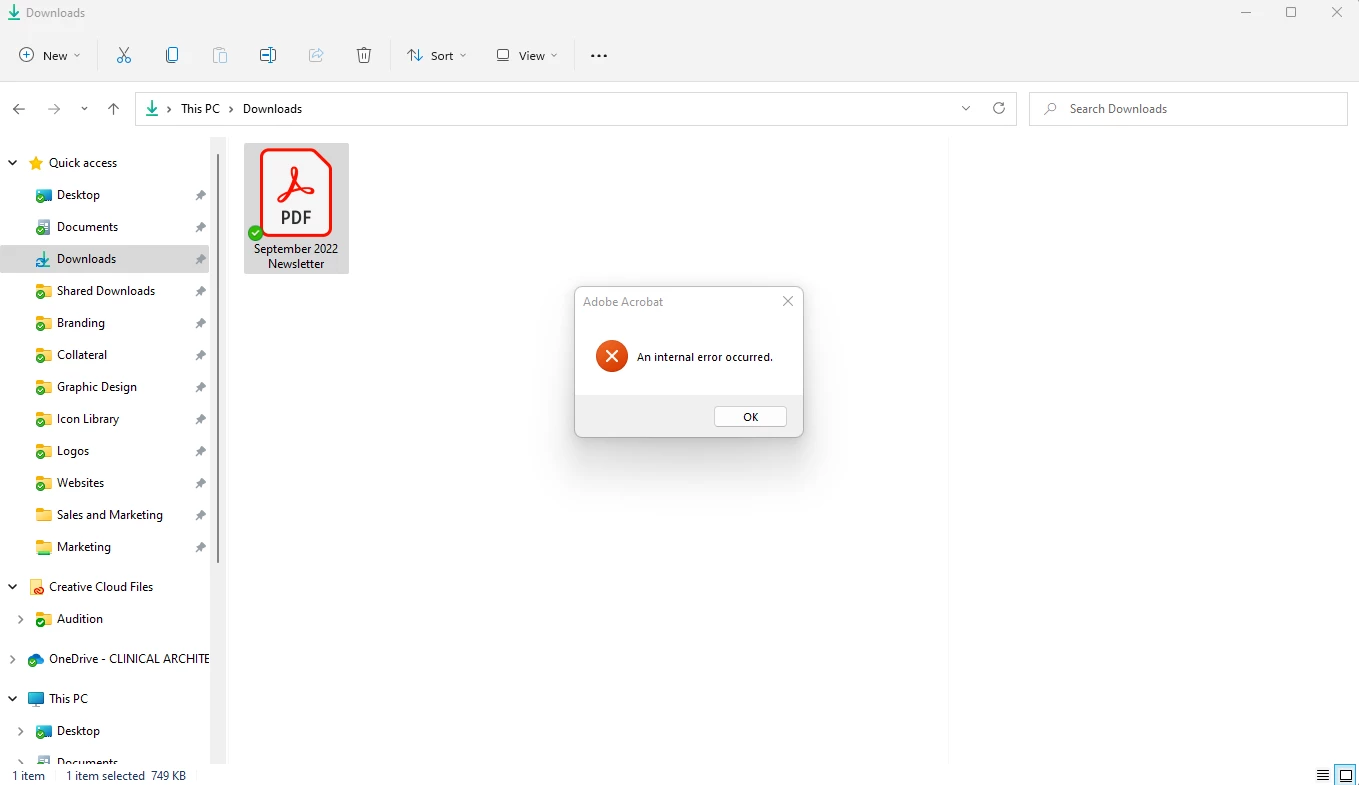
"An Internal Error Occured" when clicking on a PDF and Windows Explorer preview pane is showing.

  • September 13, 2022
  • 22 replies
  • 207643 views

Hi there,

Running Windows 11, up-to-date system and up-to-date Creative Cloud and Adobe Acrobat DC. I have my preview pane visible when going through my files, and sometime in the last 2 weeks PDFs no longer show up in the preview pane. Instead, windows explorer freezes for a few seconds and then shows an Adobe Acrobat "An Internal Error Occured" pop-up. I tried clearing out my temporary files, and tried creating a "2022" folder in C:\Users\(user)\AppData\Local\Adobe\Acrobat\ which was suggested in this thread. Neither worked. All other file types (.jpg, .doc, etc.) show up in the preview pane just fine. Any suggestions?
 

Correct answer Juan Cruz33608956vecu

Me paso lo mismo, entre en la ruto que colocaron y le saque los permisos heredados y borre los los desconocidos y hasta ahora funciona


22 replies

Participating Frequently
September 20, 2022

Well, for some reason it's fixed now. Not sure if it was a Windows update or Creative Cloud update but the preview pane is showing PDFs fine now. Thanks!

Participating Frequently
September 20, 2022

Never mind I jynxed it! The issue is still happening!

Participant
September 14, 2022

Same problem here. 😞

Participating Frequently
October 7, 2022

Try updating your Adobe creative cloud and apps, and trying a Windows update. It's working fine for me now!