


Participant
February 4, 2025
Answered

"open in Acrobat" command doesn't work for pdf attached to Outlook item

  • February 4, 2025
  • 1 reply
  • 561 views

Hi. I am running Adobe Acrobat Standard with subscription, and MS Outlook for Microsoft 365 MSO (Version 2501 Build 16.0.18429.20044) 64-bit.


When I click on a pdf attached to an incoming email, the options include "open in Adobe Acrobat."  When I click on that, nothing happens—no spinning wheel, nothing. I have to click on "open," which brings up the "are you sure you want to do that?" dialog box. I click on 'yes' and the item opens in Acrobat.


Yes, it is a small annoyance, but  an annoyance nonetheless.  Anyone got any ideas to fix this? 

Thanks!
Correct answer creative explorer

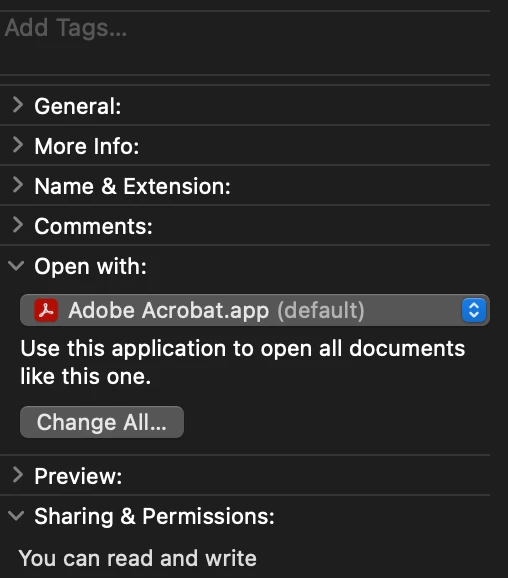
@CraiginOttawa I use a MAC, and I have the option to set that I want all PDF to open in my default application, in this case, Adobe Acrobat


1 reply

creative explorer
Community Expert
creative explorerCommunity ExpertCorrect answer
Community Expert
February 5, 2025

@CraiginOttawa I use a MAC, and I have the option to set that I want all PDF to open in my default application, in this case, Adobe Acrobat


m
Participant
February 5, 2025

Hey creative...thanks for the tip. I thought Acrobat was my default for PDFs  already, so it didn't occur to me to check. It is my default now and the annoyance is gone.  cheers